Reference Files: Giving Linguists Context
Overview
Reference Files are files attached directly to a project for the benefit of the humans working on it — linguists, reviewers, and project managers. Unlike standard document uploads, Reference Files are never processed, translated, or billed as translation work. They exist purely so the people doing the translation have the full picture: background documents, source videos, brand style guides, prior versions of the content, or anything else that gives helpful context but isn't itself meant to be translated. Reference files can be PDF, Word, PowerPoint, image files, and video/audio files.
Two ways to give Smartcat reference material
| Reference Files (this article) | Intelligence Fabric (Upload Files / Scan Website) | |
|---|---|---|
| What it does | Attaches files to a project purely for human visibility — nothing is extracted, processed, or translated | Extracts a Translation Memory, Glossary terms, and style/tone Insights from your material, which you then apply to AI translation |
| Who sees the output | Linguists and reviewers working the project, in the CAT editor or project file list | The AI Translation Profile (and, once imported, your TM/Glossary) |
| Does it get translated or billed as translation? | No — files here are never translated; they exist only as context | No — files here are analyzed for terminology/style extraction, not translated |
| Typical use case | "Here's the source video for these subtitles" / "Here's our style guide so the linguist understands context the source text alone doesn't convey" | "Make the AI sound like our brand voice and use our terminology automatically" |
⚠️ Using the wrong upload path for what you actually want can cause real confusion — uploading a file expecting it to just be background reading, when it's actually being parsed for terminology extraction, or vice versa. See also: Extracting Linguistic Assets with Intelligence Fabric for the Upload Files / Scan Website workflow.
When to use it
-
You're sending a video or audio file to accompany subtitle/caption work, so linguists can see and hear the content in context rather than working from a bare transcript
-
You have a style guide, brand book, or prior translated materials that would help a linguist make better judgment calls, but that you don't want translated or extracted into a TM/Glossary
-
You want to share supporting documentation (a product spec, a legal source document, background on the client) that explains why the text says what it says, without adding that material to the translatable scope
How to use it
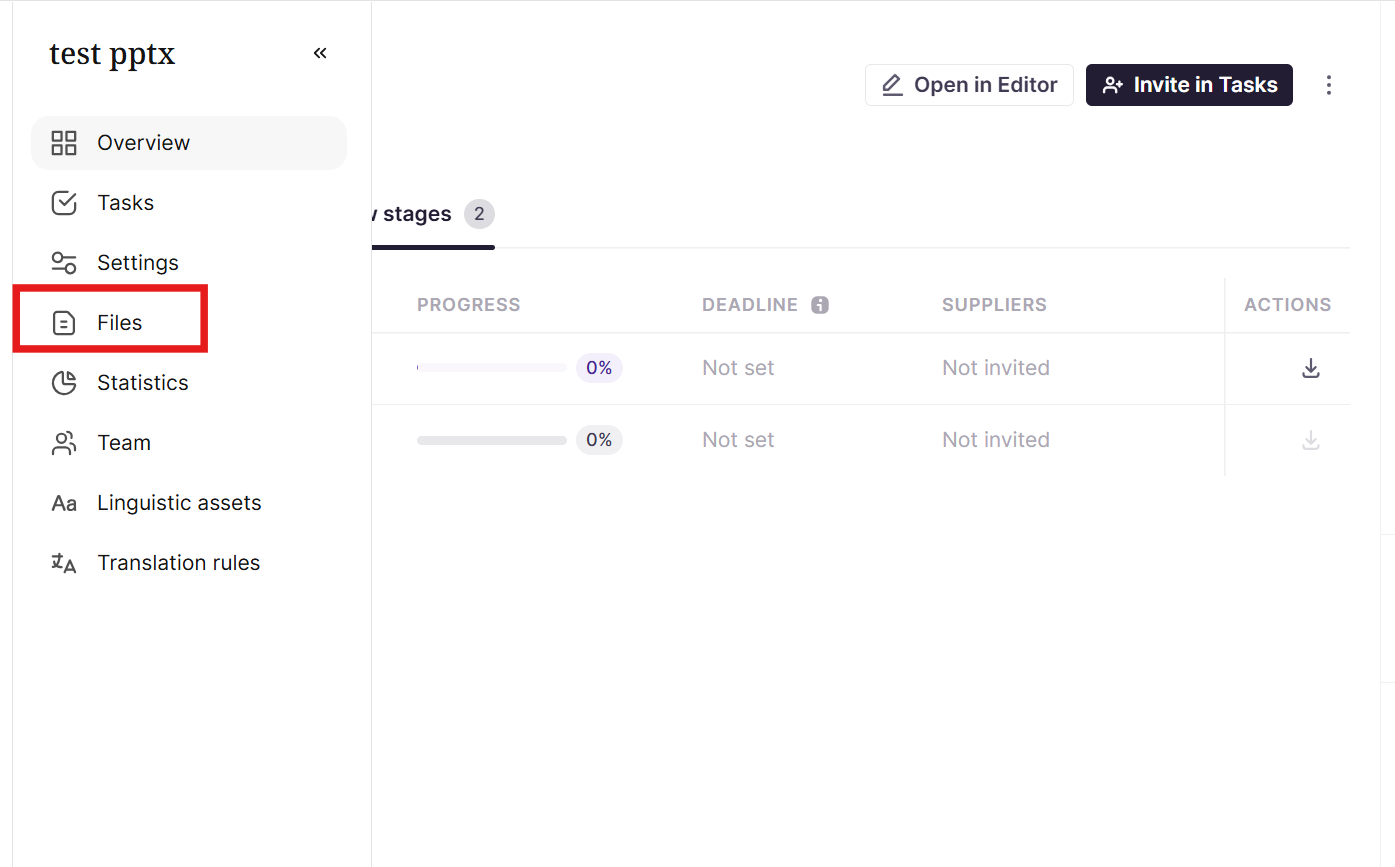
- Open your project and go to the file/document list
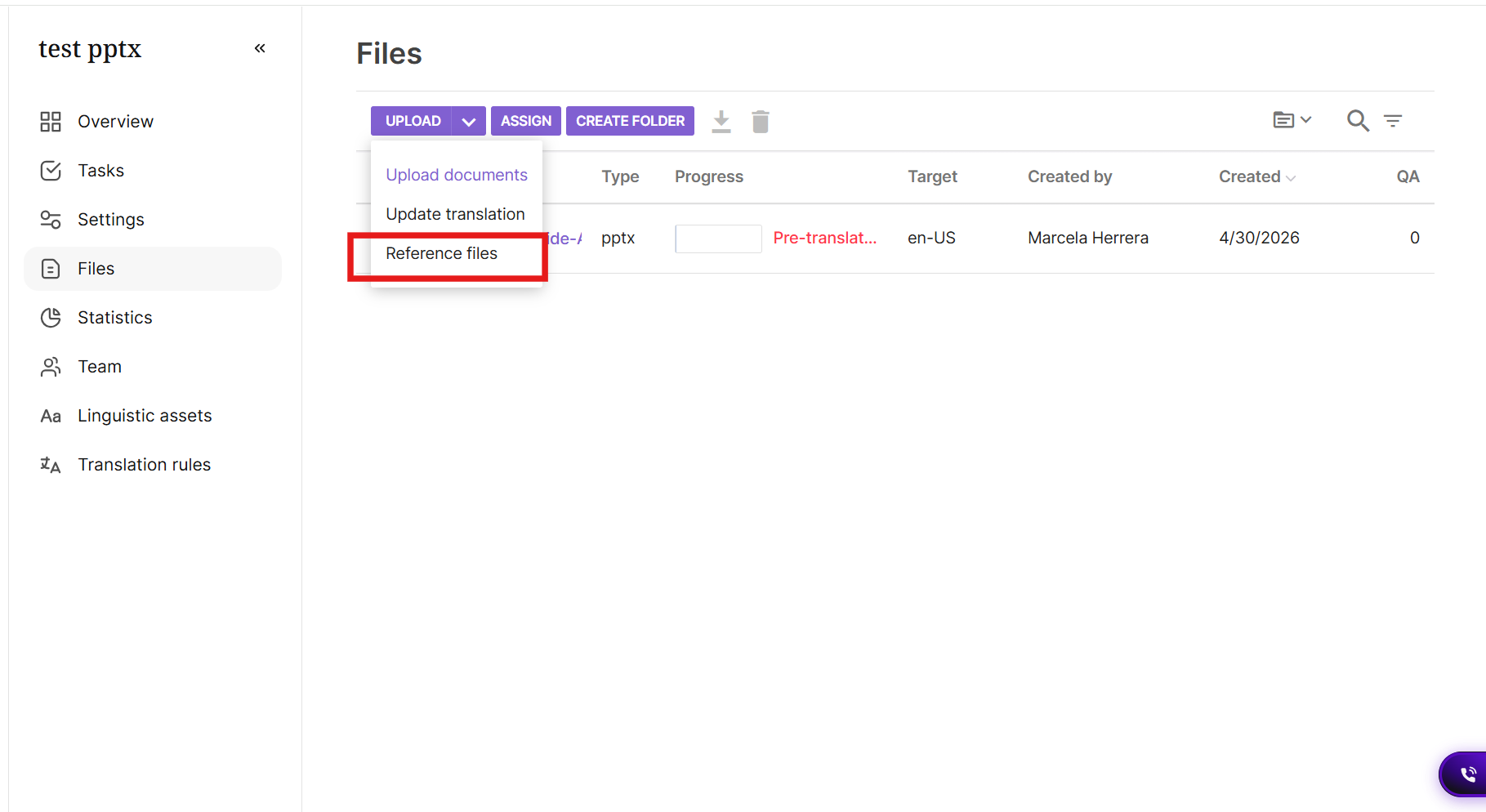
- Click the arrow next to Upload and select the Reference Files upload from the dropdlown (distinct from the standard document upload used for translatable source files)
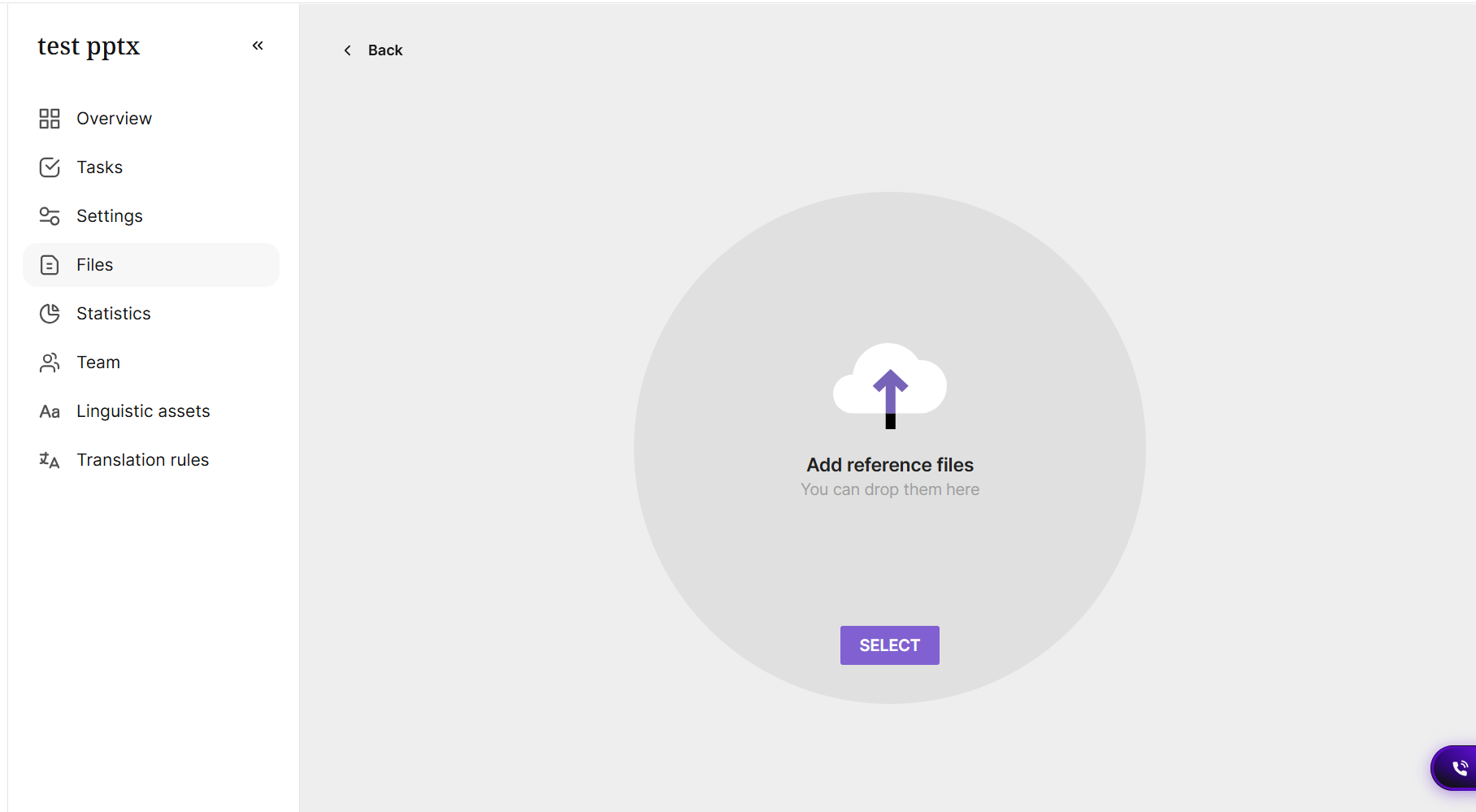
- Upload your file(s) — supported for a wide range of formats, including video and audio for subtitle/caption context
-
Reference Files appear in the project for linguists and reviewers to open alongside their translation work, but do not appear as translatable segments in the CAT editor
-
Attach at the project level so all linguists and reviewers assigned to that project can see the material while they work
-
Keep materials current — if your style guide or reference examples change, re-upload the updated version so ongoing and future projects reflect it
📌 Video/audio as reference vs. TM building from subtitles: Uploading a video or audio file as a Reference File is different from uploading an SRT/subtitle file as a translatable source file — the latter goes through normal translation and can build TM entries from confirmed subtitle segments. A video attached as a Reference File is for context only and produces no TM entries itself.
📌 Lengthy or unusually formatted style guides: if your style guide is long or built in an unusual format (e.g. structured markdown), your Smartcat contact can advise on whether to upload it as-is or distill key rules into your AI translation prompt/settings for more consistent application.
Requirements and Limitations
-
Reference Files are not translated, and do not consume translation billing (Smartwords) — they exist purely for human reference
-
Reference Files do not populate a Translation Memory or Glossary — if you want extraction from a file's content, use Intelligence Fabric's Upload Files / Scan Website instead
-
Reference Files are not visible in the CAT editor's segment list; they're accessed from the project's file/document area
FAQs
What's the difference between Reference Files and Intelligence Fabric's Upload Files?
Reference Files are for humans — linguists and reviewers read them for context, and nothing is extracted or processed. Intelligence Fabric's Upload Files / Scan Website processes your material specifically to extract a Translation Memory, Glossary terms, and style Insights that then shape AI translation. If you want a linguist to just see something, use Reference Files. If you want the AI to learn from something, use Intelligence Fabric — see [Extracting Linguistic Assets with Intelligence Fabric].
If I upload the wrong type of file to the wrong feature, could it get accidentally translated or billed?
Reference Files themselves are never translated or billed, regardless of file type. However, the risk does run the other direction: if you accidentally upload a reference document through the standard document upload flow instead of the "Reference Files" option, it will be treated as translatable content and may be translated (and billed) unintentionally. If this happens, contact your Smartcat support team — this is a known and quickly correctable issue.
Should I use a style guide as a Reference File, or should it go through Intelligence Fabric instead?
It depends on what you want from it. Upload it as a Reference File if you want linguists to be able to read and apply judgment from it manually. Upload it through Intelligence Fabric instead if you want Smartcat to actually extract terminology, tone, and style patterns from it and apply them automatically during AI translation. The two aren't mutually exclusive — some teams do both.
Does adding Reference Files to a project cost extra?
No — Reference Files are not translated and do not consume Smartwords or add to translation billing.
Want to learn more?
See how Smartcat can transform your localization workflow.
Still need help?
Our support team responds within one business day.