Top up your Smartcat balance (methods and currencies)
Overview
The Smartcat balance supports multiple currencies, so you can hold a multi-currency balance. After you top up a balance, you can pay for Smartcat services faster, such as buying Smartwords or paying suppliers.
Available currencies are:
-
US dollar (USD)
-
Euro (EUR)
-
British pound sterling (GBP)
-
Canadian dollar (CAD)
-
Japanese yen (JPY)
-
Russian rouble (RUB)
-
Turkish lira (TRY)
You can choose between three top-up methods:
-
Credit or debit card
-
PayPal
-
Bank wire transfer
You can also save card details for future top-ups, so you don't have to re-enter the data each time and can select the saved card in Smartcat.
📌 Your payment data is secure and fully encrypted. Your banking details are not shared with any third parties.
How to add balances in different currencies
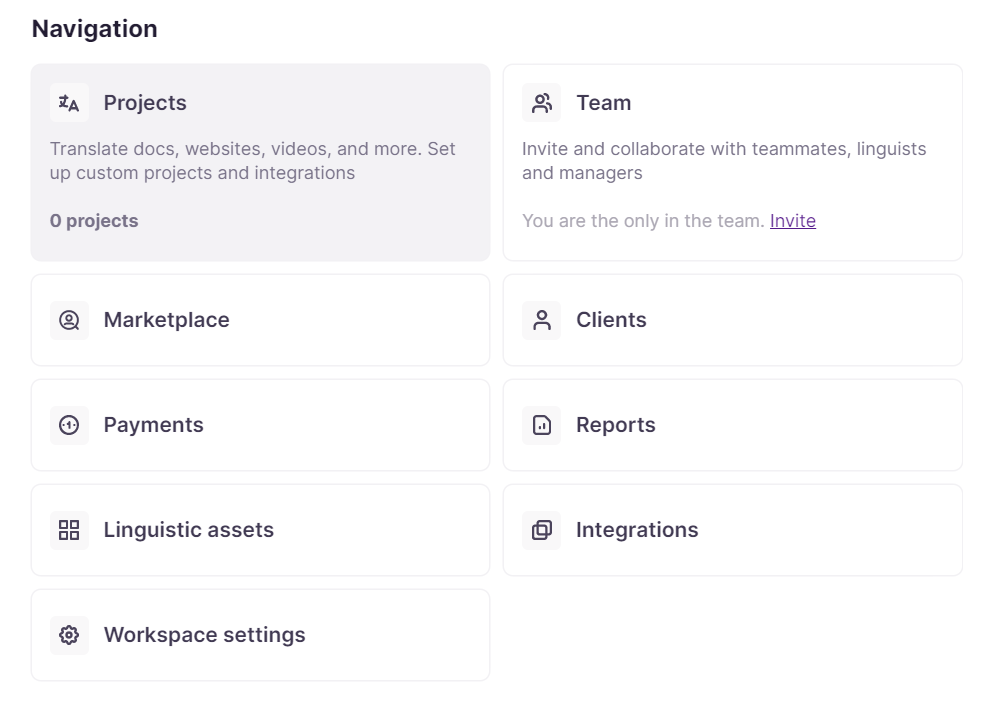
- Go to the Payments tab in your Workspace
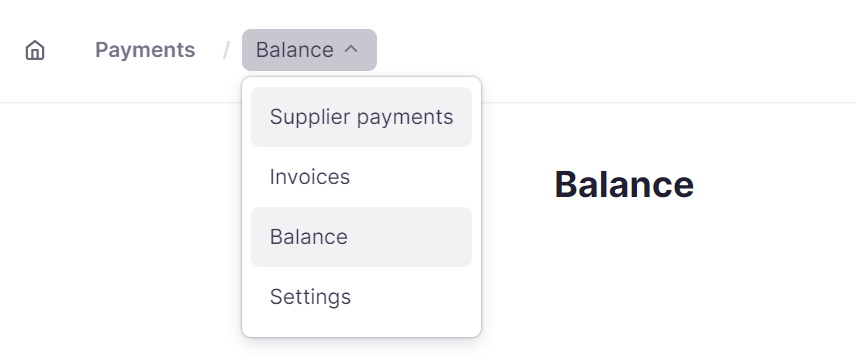
- Open the drop-down menu and select Balance
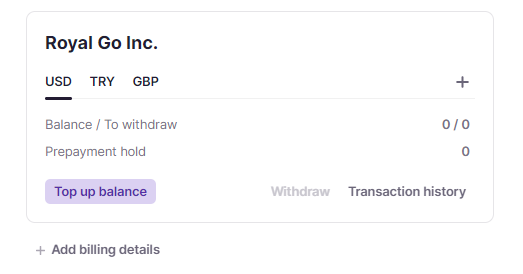
- Review your currency top-up options, then select the plus sign to add a new currency
-
Select Top up balance and enter the amount
-
Select the payment method. You can also download an invoice
-
View your currency balances in the Balance overview
Your balance now holds the currencies you added, ready to pay for Smartcat services and suppliers.
FAQs
Which currencies can I hold in my Smartcat balance?
USD, EUR, GBP, CAD, JPY, RUB, and TRY.
What payment methods can I use to top up my balance?
Credit or debit card, PayPal, or bank wire transfer. You can also save card details for faster future top-ups.
What can I use my Smartcat balance for once it's topped up?
Paying for Smartcat services faster, such as buying Smartwords or paying suppliers.
Is my payment information safe when I top up my balance?
Yes — payment data is encrypted, and your banking details are not shared with third parties.
Can I hold balances in multiple currencies at once?
Yes — you can add and maintain balances in several supported currencies at the same time, viewable together in the Balance overview.
Want to learn more?
See how Smartcat can transform your localization workflow.
Still need help?
Our support team responds within one business day.