Use search filters on the Marketplace to find and hire linguists
Overview
More than 250,000 linguists fluent in different languages, with specializations in different fields, are registered in Smartcat. To find the freelancers you need, you can search the Marketplace and explore each freelancer's profile.
Using search filters
To narrow down your search for the right candidate on the Smartcat Marketplace, start by selecting the source and target language. If you need an editor, a proofreader, or a post-editor instead of a translator, change the service type.
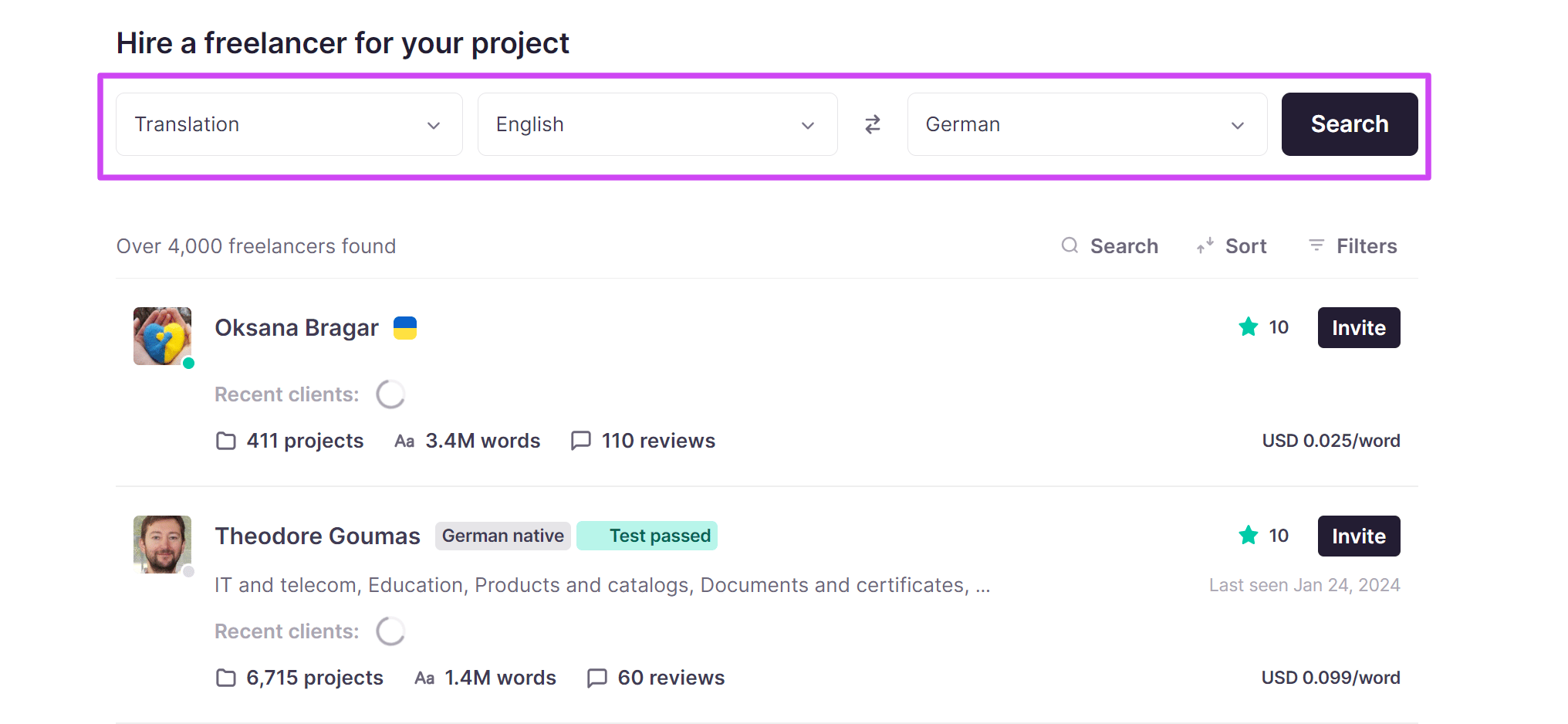
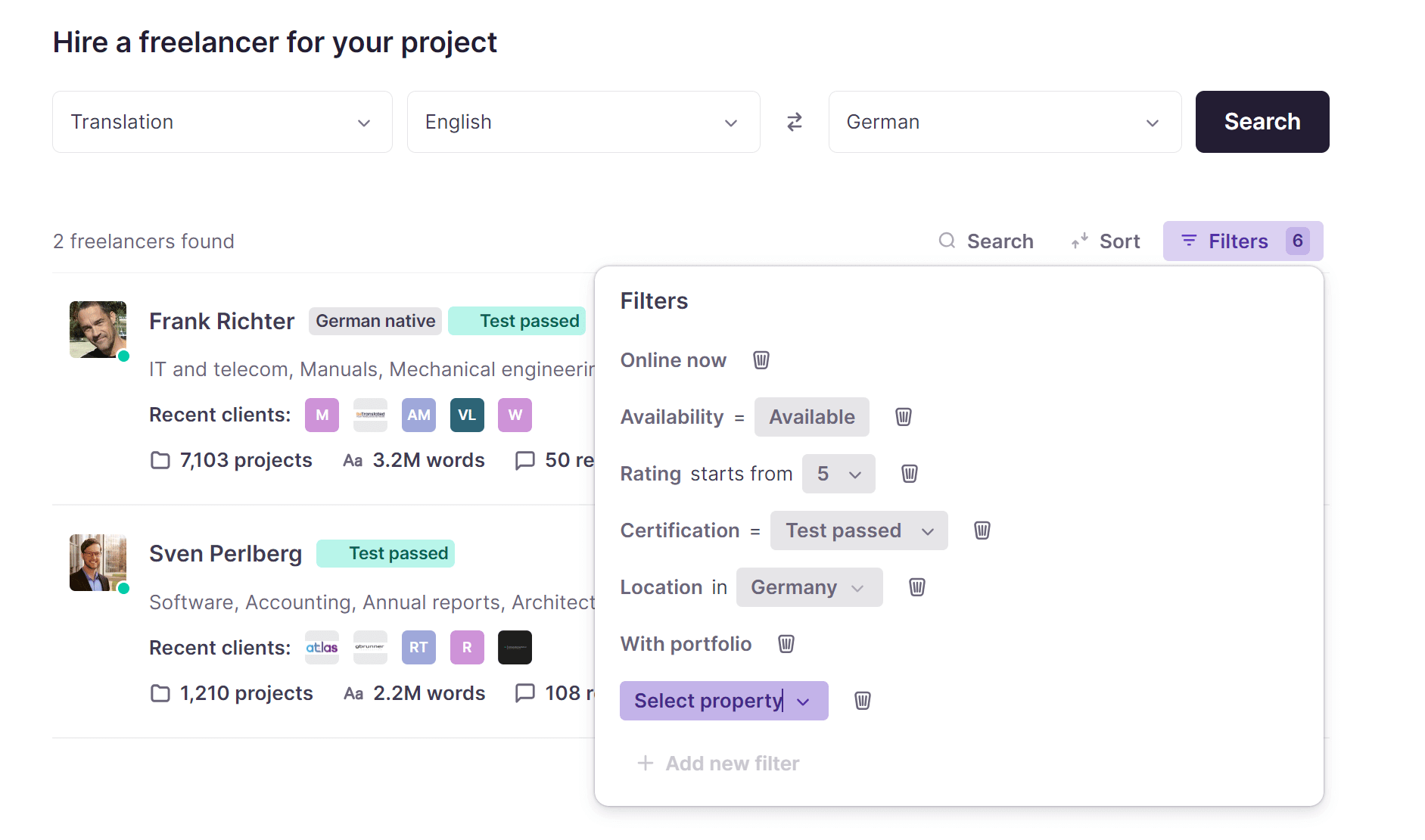
To be more specific, you can use any of the following search criteria:
-
Native language — freelancers who translate into their native language usually deliver better quality. This does not imply that a qualified native Spanish speaker cannot deliver high-quality translations into English. Keep in mind that native speakers often charge higher rates.
-
Specializations — specialization matters a lot. It is generally not a good idea to order a legal translation from a medical expert, so look for someone with expertise in the areas relevant to your needs to ensure the highest quality.
-
Test passed — translators who have successfully passed one or more tests have confirmed their expertise in relevant fields. Tests are reviewed by translation agencies or Smartcat's own quality assurance experts.
-
Online now — this box helps when you need to start working on a project right now.
-
Portfolio — portfolios usually contain samples of previous work, training certificates, résumés, and other evidence of the translator's experience and qualifications.
-
Daytime — if you're in a hurry, select this option to filter out translators who are most likely unavailable due to the late hour in their time zones.
-
Search by all dialects — selecting this option expands your search results to include all translators who translate into the target language you specified, regardless of the dialect.
-
Rate per word — specify a minimum and a maximum rate per word to filter candidates who fit your budget. When estimating the cost, take discounts for fuzzy matches and repetitions into account.
Sending out invitations
To start working with a freelancer (or multiple freelancers), invite them to your project.
-
On the project page, click Assign
-
Check the assignment settings, such as the number of documents that need to be translated and their word count
-
Set the deadline
-
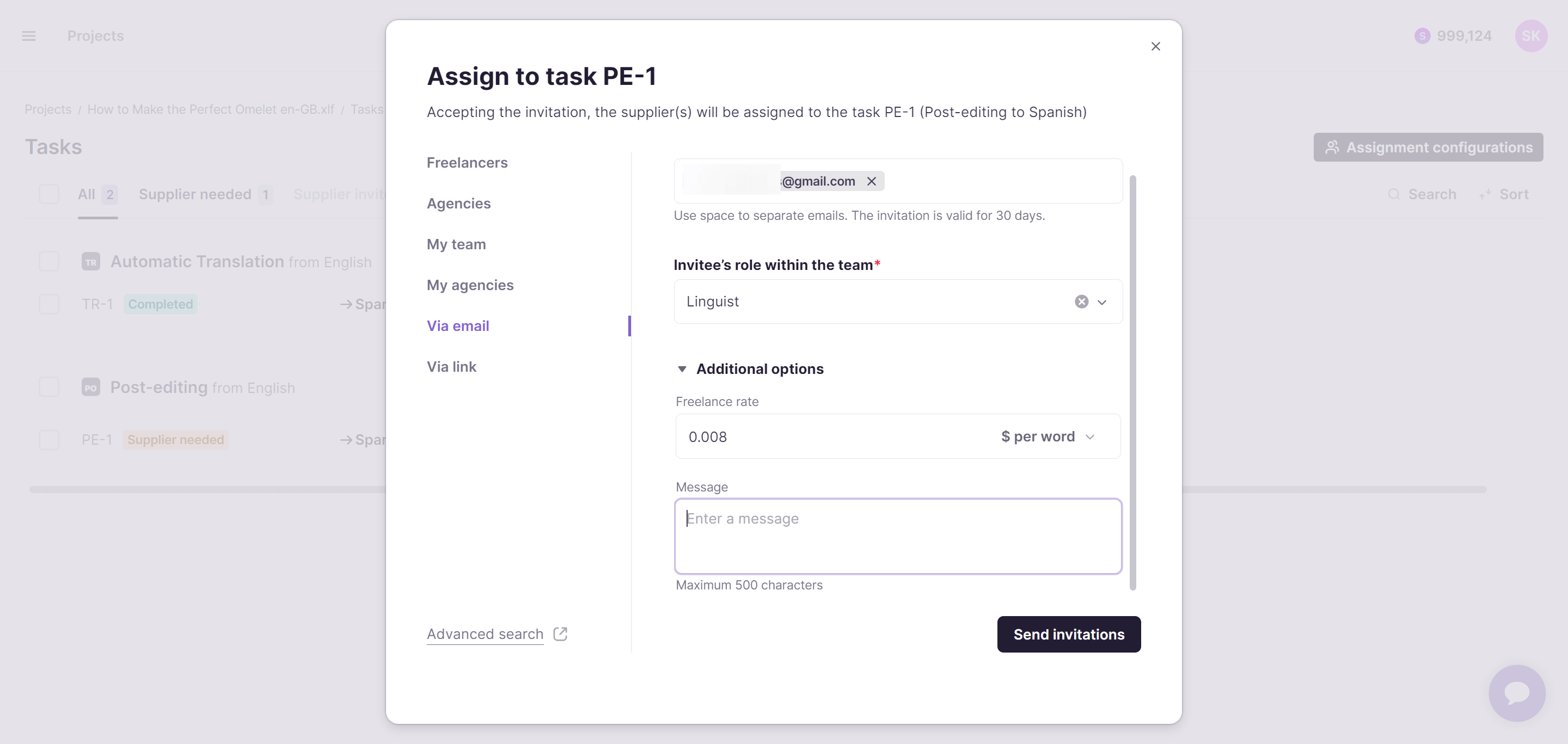
Select linguists from your team, invite someone who isn't signed up in Smartcat yet to your account, or hire freelancers from the Marketplace
-
Choose to assign the whole document or only selected parts. The candidates you selected receive invitations to your project and can preview the documents you assigned to them. Keep in mind that assignees may want to check with you regarding the details of the project
-
Confirm assignments for those who accept your invitation
The assignees can then start working on their tasks, and you can follow their progress on the project page under the Team tab.
💡 Invite more than one translator to ensure successful and timely project completion.
FAQs
What does the "Daytime" filter do?
It filters out translators who are likely unavailable due to the late hour in their local time zone — useful if you need someone to start working immediately.
Should I always require native-language speakers?
Not necessarily. Native speakers of the target language often deliver better quality but usually charge higher rates; a qualified non-native speaker can still produce high-quality translations.
What does "Search by all dialects" do?
It expands your results to include all translators working into your target language, regardless of the specific dialect they list.
How do I actually invite a linguist to my project after finding them?
On the project page, click Assign, review the assignment settings (documents, word count, deadline), select linguists from your team or the Marketplace, choose whether to assign the whole document or specific parts, and confirm the assignment once they accept.
Why does Smartcat recommend inviting more than one translator?
Inviting multiple candidates helps ensure successful and timely project completion in case one is unavailable or unresponsive.
Want to learn more?
See how Smartcat can transform your localization workflow.
Still need help?
Our support team responds within one business day.