Receive and evaluate a task as a freelancer
Overview
When you receive an invitation to a project, you can accept or decline it. To make that decision, you may need more information, especially if the invitation comes from a language service provider (LSP) you have not worked with before. This article explains how you receive a task and where to review its details before deciding.
Receive a task invitation
When a task is assigned to you, Smartcat sends an email to all assignees. The email looks like this:
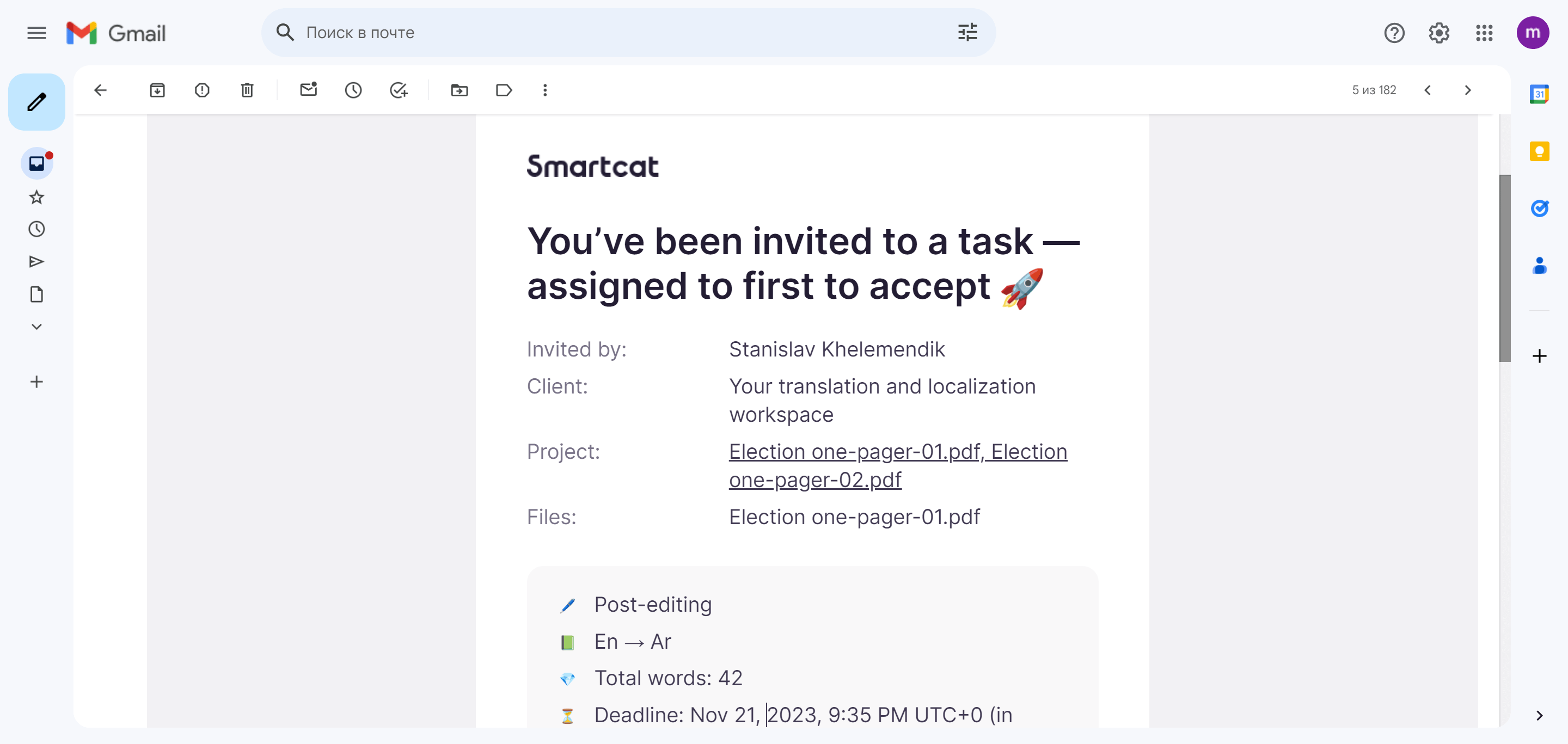
The email contains some information, such as the number of words, that helps you decide. In many cases you need more detail. Click View Details to open the task for review in your Smartcat account.
Review the task details
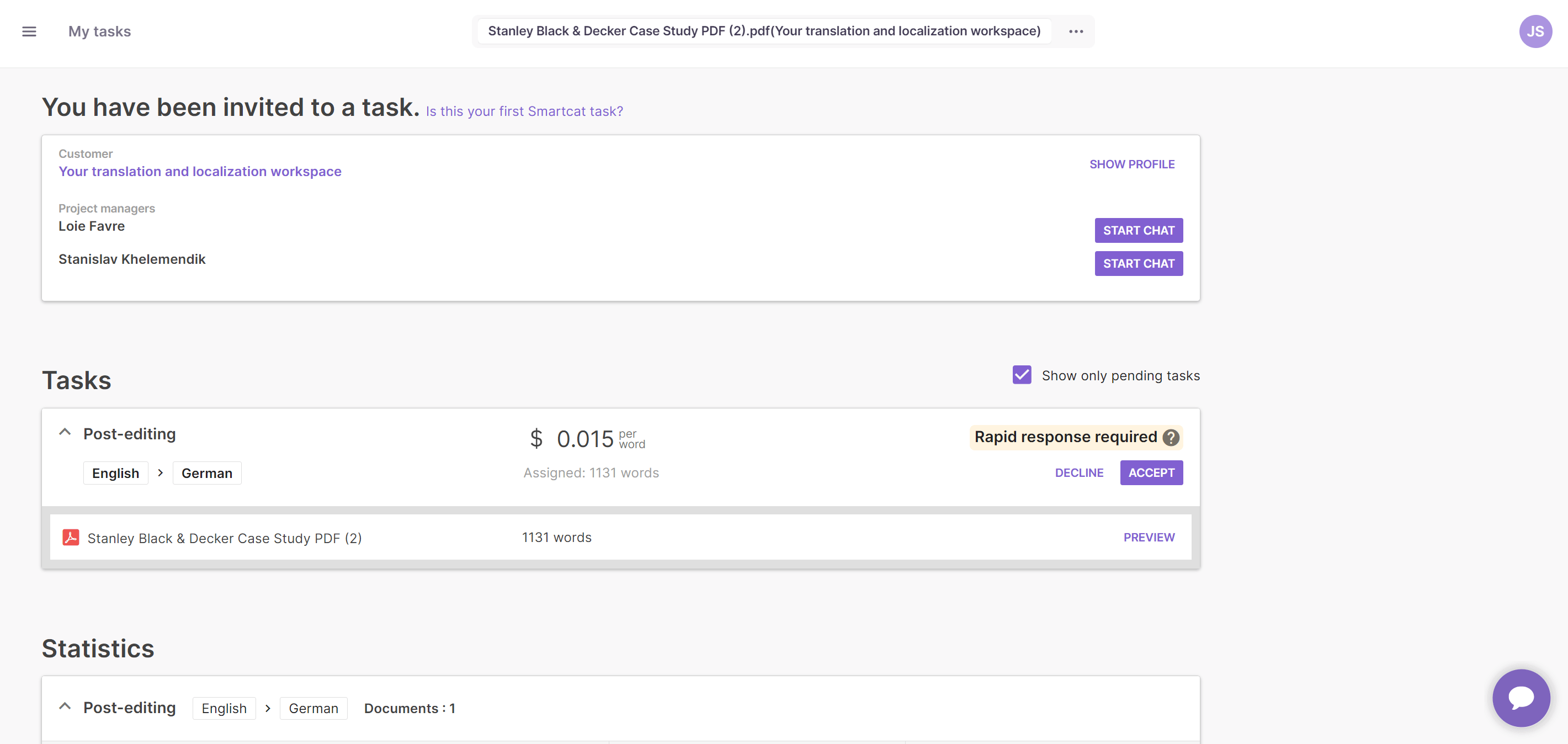
The task description includes the following elements:
-
A — The name of the customer. Click this link to display the corporate profile
-
B — Payment terms for the job and other related information
-
C — A Chat Now button to start a conversation with the project manager if needed, so you get answers quickly without emails or calls
-
D — Reference files, if added to the project, that you can download to get context about the job
-
E — The task and languages for the job
-
F — The rate offered
-
G — The option to Accept or Decline the job
-
H — The deadline for each document, plus a link to preview the file in the CAT editor
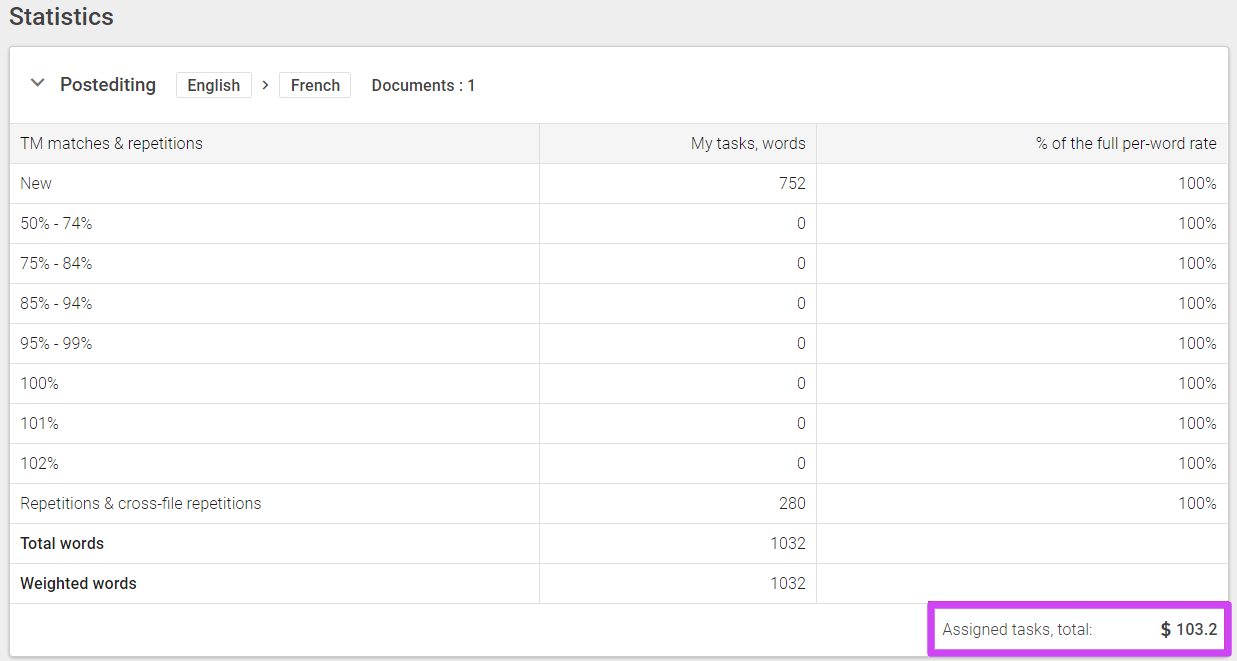
Smartcat also displays statistics, showing the number of words in the document and a detailed breakdown of the types of matches found. An estimate of the total payment for the task is calculated as well:
Preview the file and decide
The preview option lets you view the content in the CAT editor and accept or decline the job from there:
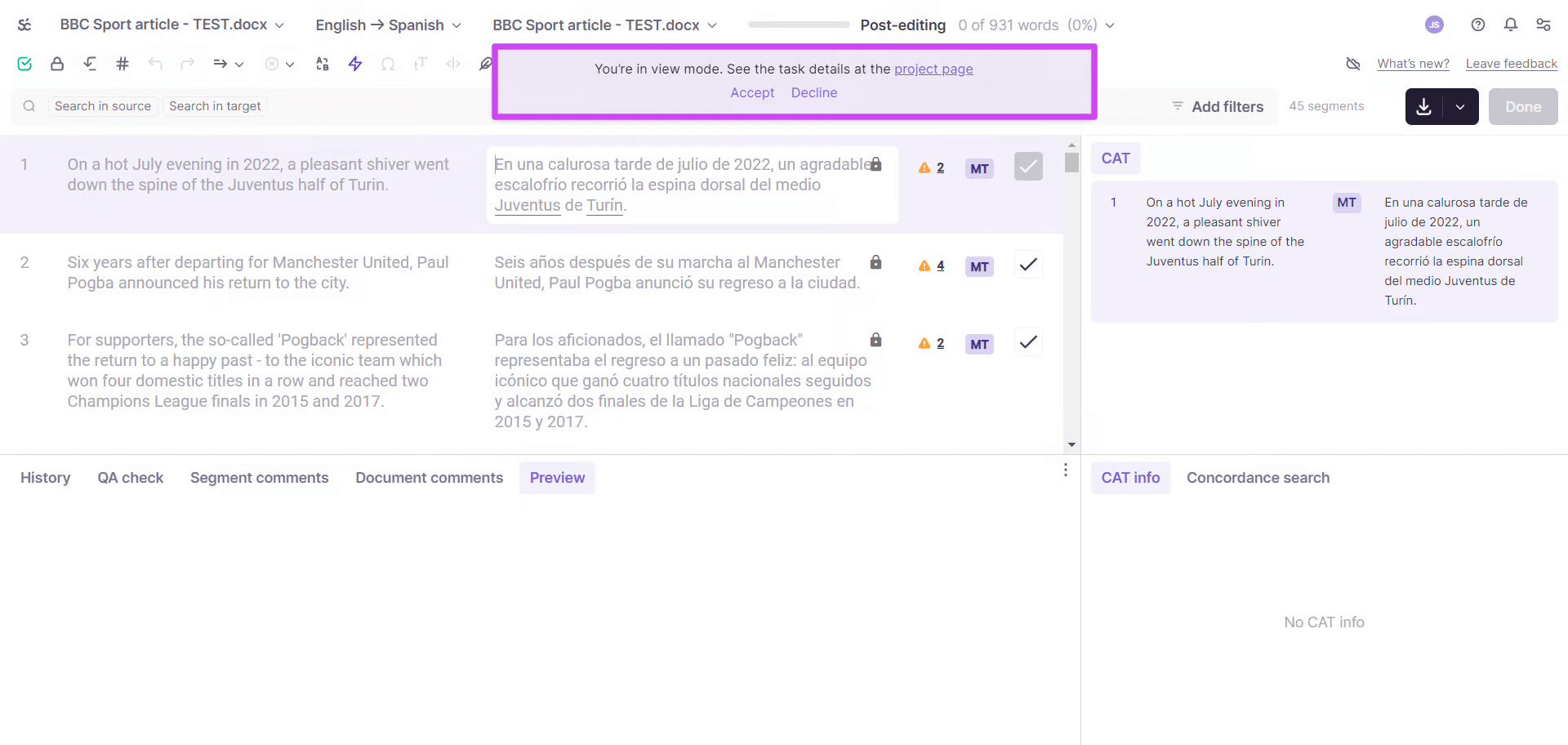
Before accepting the task, you can browse the entire file and review matches from Translation Memory (TM) and AI translation, if used.
-
Open the file preview in the CAT editor
-
Browse the content and review the TM and AI translation matches
-
Accept or decline the task:
-
If you accept, the editor reloads and you can start work
-
If you decline, the task disappears from your My tasks page and is reassigned to another vendor
-
After you accept, the task is yours and you can begin translating.
How to verify a Smartcat task invitation and the inviting client are genuine
There are three reliable checks you can do yourself to determine if a client request is genuine:
-
For any marketplace task, Smartcat pays you directly, never the client. This is stated on the task/invitation itself; if anyone asks you to invoice the client directly, pay fees upfront, or accept payment outside Smartcat, that is a red flag regardless of how legitimate the company name looks.
-
Genuine invitation links always point to the smartcat.com domain — never click through to a different site from an email claiming to be a Smartcat invitation
-
Be wary if someone asks to move the conversation off-platform (e.g., to WhatsApp, Telegram, or personal email) — legitimate Smartcat communication about a task stays on the platform. A high volume of near-identical invitation emails in a short time is not by itself a sign of fraud — some enterprise clients split large localization projects across many languages and many translators on a “first to accept” basis, which can generate several emails from the same real project in one day.
If, after checking these points, you are still unsure about a specific client or profile, contact Smartcat Support with the client/company name and we can confirm directly whether they are a verified, paying client.
FAQs
Can I preview the file before deciding whether to accept a task?
Yes. Open the file preview in the CAT editor to browse the content and review Translation Memory and AI translation matches before accepting or declining.
What happens if I decline a task?
The task disappears from your My tasks page and is reassigned to another vendor.
Where can I ask the project manager questions before accepting a task?
Use the Chat Now button on the task details screen to start a conversation with the project manager directly, without needing email or a call.
What information is shown on the task details screen?
The customer's name (with a link to their corporate profile), payment terms, reference files, the task type and languages, the offered rate, the deadline for each document, and the Accept/Decline options.
How can I be removed from a user’s list of linguists?
That list is controlled by the user’s Workspace Admin or Project Manager, who can remove you from their assignment template and their My Team list so you're no longer selected for new work. Note that removing you from the template doesn't automatically cancel any assignment you're currently holding on an in-progress document/stage — that has to be cancelled separately by the client (or by Smartcat Support on their behalf) if it's still open.
What happens if someone adds me to their Team in Smartcat?
If a company has added you to their team in Smartcat so they can assign you to their translation projects, you receive an invitation. Clicking Join is safe: it adds you to their team as an In-house Linguist, but it takes you to your own personal Smartcat workspace rather than into the company's workspace, which is why it can look like nothing happened. You don’t get direct access to the client's corporate workspace; instead, you see and work on the projects they assign to you from your own personal workspace. No further action is needed on your part after clicking Join.
Want to learn more?
See how Smartcat can transform your localization workflow.
Still need help?
Our support team responds within one business day.