Handle pluralization in a software localization project
Overview
Smartcat lets you localize your software into the many languages your users require. You can import and export strings (translatable text segments in the CAT editor) in JSON, YAML, Android XML, and iOS .strings formats with their key IDs. Smartcat also supports plural keys.
There are two ways to handle plurals in Smartcat:
-
Natively, as independent segments in the editor
-
Via ICU MessageFormat syntax
Create plural keys in the editor
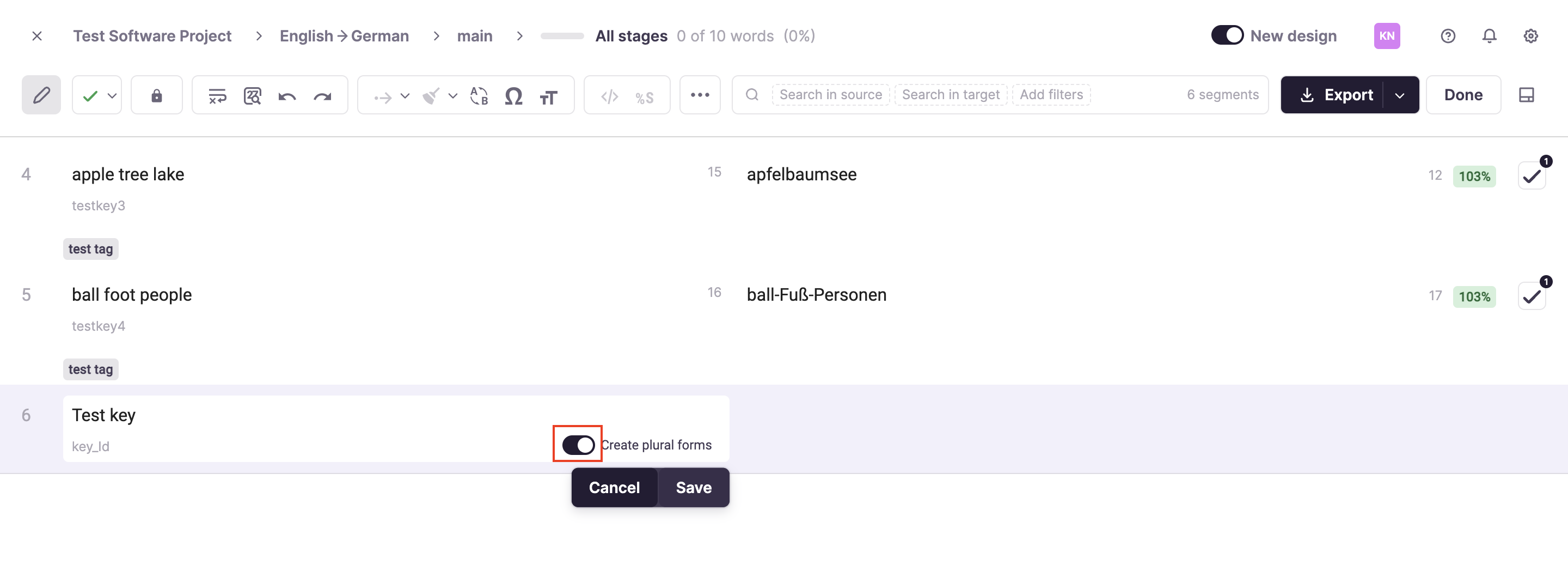
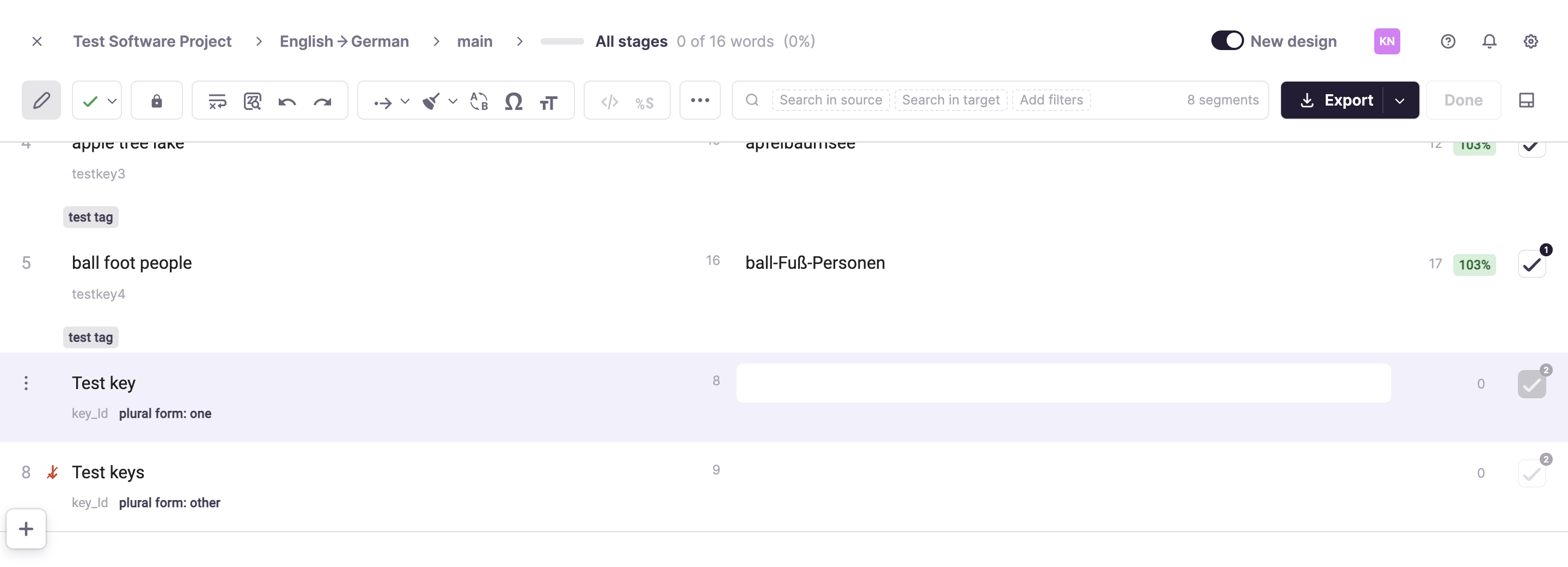
When you open a collection of keys in the CAT editor, you can add new keys. When you add a key, you specify whether it should be created with all plural forms.
Export and import plural keys
When you export keys, plural forms are converted into an ICU MessageFormat-compatible string.
When you import a LocJSON file, you can specify whether keys containing ICU MessageFormat syntax should be parsed and converted into individual segments in Smartcat, or kept as they are so that you can edit the raw string.
💡 If you have raw ICU MessageFormat strings, you can use an interactive previewer and validator for this format by choosing it in the preview section.
Want to learn more?
See how Smartcat can transform your localization workflow.
Still need help?
Our support team responds within one business day.