Use the multi-documents work mode in the CAT editor
Overview
Managing translations across multiple documents in diverse languages can be complex. The multi-documents work mode in the CAT editor streamlines this process, so you can handle projects with various language iterations efficiently.
Access multi-documents mode in your project
📌 The Open all documents / multi-documents editing mode is only available when your project belongs to a corporate account on eligible plans that have the multi-document editor mode feature enabled. If you're on a business/corporate workspace and eligible plan and still don't see it, ask your Smartcat Account Manager or Support to confirm the feature is enabled for your account; it cannot be turned on for projects owned by a personal account.
Go to any document in your project
-
Open a document within your project
-
Scroll to the end of the document
-
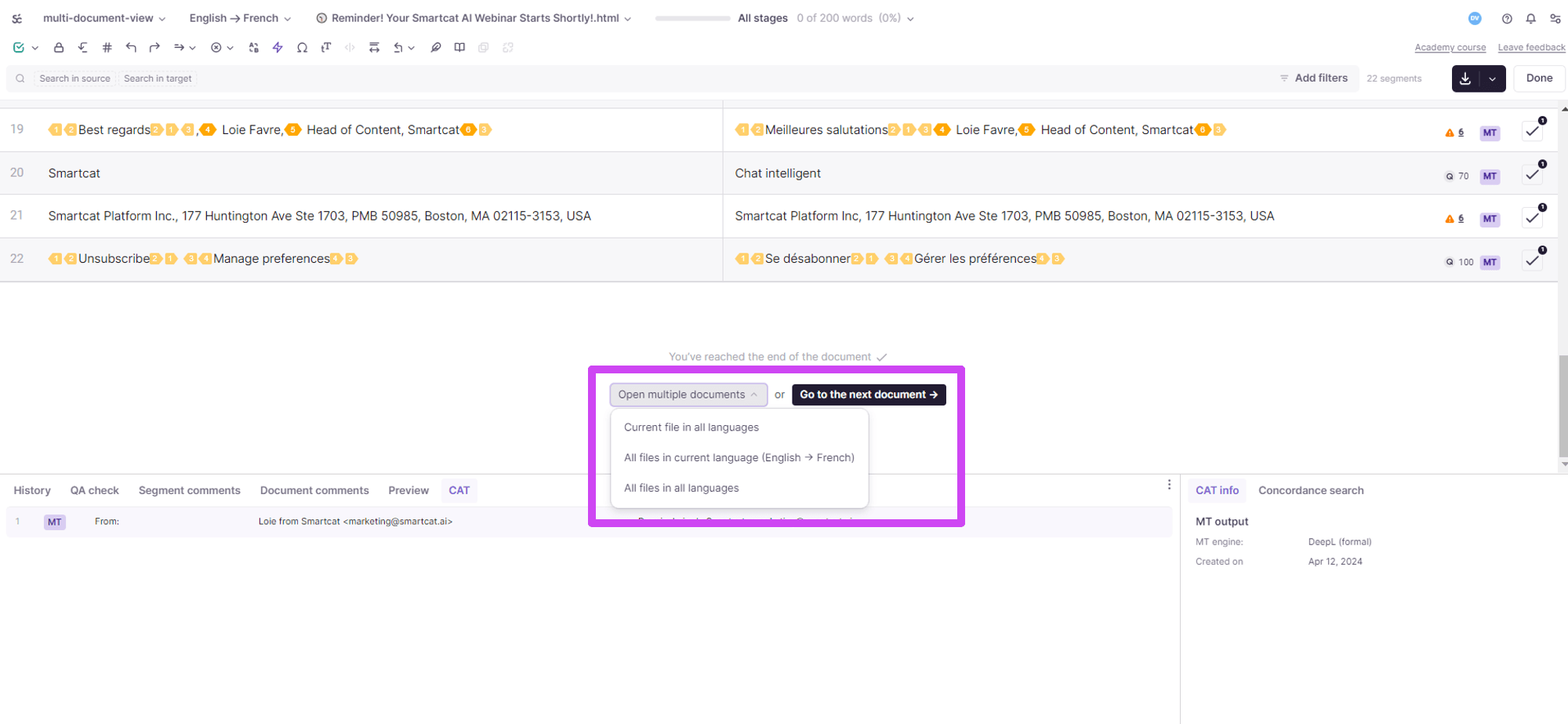
Look for the Open all documents button at the end of the document
-
Click Open all documents to access the multi-documents mode options
The multi-documents mode options open for your project.
Select your preferred mode
Choose the option that best suits your needs:
-
Open all language versions for the current document — for managing translations across different languages of the same document
-
Open all documents for a specific language — to focus on documents in a particular language
-
Open all documents in all languages — for a comprehensive view of your project scope
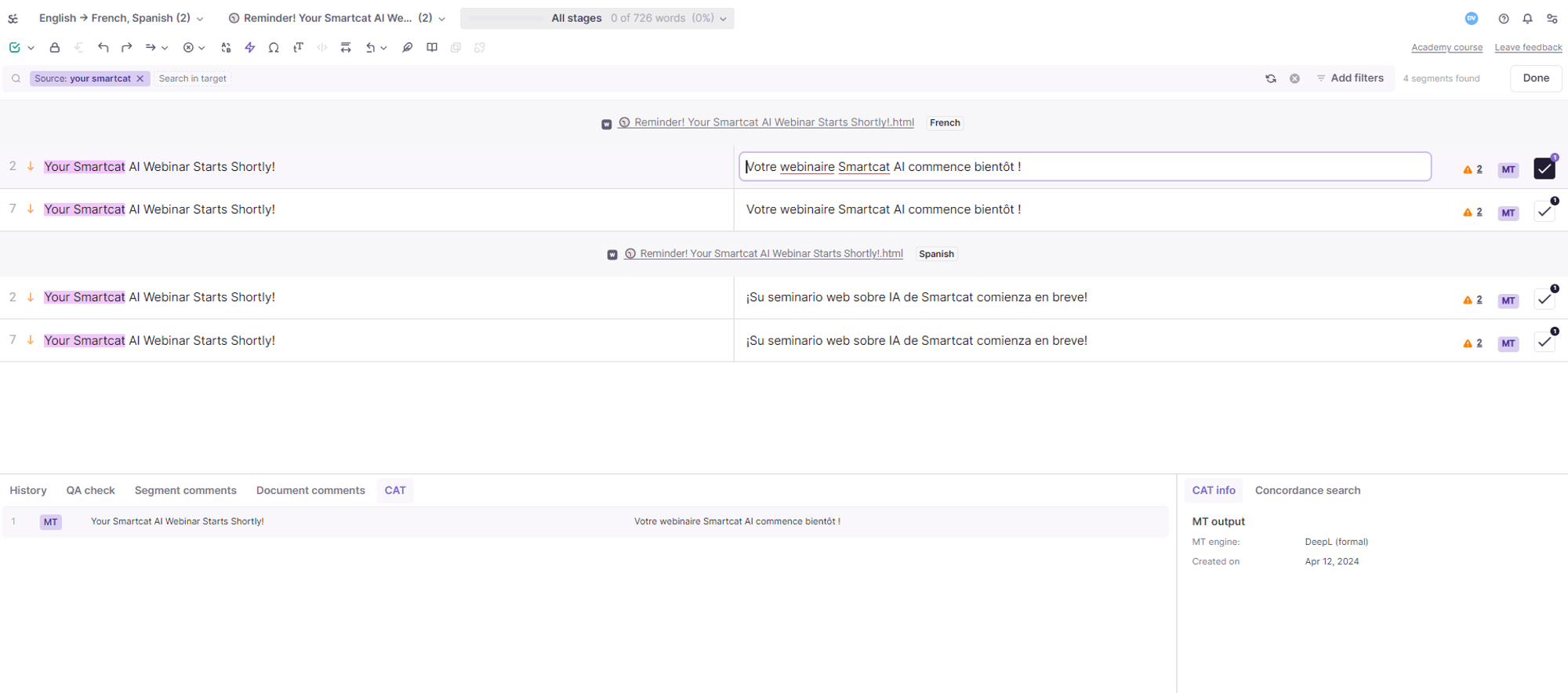
Interface changes in multi-documents mode
Once in multi-documents mode, the CAT editor interface displays:
-
The total number of active documents (for example, (2) indicating two documents)
-
The cumulative word count of all documents in your project
-
A header indicating the specific document the displayed segments belong to
Bulk operations and enhanced functionality
In multi-documents mode, you can take advantage of these features.
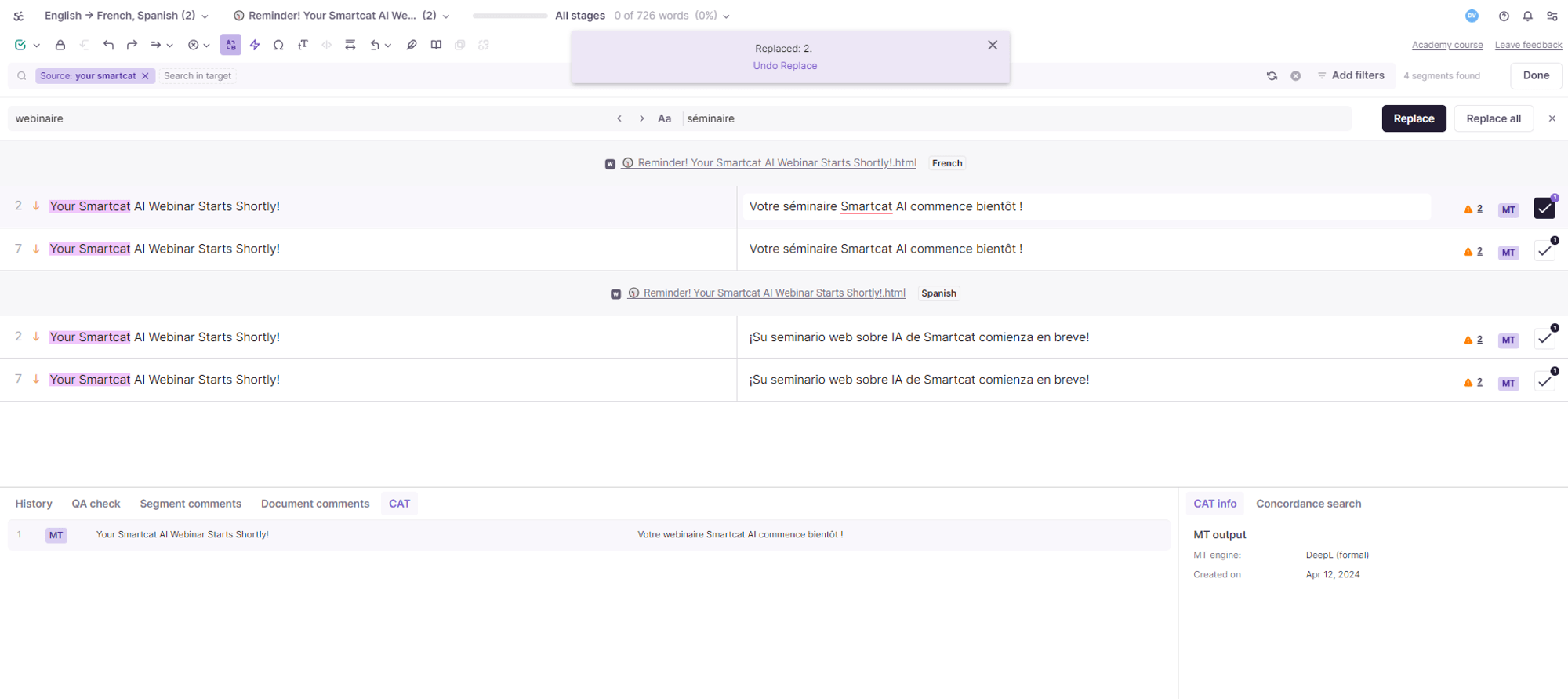
Filters, search, and replace functions
-
Use filters and perform searches across all documents at the same time
-
Compare translations across different documents to ensure consistency
- Apply the replace feature to update translations across all project documents
FAQs
How do I open multi-documents mode from within a project?
Open any document in the project, scroll to the very end, and click the "Open all documents" button that appears there.
What are the three viewing options once I'm in multi-documents mode?
Open all language versions for the current document, open all documents for a specific language, or open all documents in all languages.
Can I search and replace text across multiple documents at once in this mode?
Yes — multi-documents mode lets you apply filters, search, and the replace feature across all the open documents simultaneously, rather than one at a time.
How can I tell how many documents are open and how large the combined workload is?
The interface shows the total number of active documents (e.g. "(2)") and the cumulative word count across all of them.
Is multi-documents mode useful for checking translation consistency?
Yes — since you can view and compare translations of related documents side by side, it's a practical way to check that similar content is translated consistently across files.
Want to learn more?
See how Smartcat can transform your localization workflow.
Still need help?
Our support team responds within one business day.