How to Receive Payments as an Agency
Overview
When a client pays your agency through Smartcat, the money lands on your corporate workspace balance. From there, you can spend it on Smartcat or withdraw it. This article explains how to set up your corporate workspace to receive payments and how to withdraw them.
How payments reach your balance
When a client pays your agency through , the amount is added to your corporate workspace balance automatically. This only happens if your corporate workspace has billing details (see Step 1).
If you know your client has paid but the money hasn't appeared on your balance, contact our support team.
Step 1: Add your billing details
Complete this step before your first payment.
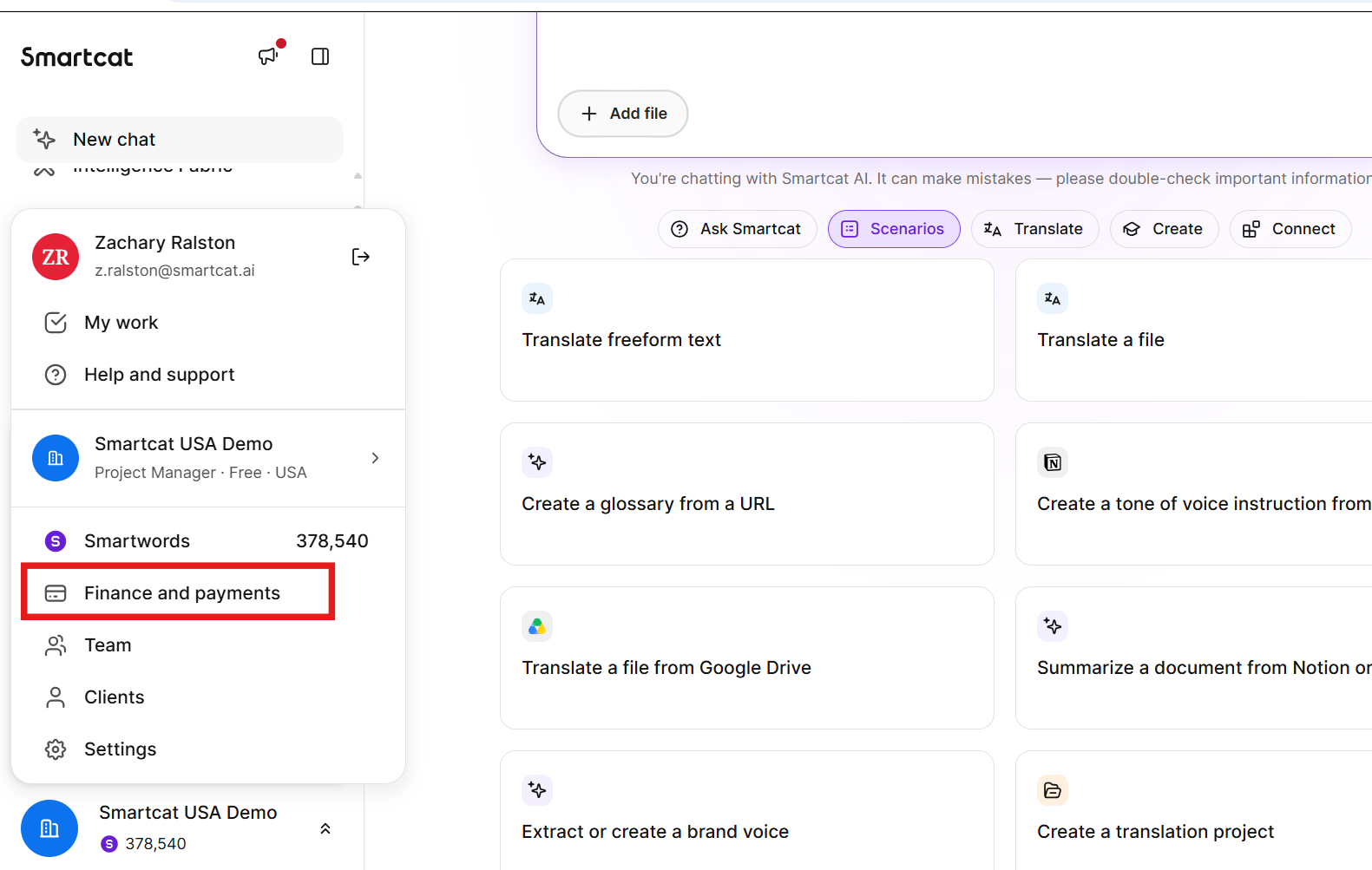
- Go to Finance and Payments → Billing details
- Add your company's billing details
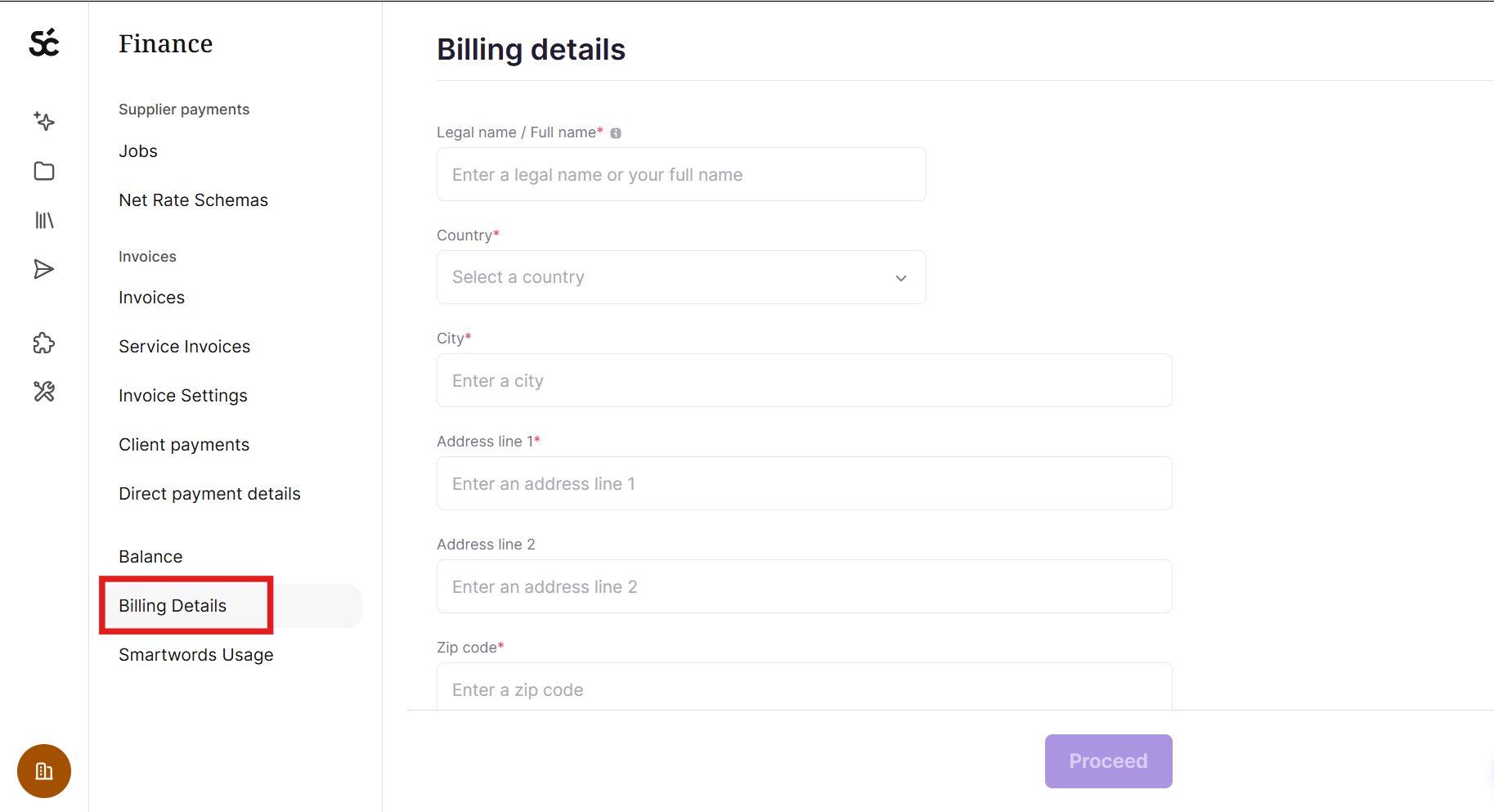
- When you have added your billing details, click Proceed
Step 2: Use your funds
Once the funds land on your balance, you can:
-
Use them for your business on Smartcat, such as paying your suppliers or buying Smartwords.
-
Withdraw them (see Step 3).
Step 3: Withdraw from your balance
-
Go to Finance and Payments > Balance.
-
Click Withdraw.
Smartcat then moves the funds from your corporate workspace to the personal workspace of the user who requested the withdrawal. The money is sent to the payout method added in that personal workspace, according to our payout schedule.
Before you withdraw, make sure a payout method is set up in your personal workspace. To learn how, see Payout methods for suppliers.
Want to learn more?
See how Smartcat can transform your localization workflow.
Still need help?
Our support team responds within one business day.