Provide billing details for a legal entity
Overview
Before you remit your first payment via Smartcat, you provide the billing details of the company on whose behalf you work on Smartcat. Company billing details include:
-
Legal name
-
Country
-
Address
-
Phone number
-
Contact person
-
Tax ID/VAT number
-
Billing currency
-
Billing email address for invoicing
Add billing details
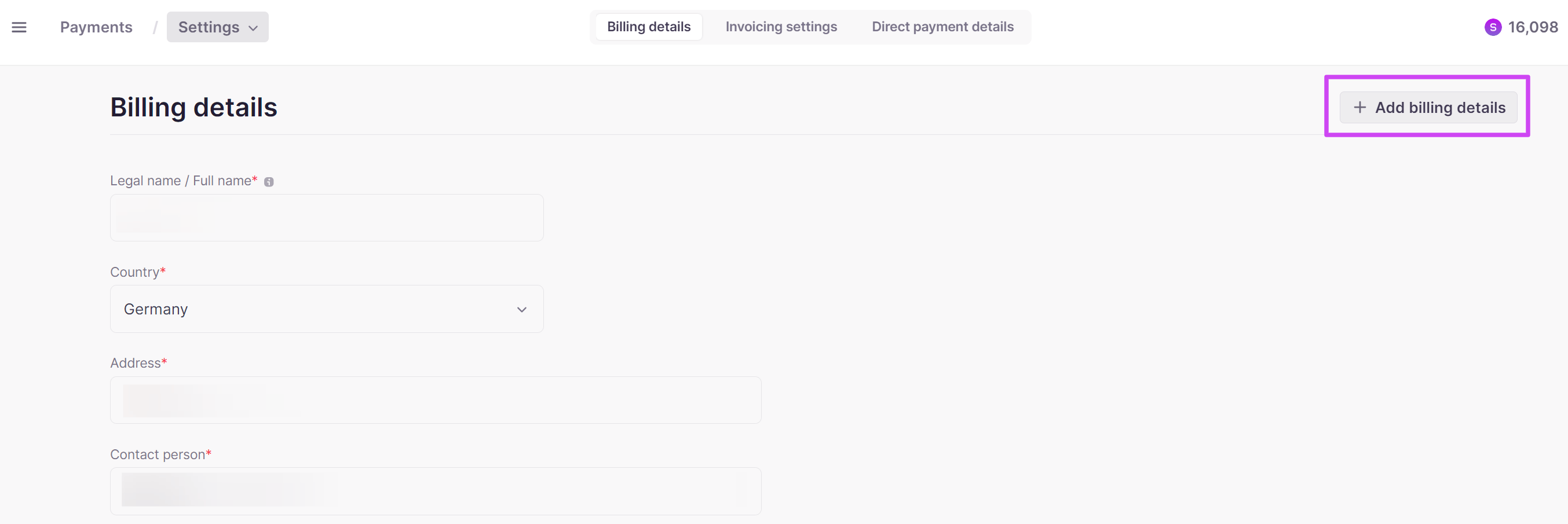
- Go to Payments → Settings → Billing details and click Add billing details
- Complete the required fields and click Add details
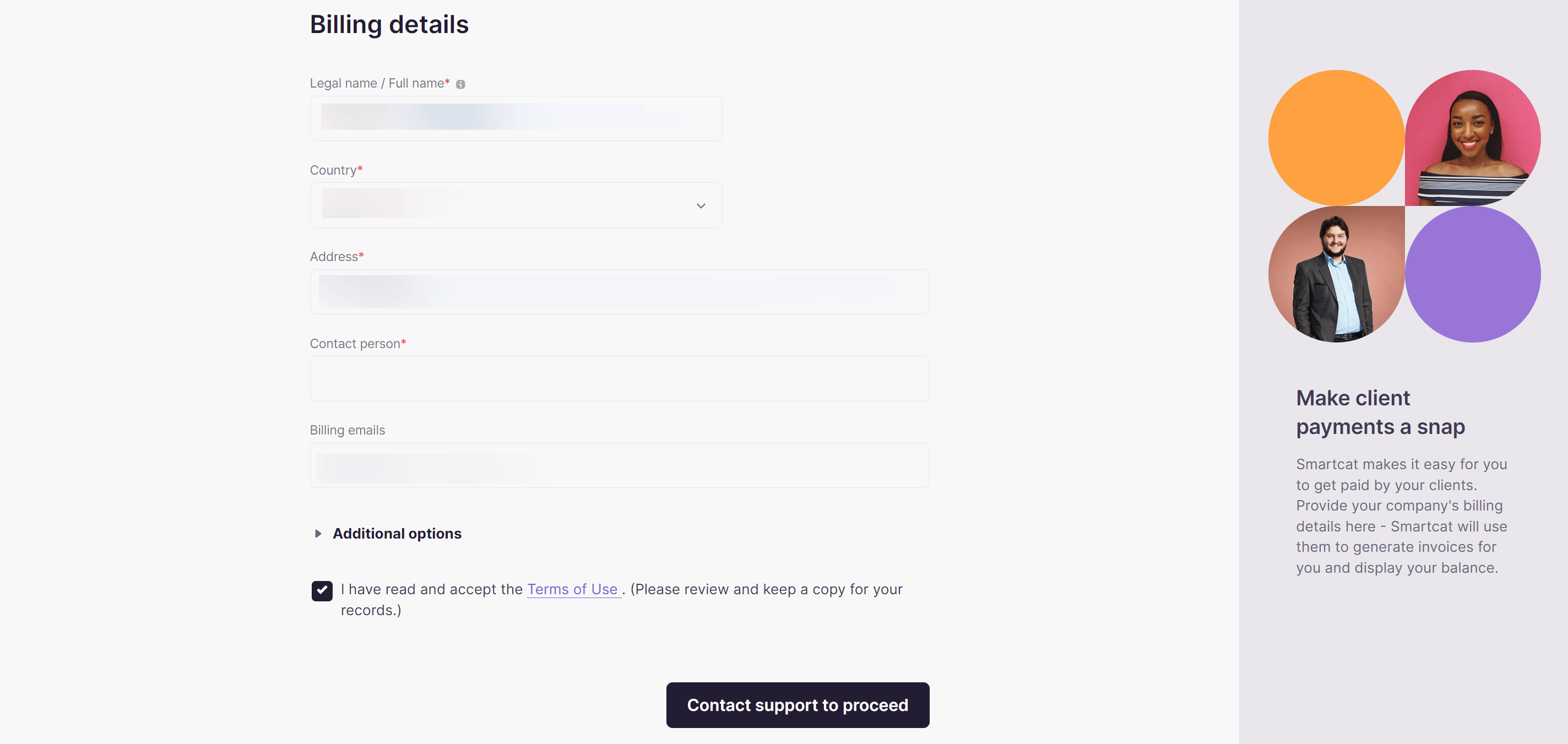
You can now use these details to receive invoices made out to this legal entity via Smartcat, or to pay your suppliers from the balance of this legal entity.
Add details for multiple legal entities
If you use your corporate Smartcat account as an umbrella account for several legal entities, you can add additional billing details. To do this, click Add billing details.
To switch to working with the new details, set them as your default billing details. The default details determine:
-
The legal entity referred to as the Payer in invoices and other related documents
-
The billing currency
-
The balance from which your suppliers are paid
Delete billing details
📌 Deletion of current billing details may be restricted by the availability of funds on the balance of the legal entity.
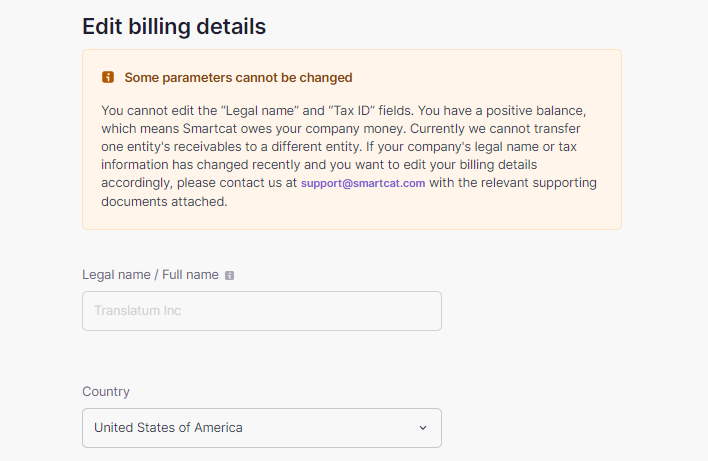
The balance of the legal entity must equal zero. To achieve this, select completed jobs and pay for them from the balance of the current legal entity, or request a withdrawal of funds from the balance.
Once the balance equals zero, you can remove the billing details. If these details were set as the default, Smartcat automatically assigns other remaining details as the default. You can change the default details at any time.
After the balance reaches zero and you delete the entry, the legal entity no longer appears in your billing details.
FAQs
What information do I need to add billing details?
Your company's legal name, country, address, phone number, contact person, tax ID/VAT number, billing currency, and billing email address for invoicing.
Can I add billing details for more than one legal entity?
Yes. If your account acts as an umbrella for multiple legal entities, you can add additional billing details and set one as the default. The default determines the payer entity shown on invoices, the billing currency, and which balance suppliers are paid from.
Why can't I delete a set of billing details?
Deletion may be restricted if there are still funds on that legal entity's balance. You need to bring the balance to zero — by paying completed jobs from it or withdrawing the funds — before you can delete the entry.
What happens if I delete the billing details that were set as default?
Smartcat automatically assigns another remaining set of billing details as the new default. You can change the default at any time.
Want to learn more?
See how Smartcat can transform your localization workflow.
Still need help?
Our support team responds within one business day.