Conduct concordance searches
Overview
As you move from one segment to the next in the CAT editor, Smartcat offers you translation matches from the reviewed translations (also called translation memories, or TMs). When you need the translation of a single word or phrase rather than the entire segment, you can use concordance search to search the reviewed translation for matches that contain that word or phrase.
Run a concordance search in a project
-
Select the word in the Source or Target field
-
Press the concordance button in the toolbar, or press Ctrl+K
The word is copied to the concordance search field, and the Concordance Search tab displays matches from the translation memories applied to the project that contain the keyword.
Alternatively, type the word in the Concordance Search tab, select Source or Target, and click Search.
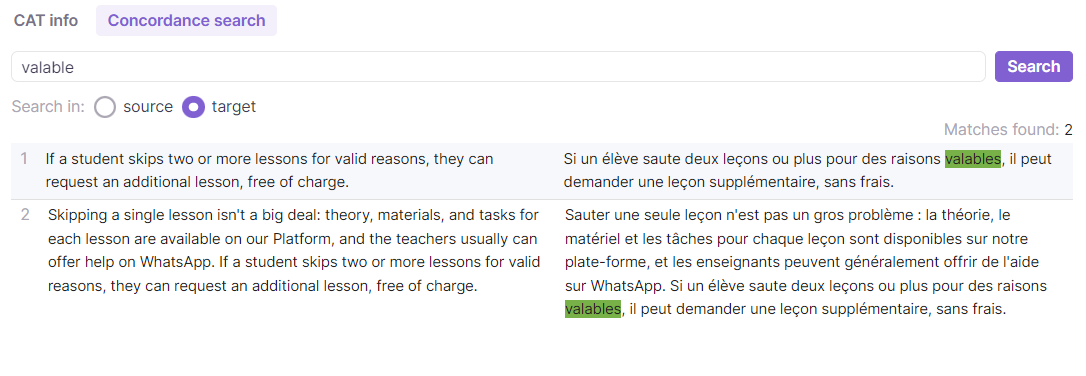
💡 Because Smartcat data is centralized, concordance searches look in the entire TM rather than a local subset, which returns more relevant matches.
Search reviewed translations outside the project
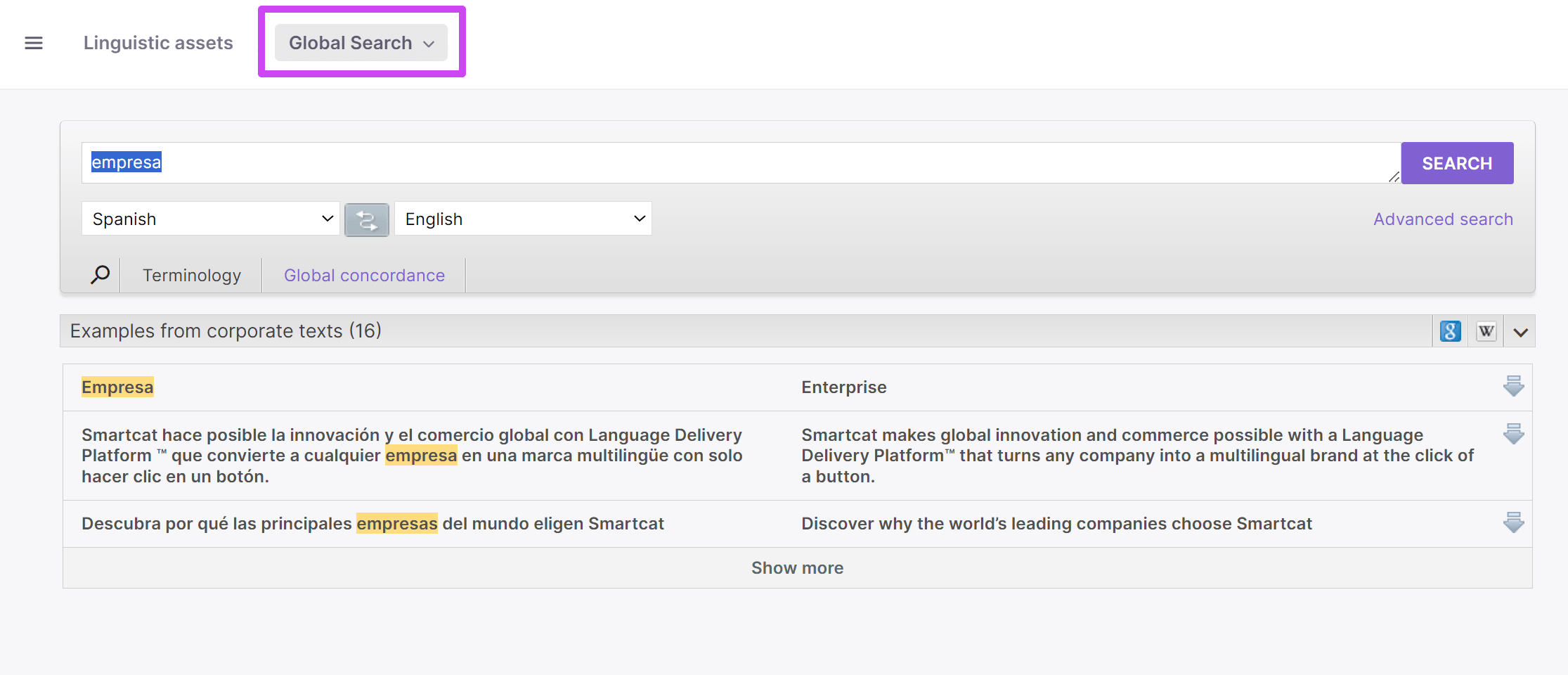
To find translations of a word or phrase in any available TMs that are not enabled on the project, use the Global Search tab under Linguistic assets in the main workspace.
-
Click Global concordance
-
Type a keyword
-
To identify the translation memory where the keyword is found, click the downward arrow to the right of the keyword
The results show matching translations across all your available translation memories.
Want to learn more?
See how Smartcat can transform your localization workflow.
Still need help?
Our support team responds within one business day.