Invoice your clients in Smartcat
Overview
With Smartcat, you can invoice clients around the world and grow your translation business without financial barriers. You generate invoices with either your own or Smartcat payment details (directly on your corporate balance) and send them by email in minutes. The corporate balance links incoming payments and payouts to your team, and you can withdraw funds from your Smartcat balance to your bank account while keeping enough to cover payouts.
Add payment details
To get started, add your company details for both balance operations and direct payments to your bank account. You can specify several sets of details to receive direct payments in different currencies.
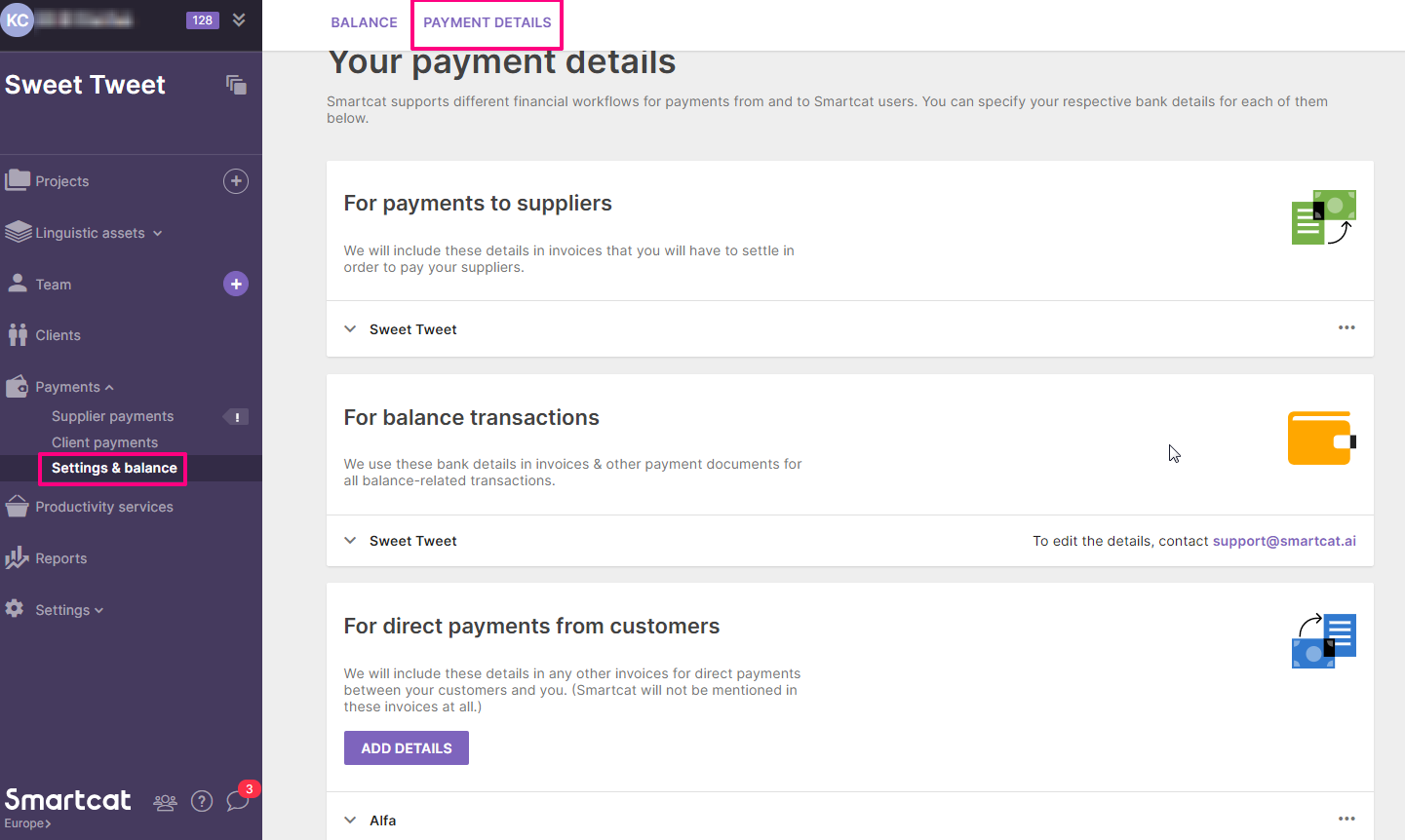
Create an invoice
-
Go to the Client payments section
-
Click Issue invoice
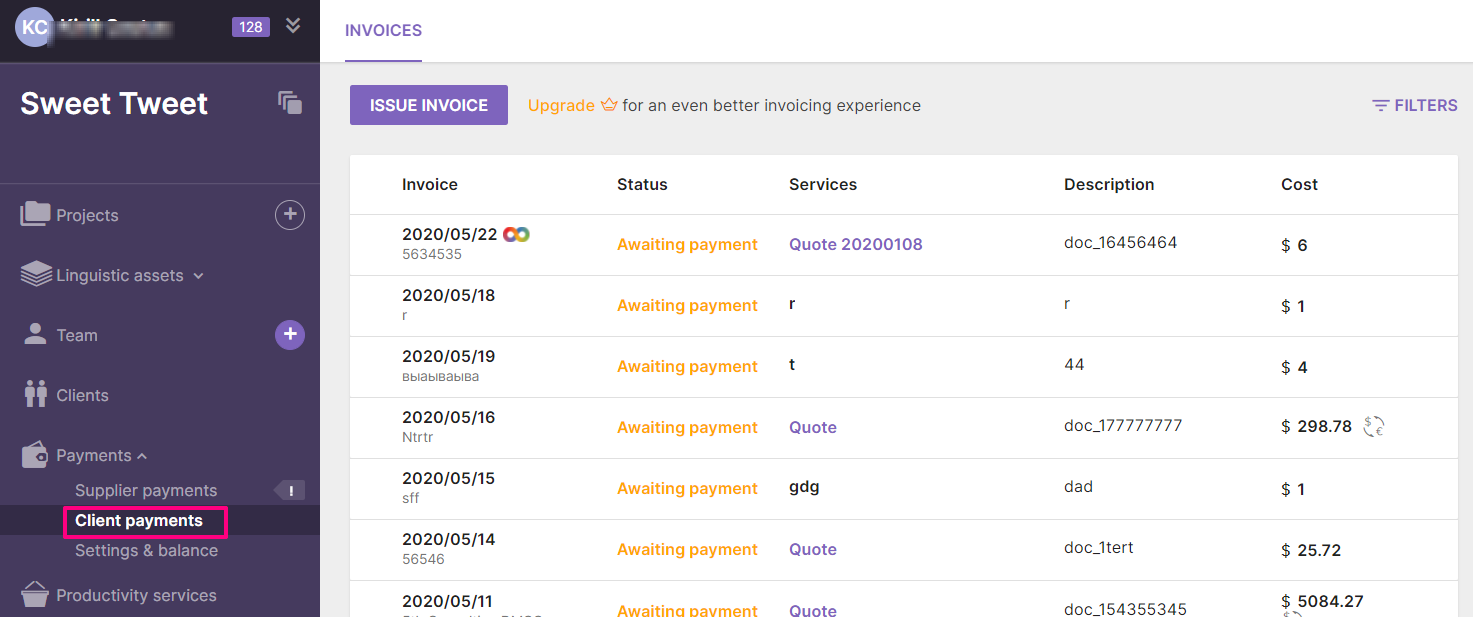
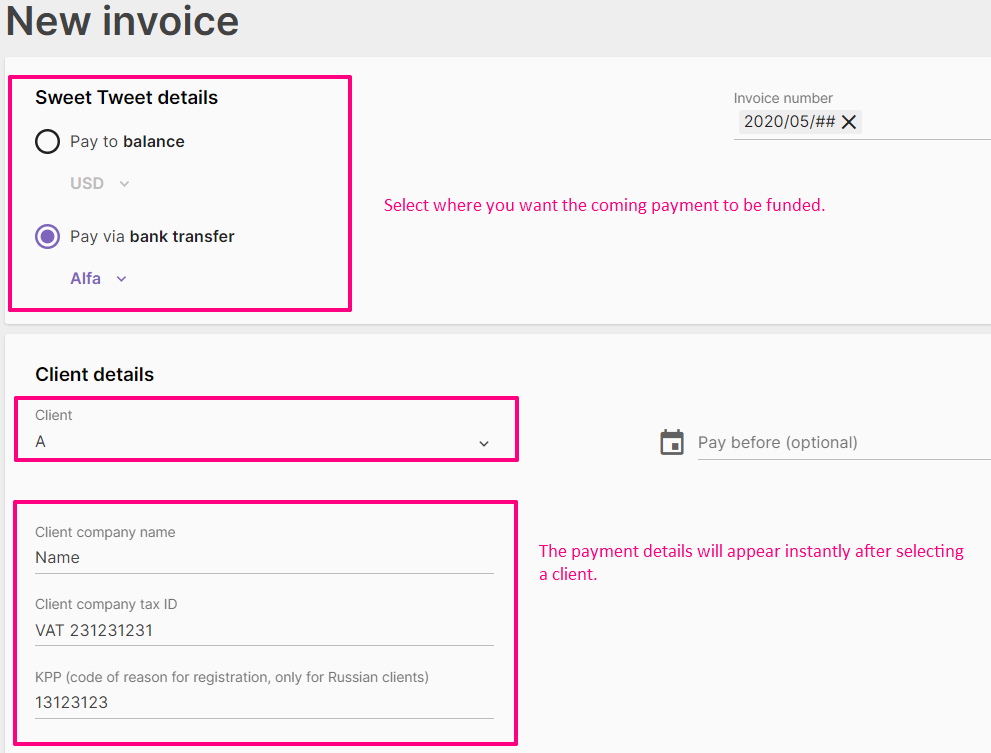
A form for filling in the client and company details becomes available.
-
The client fields are filled with information from a client card, or you can set a brand-new client that is added to the client list after you fill in the form
-
Smartcat pulls bank account information based on the details you selected for receiving the payment
Add services to an invoice
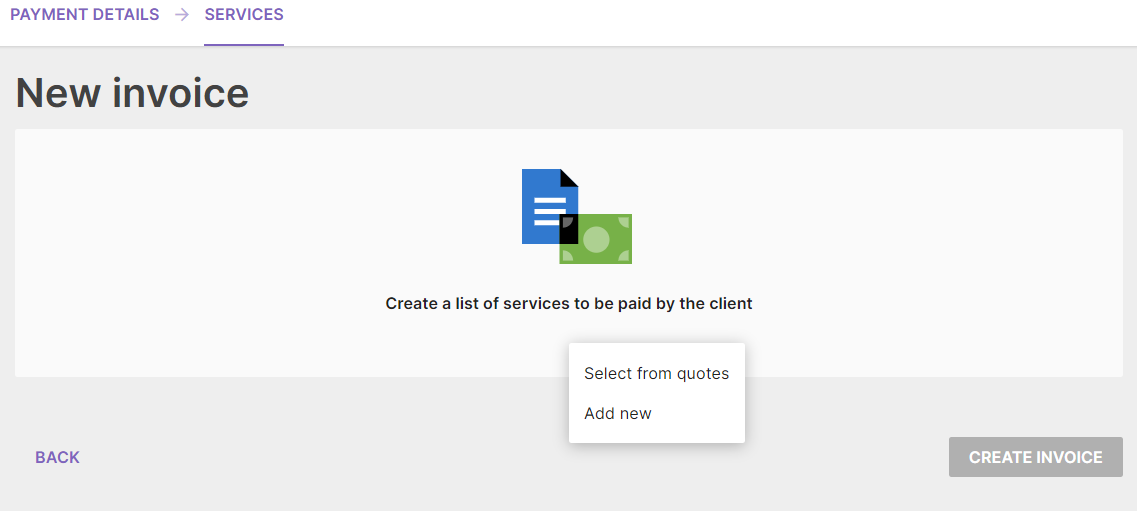
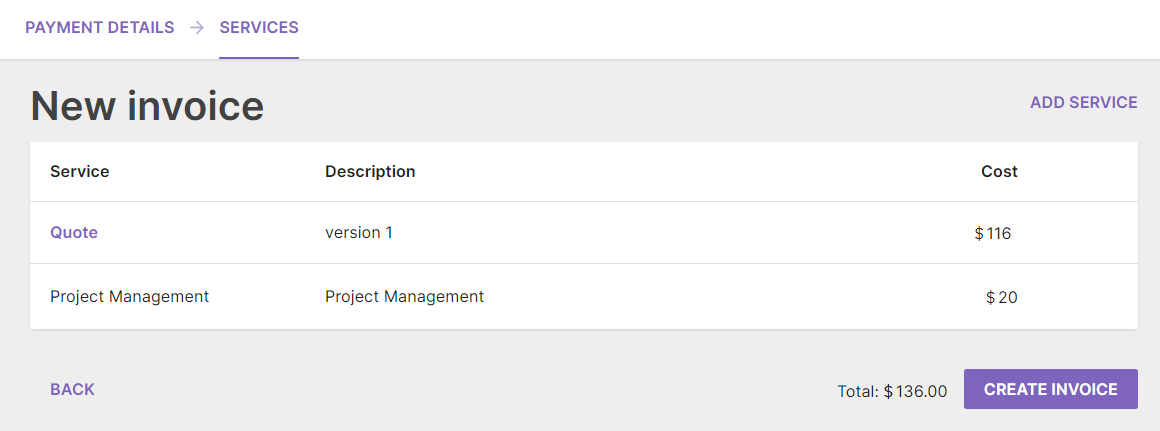
On the second step of creating an invoice, you can use services from quotes calculated for the projects where this client is set, or add a service manually.
-
Add all the necessary services to the invoice
-
Click Create invoice
-
Send the invoice to the client by email directly through Smartcat, or download and print it if a non-digital copy is required
Your invoice is created and ready to send to the client.

💡 Smartcat gathers information from your projects, client cards, and payment section into a single invoice, so you keep invoices, clients, and projects in one place. Clients can pay invoices to your corporate balance in currencies you could not accept before, such as Canadian dollars, and you can pay your suppliers from the corporate balance in moments without fees.
FAQs
My profile was previously hidden from the Marketplace because of my violations. Can I apply for compensation from Smartcat for the projects where the clients had not paid me?
Your profile was hidden from the Marketplace because you violated the Supplier Agreement and did not meet the job quality requirements several times (we informed you about this earlier). Smartcat has to provide the high-quality services our clients expect.
Freelancers whose profile is hidden cannot receive invitations to new projects from Smartcat customers. However, you can still:
-
Work for clients who previously hired you and are satisfied with the quality of your work
-
Use the CAT editor to work on projects you got from customers outside of Smartcat
-
Invoice your current clients
-
Receive payment for projects you have completed
Smartcat does not compensate for jobs done before and after the date your profile was hidden, because of the poor quality of those services. Contact your clients via chat to ask any questions about actual project statuses and payments.
Want to learn more?
See how Smartcat can transform your localization workflow.
Still need help?
Our support team responds within one business day.