Payment guidelines
Overview
This article explains how work completion, acceptance, billing, and payment work in Smartcat, and how freelancers receive their money.
Work completion and acceptance
Before a job appears in the Payment section, the client must accept the freelancer's work. On the linguist side, a task is complete when the linguist confirms all segments in the editor and clicks Done — the document then moves to Reviewed by Manager status. A document is assigned this status automatically when all segments are confirmed and the linguist has been inactive in the editor for 30 minutes.
The project manager can review the work themselves or rely on automatic verification:
-
If work on the next stage is completed, work on the previous stage is verified automatically
-
If a completed stage is not reviewed within 15 days, it is verified automatically
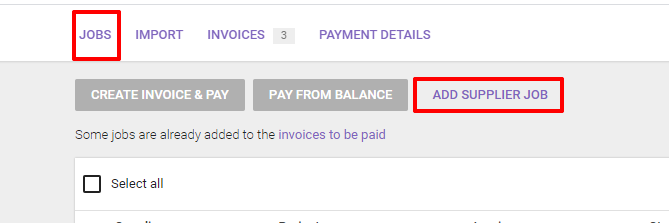
To accept the work, the client changes the document or project status to Completed. The linguist can then no longer edit segments, and the task is listed as awaiting payment in the Jobs tab of the Payment section. Smartcat lets you pay linguists or companies that do not yet have a Smartcat account, so you can pay a freelancer who translates outside Smartcat by forming a job manually.
Billing
The Jobs tab lists jobs that are completed and awaiting payment.
To initiate a payment, select the jobs to pay and click Create invoice & Pay. You can choose the invoice currency, and an invoice can include one or several jobs, payable by wire transfer, bank card, or PayPal.
-
Standard processing (wire transfer) — the invoice is marked paid when Smartcat receives the transfer, which can take up to 3 business days depending on the banks involved. Click Standard processing and choose a location to download the invoice PDF with Smartcat's payment details
-
Express processing (PayPal or bank card) — the invoice is marked paid immediately after payment
📌 If this is your first payment through Smartcat, you enter your payment details, such as legal address and tax identification number, before the invoice is formed.
Jobs in an unpaid invoice have the Awaiting Payment status.
Invoices and payments
The invoices you create appear under the Invoices tab, whether paid or not.

-
Click Pay → Express processing to pay by bank card or PayPal
-
Click Pay → Standard processing for a wire transfer
-
To pay from your corporate balance, skip creating an invoice — select the jobs' checkboxes and click Pay from balance
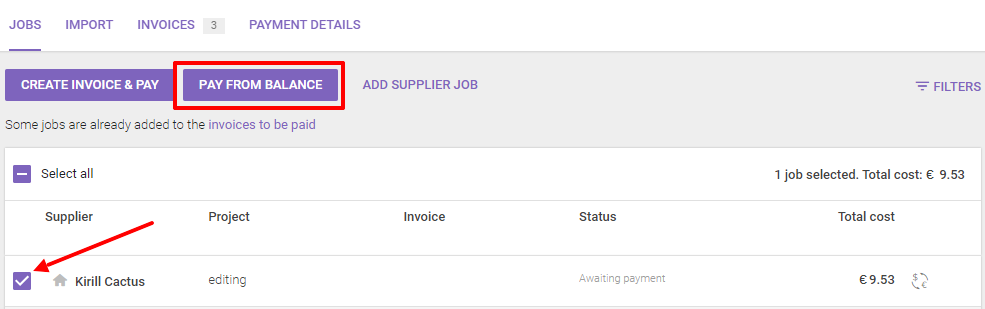
Whichever option you choose, a paid invoice is available to download in the Invoices tab.

How freelancers receive payments
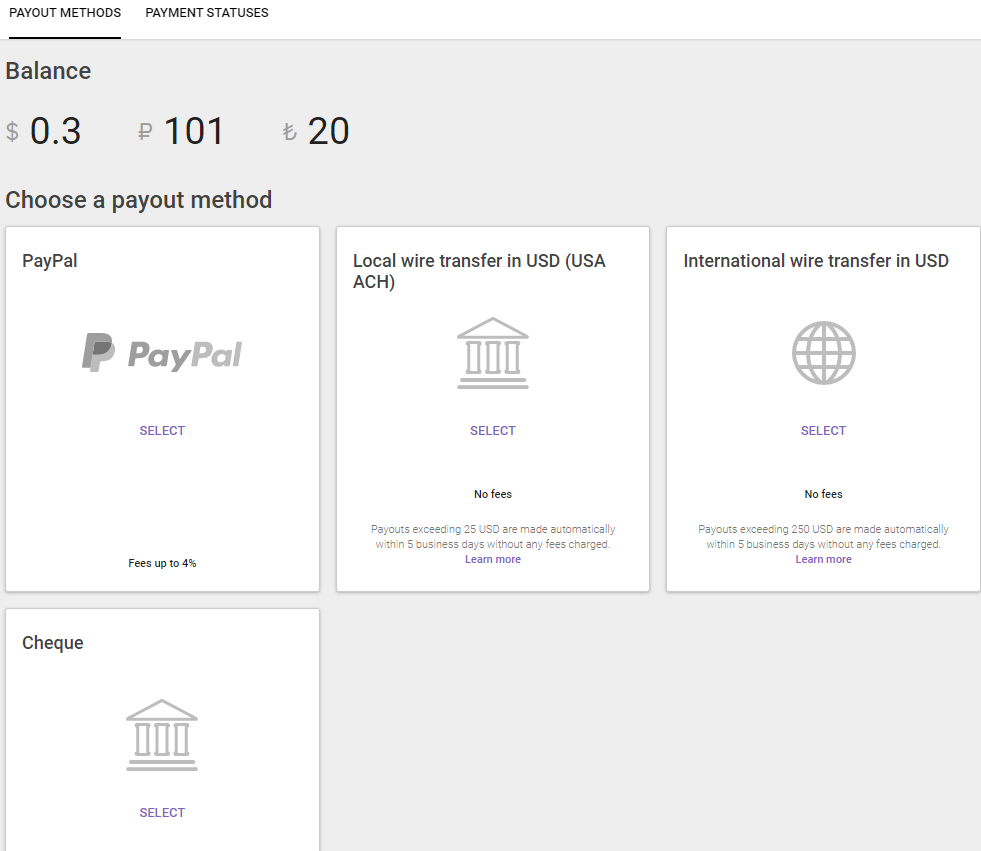
After an invoice is paid, the linguist receives an email that the payment was credited to their Smartcat balance, or an invitation to sign up if they do not have an account yet. The linguist selects one of the payout options available for their country, and all payments are processed automatically within 5 business days after the payout form is filled out.
FAQs
If I use your payment system, do I still need to send 1099 forms to my freelancers?
If your freelancers are in the USA and paid through the Smartcat Payment Automation system, 1099 forms are sent to them automatically at the beginning of the year.
Want to learn more?
See how Smartcat can transform your localization workflow.
Still need help?
Our support team responds within one business day.