Organize your translation resources
Overview
Smartcat offers numerous translation resources, or linguistic assets, to help ensure quality and consistency in your translations. This guide shows you how to create and organize Translation Memories (TMs) and glossaries so Smartcat can reuse them across your projects.
Translation memories
Smartcat supports multilingual Translation Memories, which makes creating and managing them straightforward.
To create a Translation Memory, follow these steps:
-
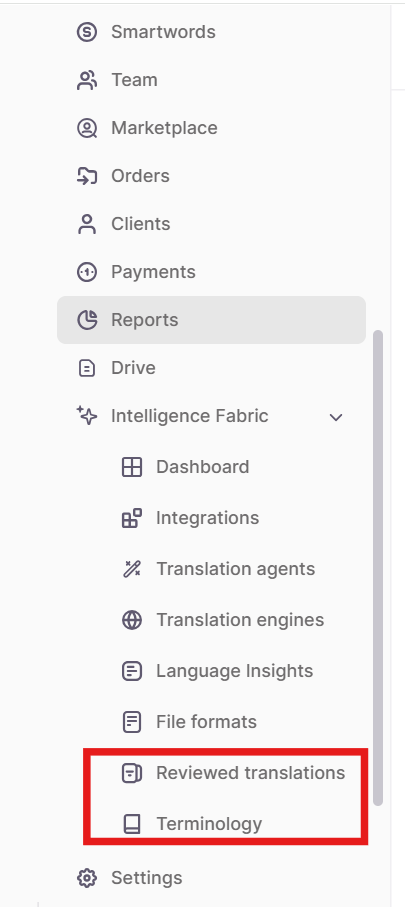
In the sidebar, go to Intelligence Fabric → Reviewed translations
-
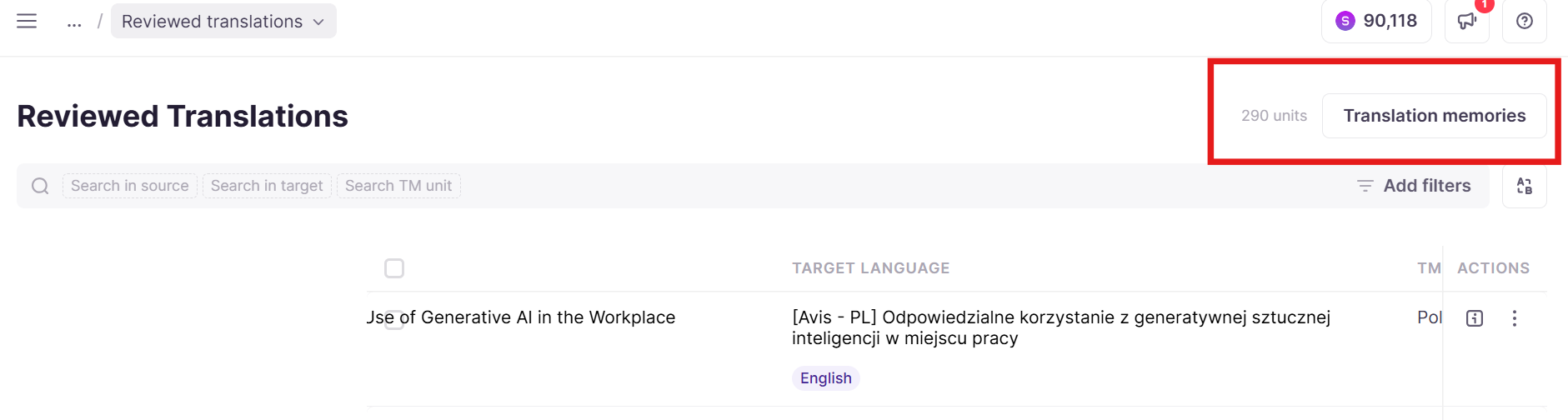
Click Translation memories at the top right
-
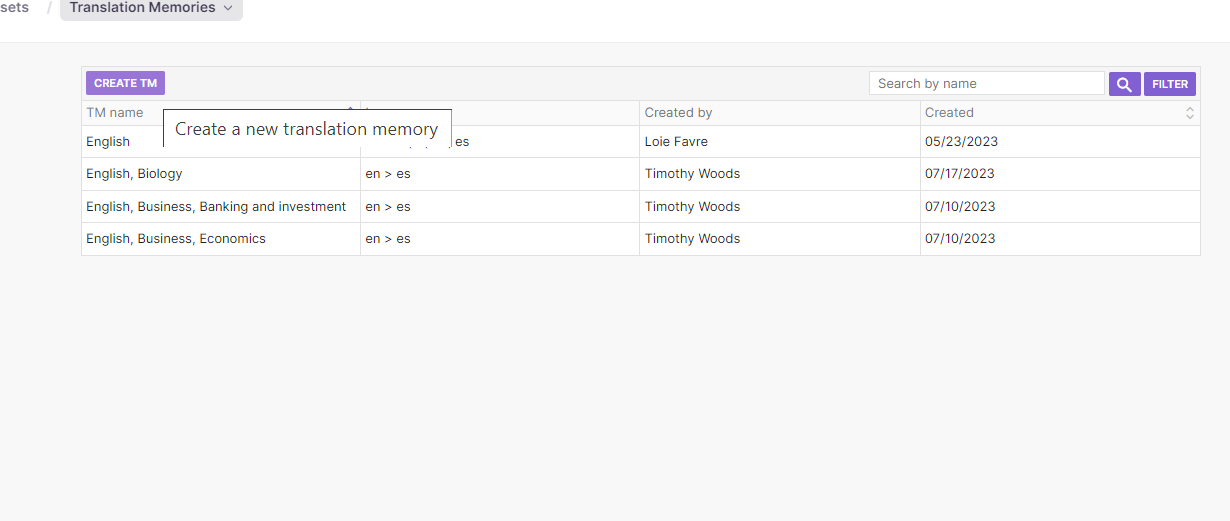
Click Create TM
📌 One of the less obvious advantages of multilingual TMs is that you can create a new TM where the source language is one of the target languages of the original TM. This is convenient if you work in mixed language pairs.
-
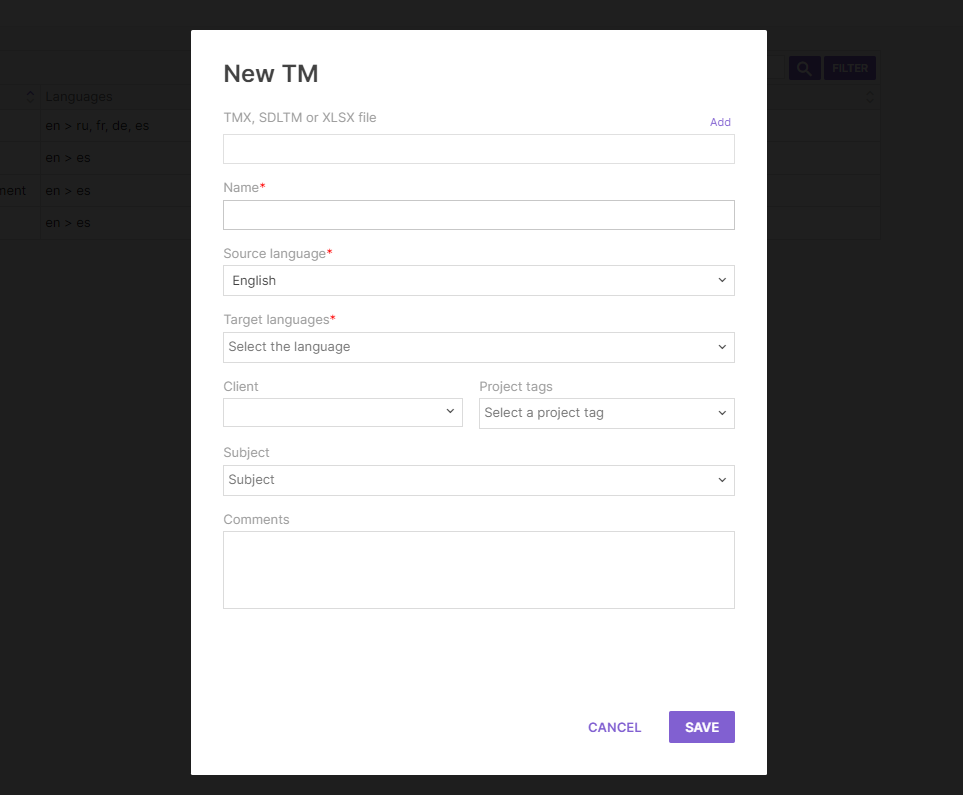
Fill in the fields
-
Upload external Translation Memories in TMX, SDLTM, or XLSX format, or add new terms one by one as you go
Your new TM is now available for use in projects.
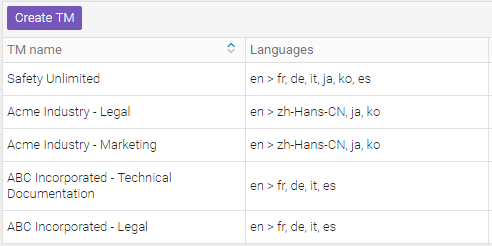
Once you have created several TMs, your list might look like this:
Glossaries
You can use the same approach to organize your terminology databases, which are called glossaries in Smartcat.
To do this, go to Intelligence Fabric → Terminology. You can create a glossary using the same client and project group labels:
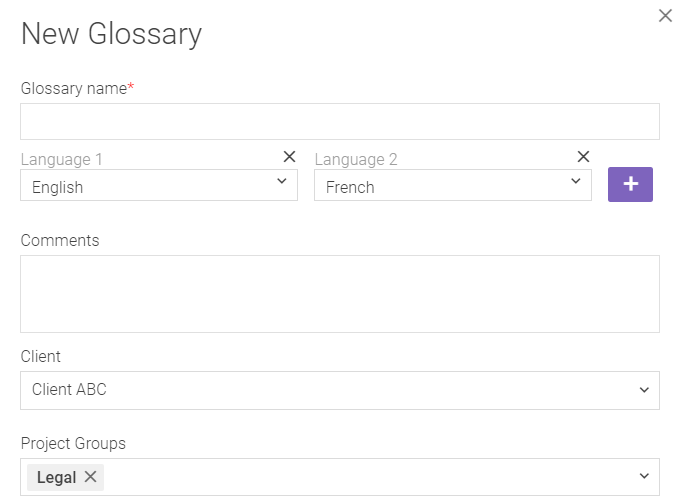
Here you replicate the same structure as the one for Translation Memories.
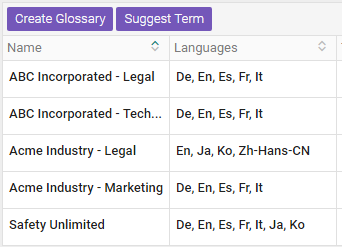
Like TMs, glossaries are multilingual in Smartcat. Unlike TMs, they don't have a strictly set source language — you can use a glossary in projects where any two of its languages are present as the source or the target.
How detailed should you go?
With both TMs and glossaries, you can use a high-level organization structure with one resource per customer, or a more granular approach. The recommendation is to mix both on a case-by-case basis:
-
For clients with a complex corporate structure, match that structure with the resources
-
For smaller clients, a single terminology database takes less time to configure and is easier to maintain
If you want a highly granular setup, you can create a new TM for every project while making sure to choose the correct client and project group for each. Smartcat still fetches these "micro-resources" for subsequent projects, as described in the next section.
📌 Creating a new TM with each project can help with data segregation, but it can also create a lot of TM duplication that could reduce translator productivity.
Putting it all to work
Whenever you create a project and choose a client or project group, Smartcat automatically fetches the Translation Memories and glossaries associated with them:
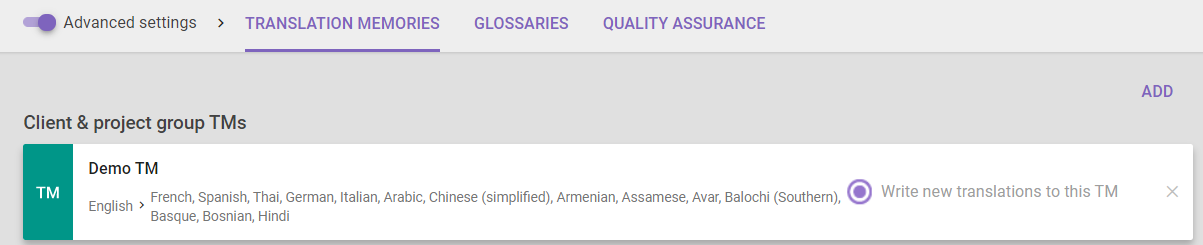

This ensures you leverage every resource related to that client and project group, eliminates many project creation errors that lead to unnecessary work, and saves time.
Takeaway
Organizing your data properly from the start increases the productivity of your project managers, who no longer spend time looking for matching resources. It also makes things easier for your translation team, who benefit from optimized TM leveraging and consistent terminology. Ultimately, this increases your translation throughput, profit, and quality alike.
FAQs
Should I create one Translation Memory per client, or something more granular?
Both approaches work, and Smartcat recommends mixing them case by case: match TM/glossary structure to a client's corporate structure when it's complex, but use a single resource for smaller clients to reduce setup and maintenance time.
What formats can I upload when creating a Translation Memory?
You can upload external Translation Memories in TMX, SDLTM, or XLSX format, or add new terms manually one at a time.
Do glossaries need to have one fixed source language like Translation Memories?
No — unlike TMs, glossaries don't have a strictly set source language. You can use a glossary in any project where two of its languages are present, in either the source or target role.
Do I need to manually attach my TMs and glossaries to each new project?
No — when you create a project and select a client or project group, Smartcat automatically fetches the Translation Memories and glossaries already associated with that client/project group.
Is it a good idea to create a brand-new TM for every single project?
It can help with data segregation, but be aware it can also create a lot of TM duplication, which may reduce translator productivity — Smartcat still fetches these "micro-resources" for later matching projects, but the fragmentation itself is a tradeoff to weigh.
Want to learn more?
See how Smartcat can transform your localization workflow.
Still need help?
Our support team responds within one business day.