Join and split segments in the CAT editor
Overview
When you upload your files for translation, Smartcat automatically splits the source text into segments of sentences. If you want to split or join these segments further, you can do so in the CAT editor.
How Smartcat splits your text into segments
By default, Smartcat automatically splits uploaded content into segments — the sentence-level units you translate, review, and match against Translation Memory in the CAT editor. This automatic splitting is called segmentation.
Smartcat segments most document types by sentence, following the industry-standard SRX (Segmentation Rules eXchange) approach. It looks for sentence-ending punctuation and applies language-aware exceptions so that things like abbreviations don't split into their own segment.
How it works:
-
Smartcat splits a segment at sentence-ending punctuation — a period, question mark, or exclamation mark — followed by a new sentence
-
Language-specific exception rules prevent some incorrect splits, such as not breaking after a period that's part of an abbreviation (for example, "Dr." or "etc.").
-
Line breaks and paragraph breaks are not sentence boundaries by default — content separated only by a line break, without ending punctuation, stays in the same segment
Limitations:
-
Default segmentation rules are not currently user-configurable for standard document types (Word, XLIFF, JSON, HTML, and similar formats) — there is no workspace or project setting to add custom delimiters (such as splitting on semicolons or line breaks) or to suppress splits on specific abbreviations
-
Documents in some languages may currently split on abbreviations that other languages handle correctly (for example, "Abs." in German) — this is a known limitation, not intended behavior
-
If default segmentation splits or merges a segment incorrectly, you can manually correct it in the editor using the join/split instructions below
Join segments in the CAT editor
To merge segments, follow these steps.
-
Press and hold Shift or Ctrl on your keyboard
-
Select the segments that you want to merge with your mouse or keypad
-
Click the join icon, as shown in the screenshot below
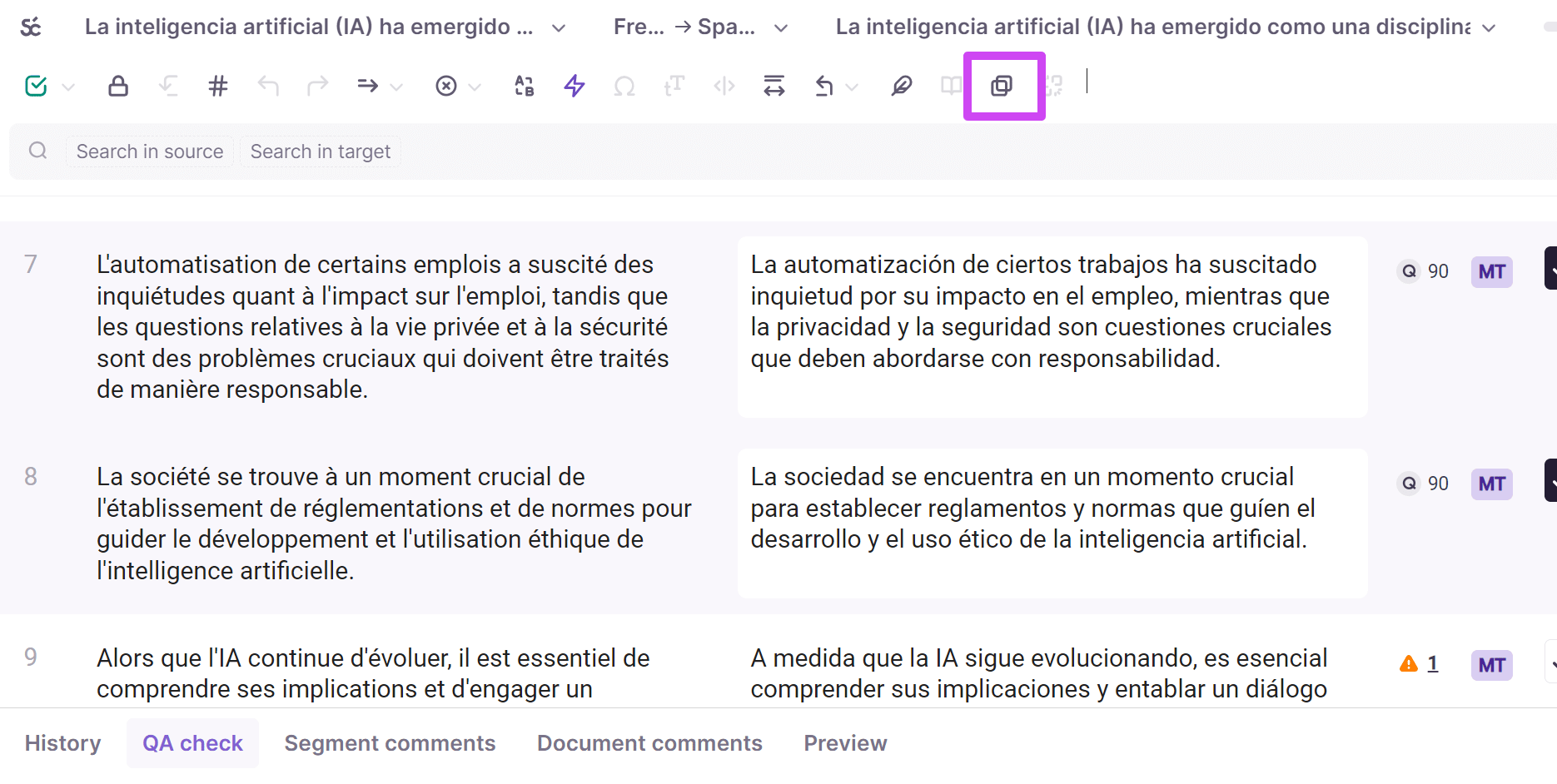
💡 Alternatively, use the shortcut Ctrl+Shift+J
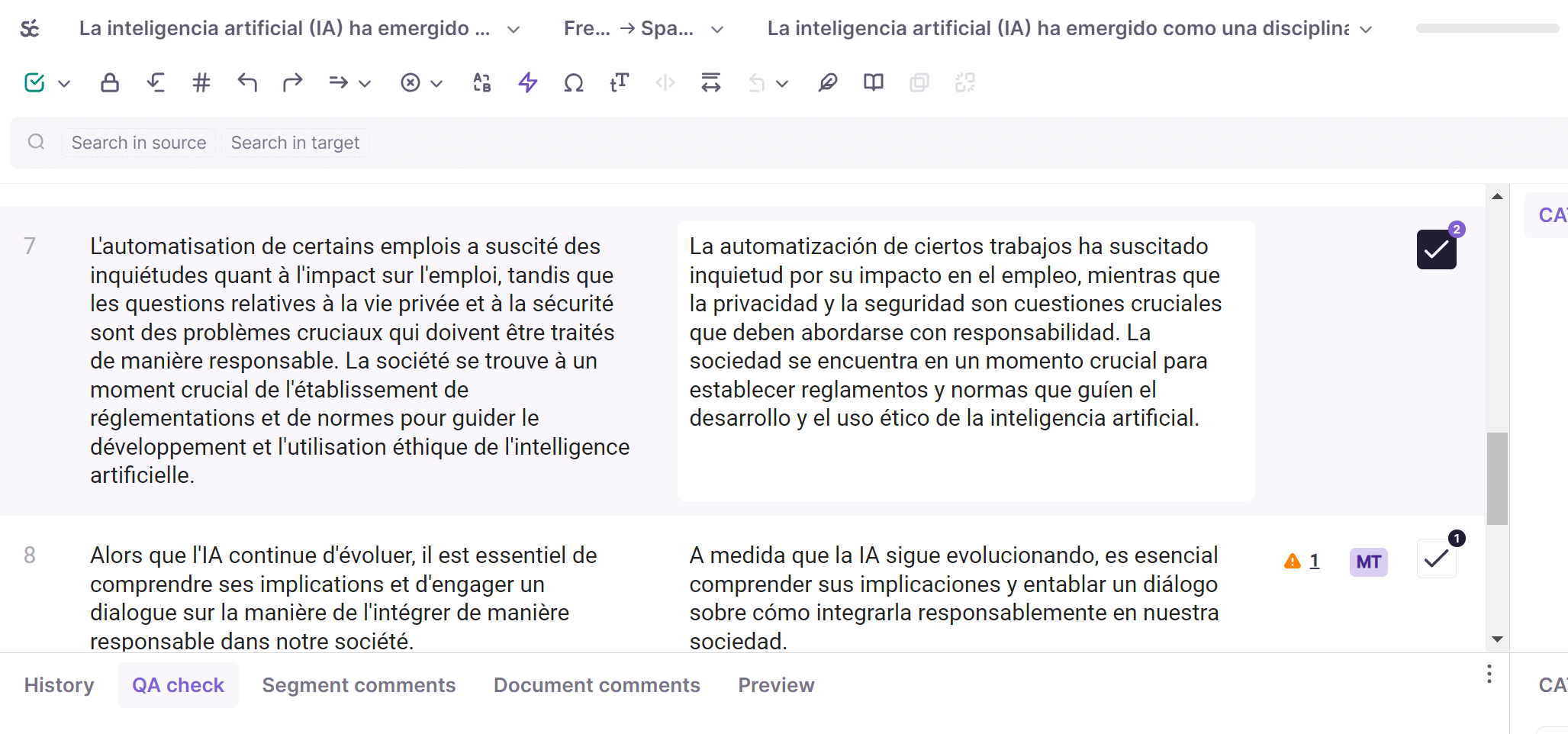
The segments you selected are now joined into the same segment.
Split a segment in two in the CAT editor
To split a segment into two parts, follow these steps.
-
Place your cursor precisely where you want to split the source text sentence
-
Click the split icon, as shown in the screenshot below
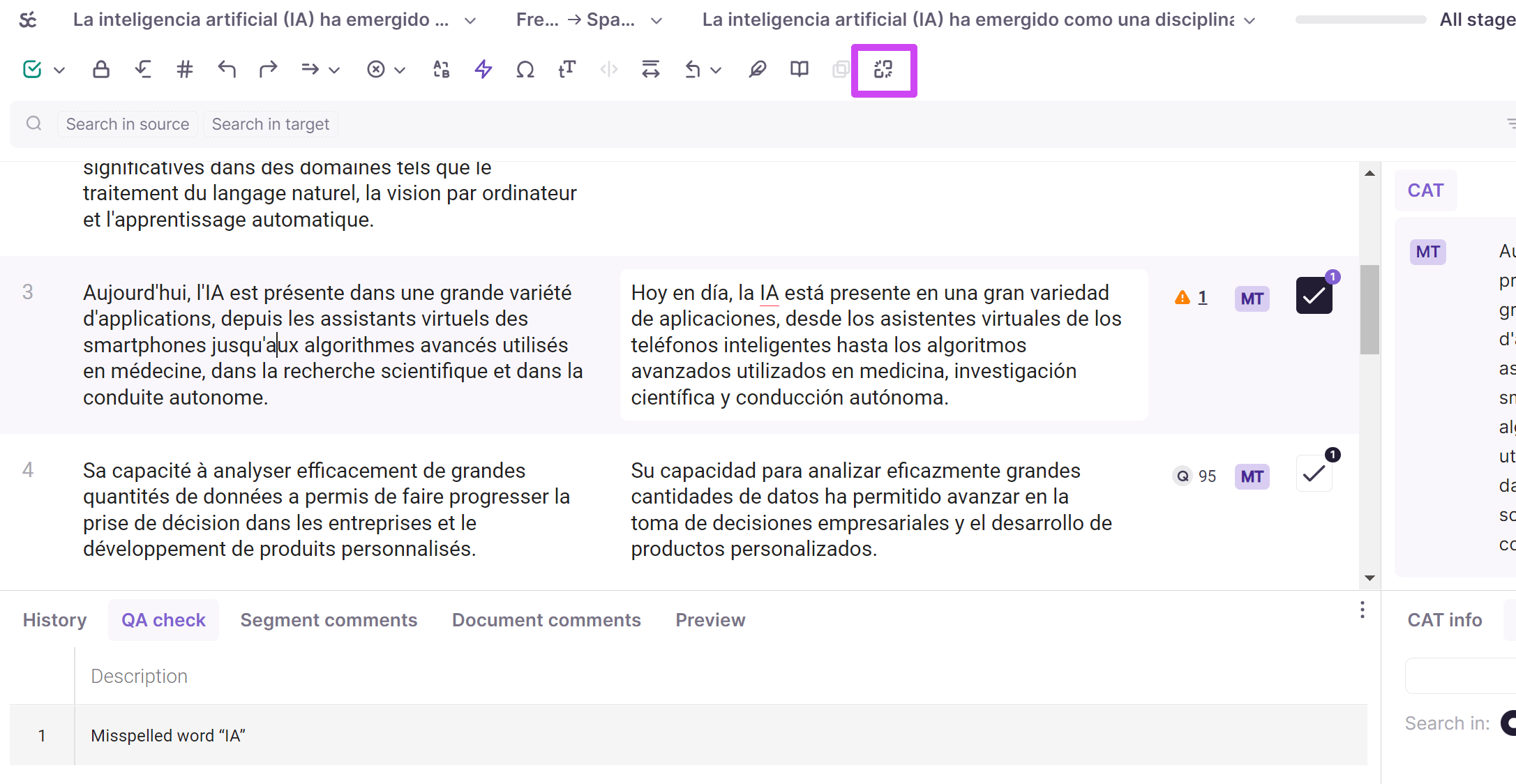
💡 Alternatively, use the shortcut Ctrl+Shift+S
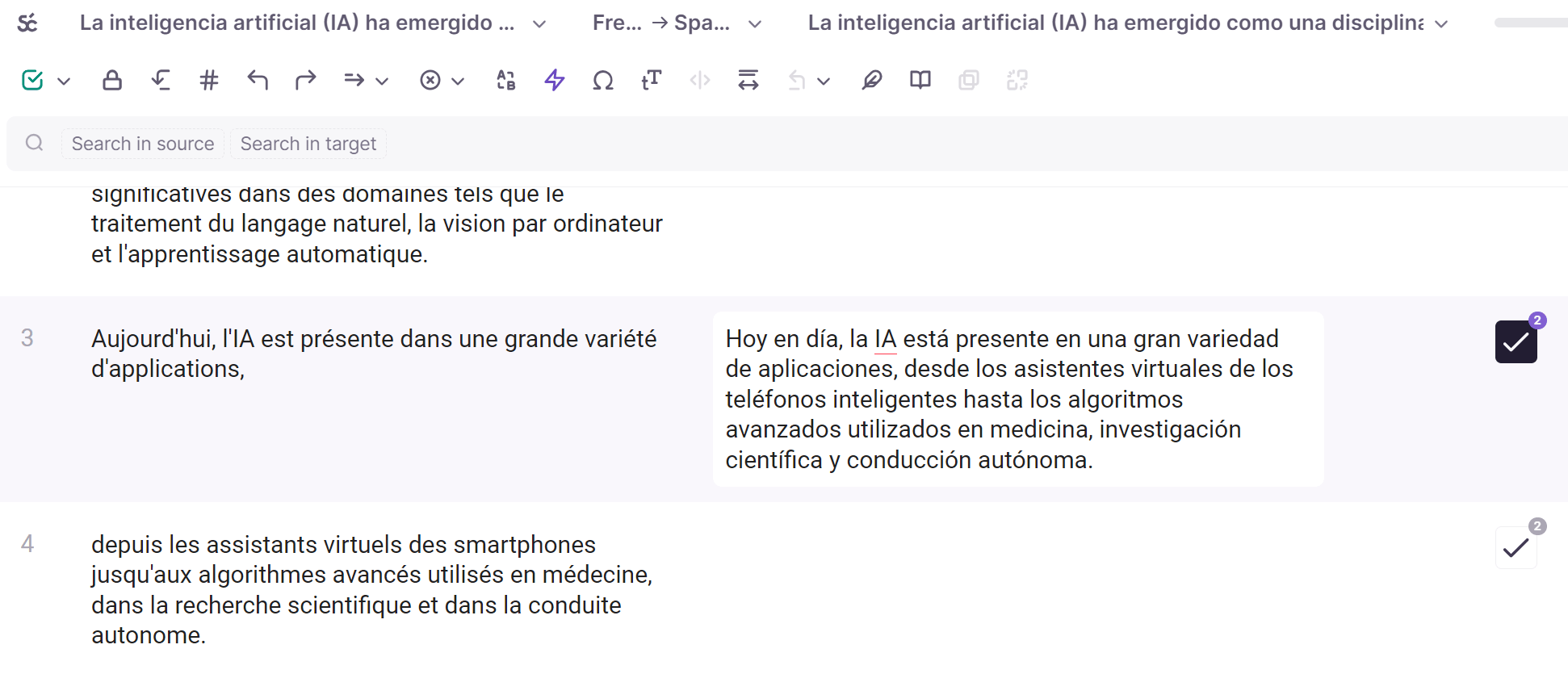
The split occurs at the exact point you indicated.
You now know how to join and split segments in Smartcat.
Configure paragraph-based segmentation for an existing Word document
Segmentation is fixed at the moment a file is imported into Smartcat. Once a document is open in the Editor, its segmentation has already been decided and there’s no in-Editor switch to change it.
To choose paragraph-based segmentation without replacing an existing document:
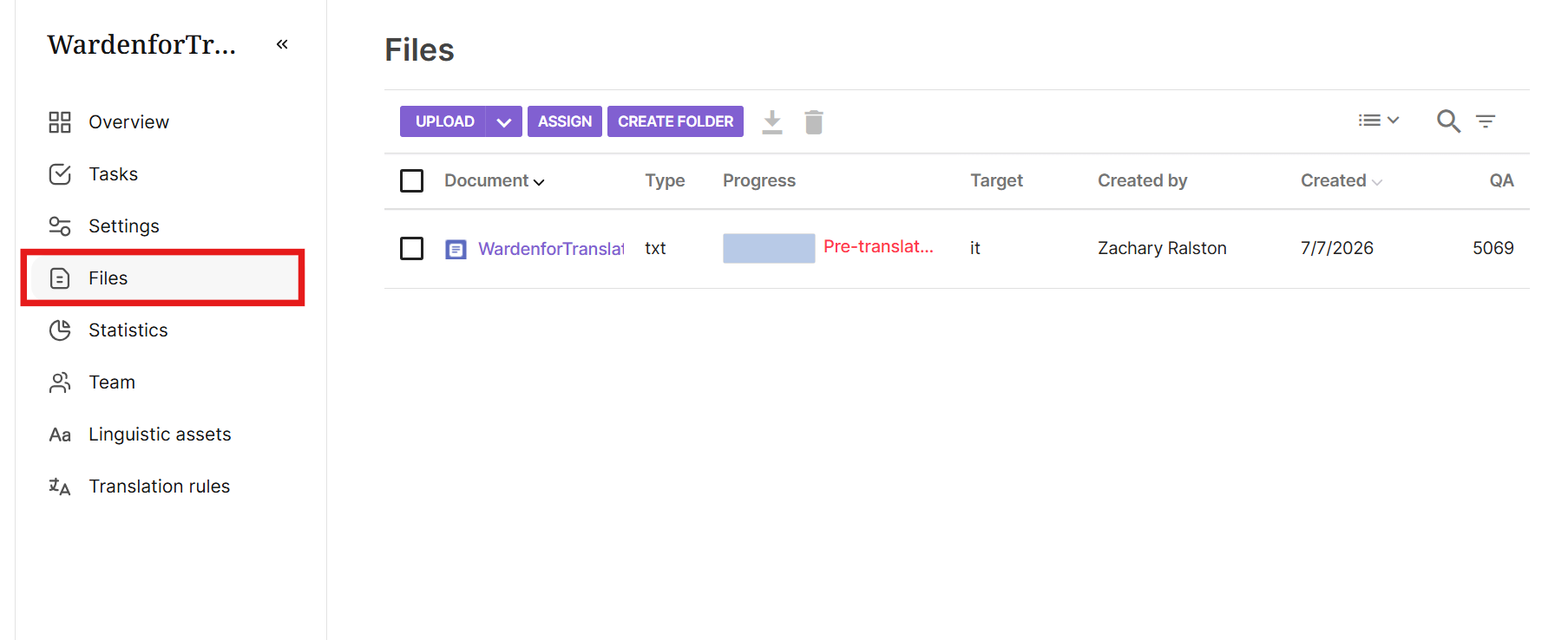
- Open your project and go to its Files page.
-
Click Upload and select your Word file (this also works if you’re adding the file to a project you already created, rather than uploading it from the initial, new project screen, where this option doesn’t appear).
-
In the Split into segments dropdown, choose Paragraph-based.
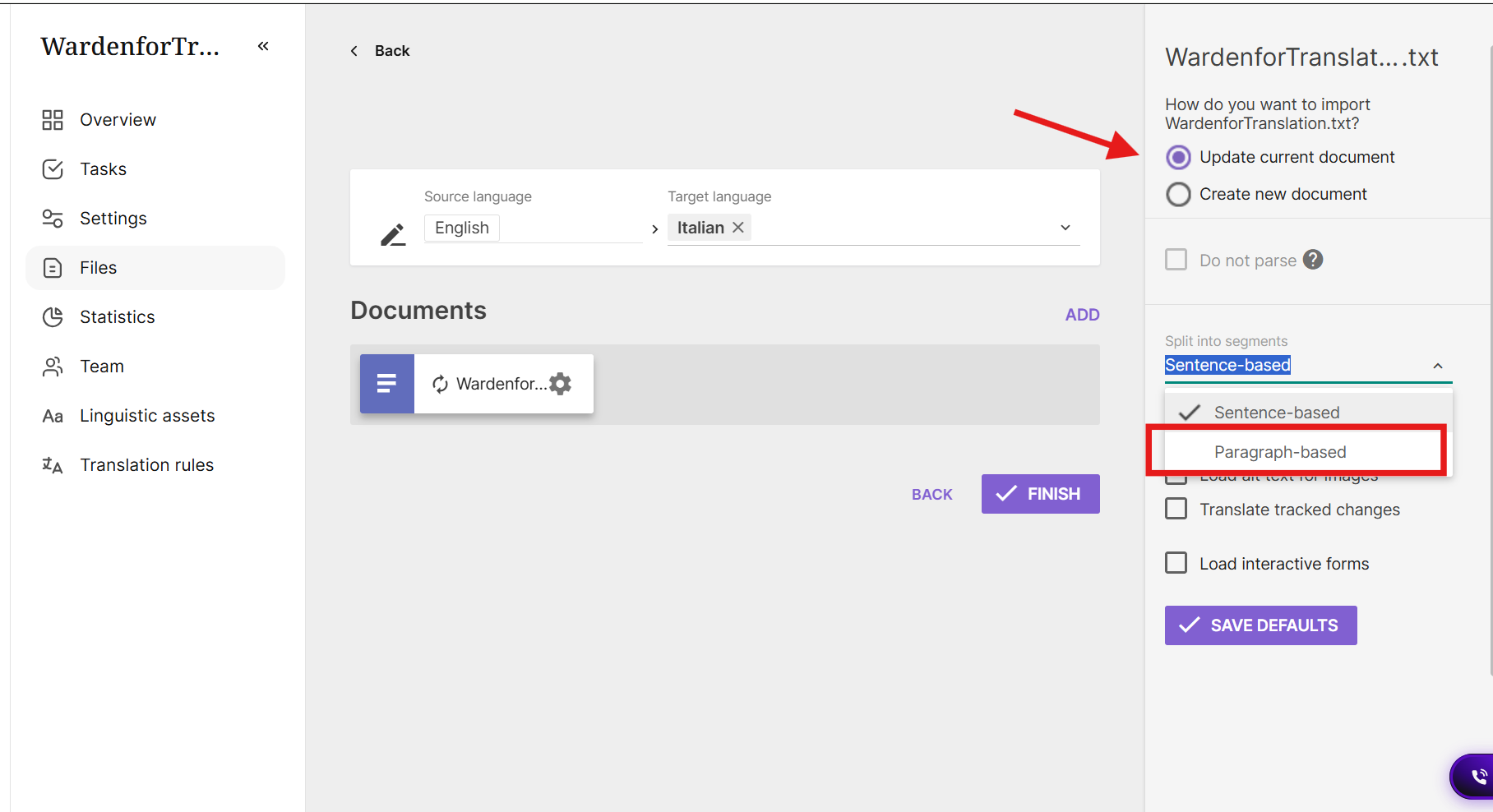
- Click Save Defaults if you want future Word uploads in this workspace to use paragraph segmentation automatically.
For a document that’s already in the Editor, the only way to combine text into larger units is to manually join segments: select the segments you want to merge and use the Join segments icon in the Editor toolbar. Only join segments within the same paragraph — joining across a paragraph break can cause validation errors.
One trade-off worth mentioning is that sentence-based segments usually get more Translation Memory matches, because shorter sentences are more likely to have been translated before. Paragraph segments give more context during editing. Which is better depends on the project.
FAQs
How do I merge two or more segments into one?
Hold Shift or Ctrl to select the segments, then click the join icon in the toolbar, or use the shortcut Ctrl+Shift+J.
How do I split one segment into two?
Place your cursor exactly where you want the split to occur in the source text, then click the split icon, or use Ctrl+Shift+S.
Where exactly does the split occur when I split a segment?
The split happens at the precise point where you placed your cursor in the source text.
Does Smartcat automatically segment my uploaded files, or do I always need to adjust them?
Smartcat automatically splits source text into sentence-level segments on upload; joining or splitting further is optional, for cases where the automatic segmentation doesn't match how you want to work.
Does Smartcat split segments on colons, semicolons, or line breaks?
No. By default, only sentence-ending punctuation (period, question mark, exclamation mark) creates a new segment. Colons, semicolons, and line breaks do not split a segment on their own.
Can I customize which punctuation triggers a new segment?
Not currently. Segmentation customization is not available as a workspace or project setting today.
Why did my file merge multiple sentences into one segment?
This usually happens when sentences are separated only by a line break rather than sentence-ending punctuation, or when unusual characters between sentences (such as bullets or symbols) prevent Smartcat from recognizing a sentence boundary. Manually split the segment in the editor if needed (see below).
Want to learn more?
See how Smartcat can transform your localization workflow.
Still need help?
Our support team responds within one business day.