Export video, subtitles, and dubbing from Smartcat
Overview
This guide explains how to use the subtitle, dubbing, and video translation feature in Smartcat. You learn how to download your file in different formats, how to select language options, and how to add subtitles to your videos.
Download files in Smartcat
Access download options
-
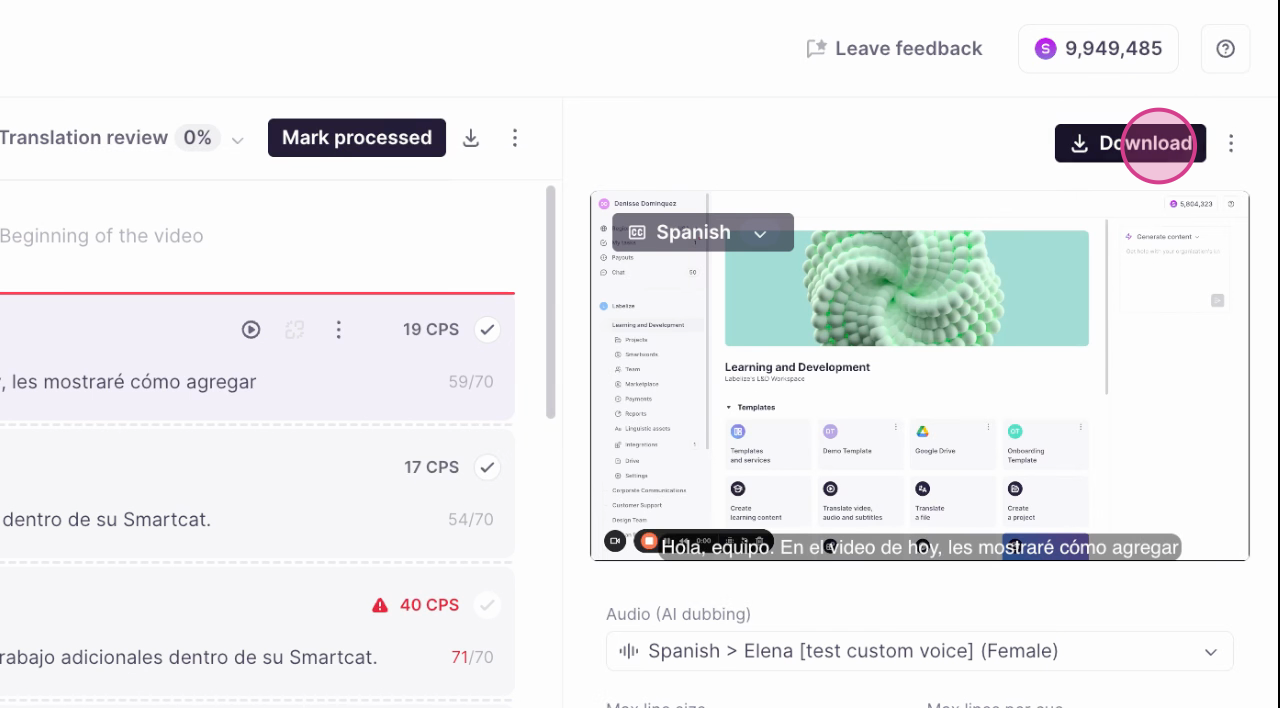
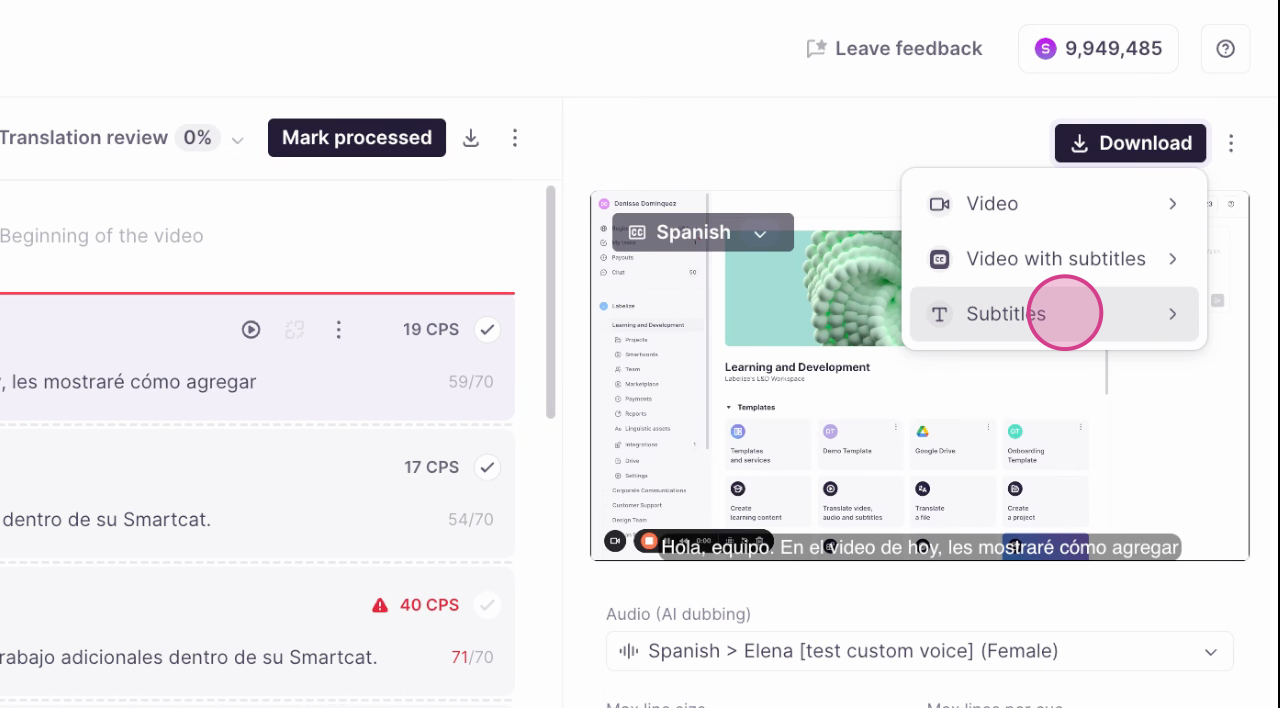
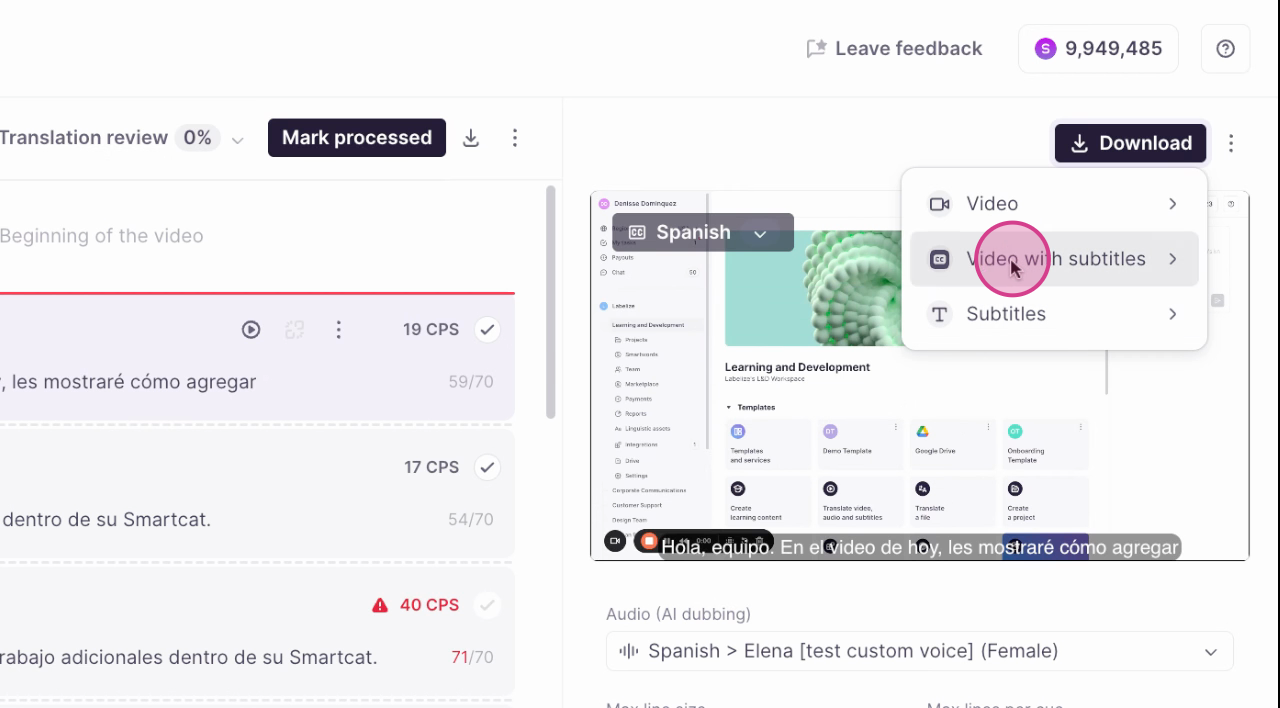
Click the Download button, which presents three options: Video, Video with subtitles, and Subtitles
-
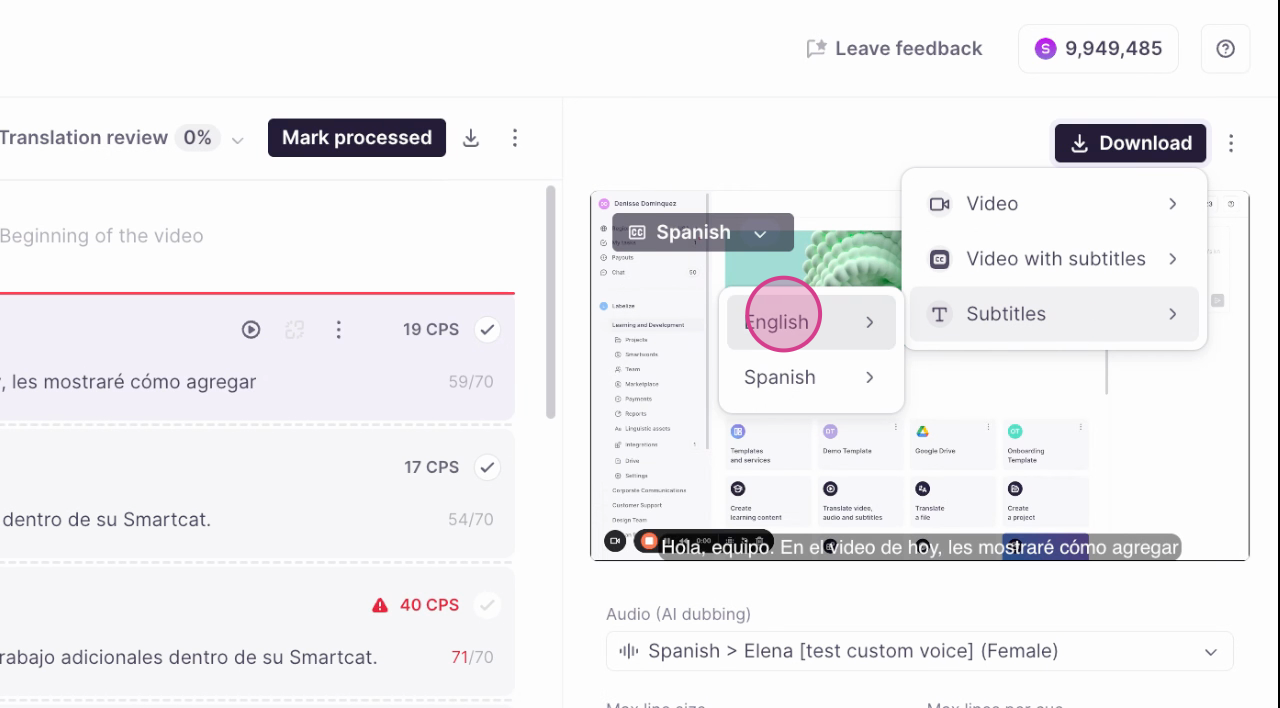
Choose the option that matches your needs, then select from the available language choices
Download subtitle files
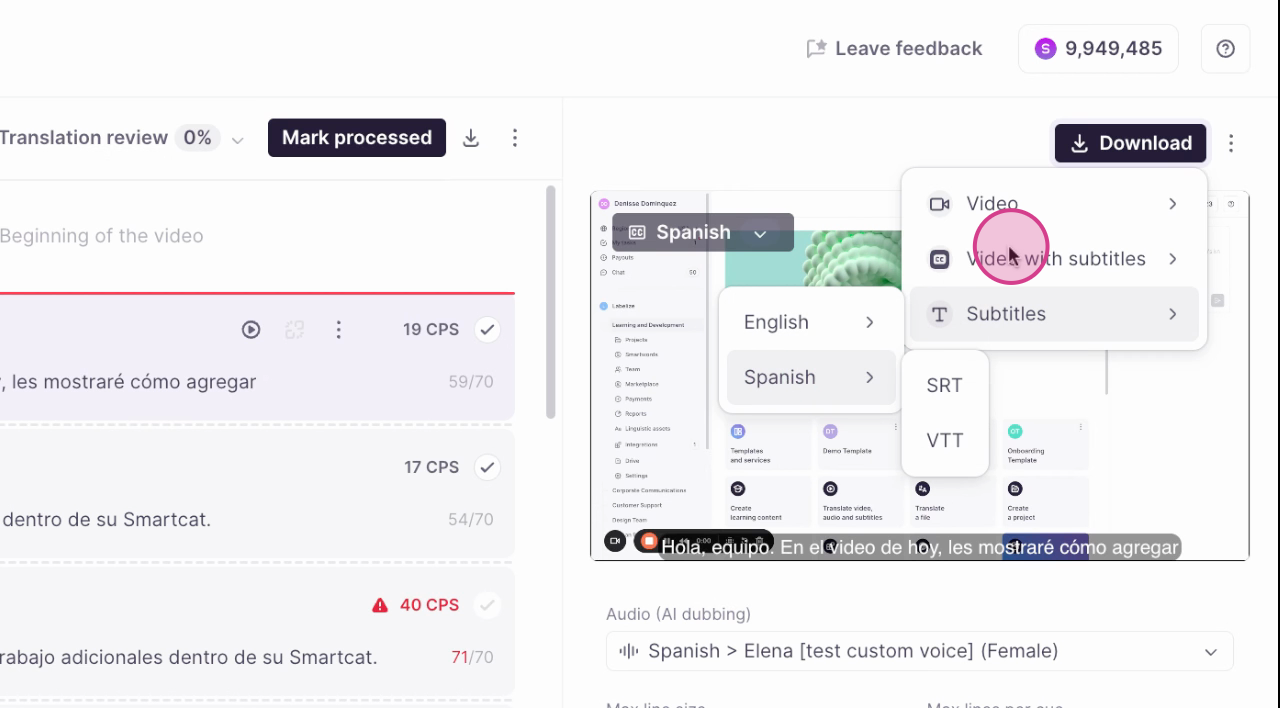
Click Subtitles to download subtitles in either your source language or your target languages. Subtitles are available in SRT and VTT formats.
Download a video with subtitles
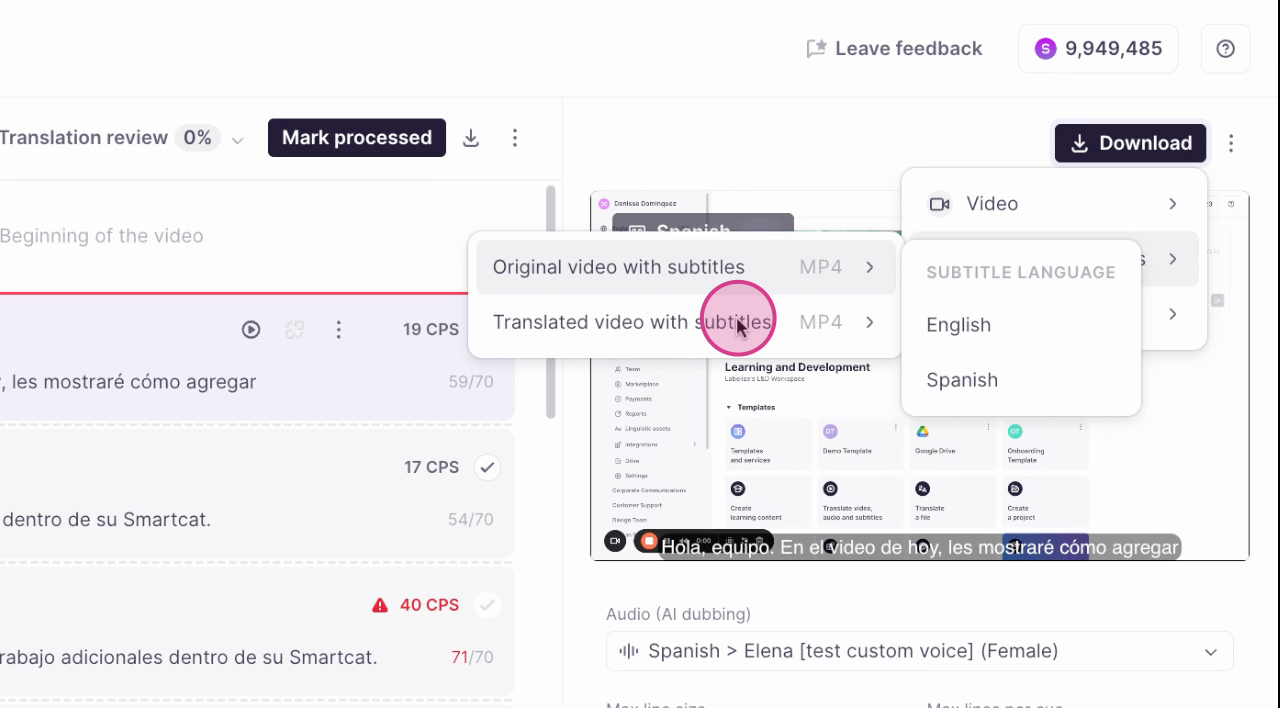
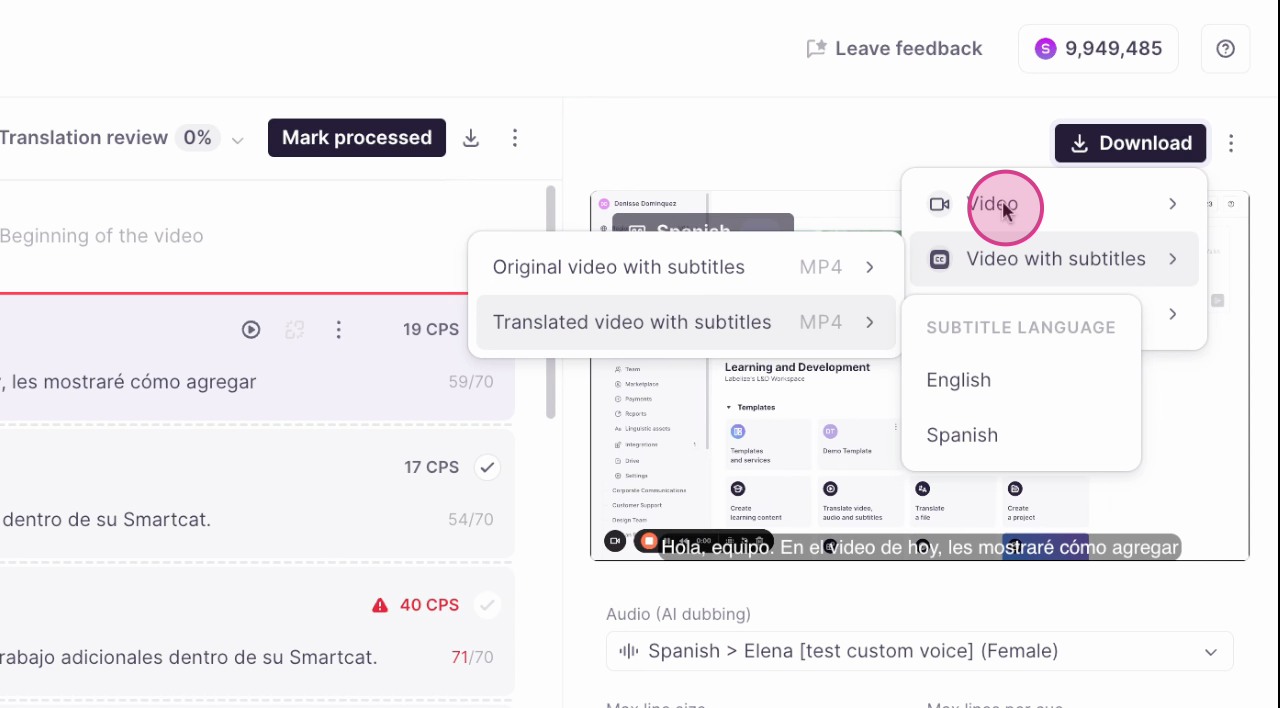
Click Video with subtitles to download a video with the subtitles baked in, so you do not need a separate subtitle file. You can choose:
-
The original language audio with either the original or translated subtitles
-
The translated video audio with the subtitle in the target language or the original
Download a video without subtitles
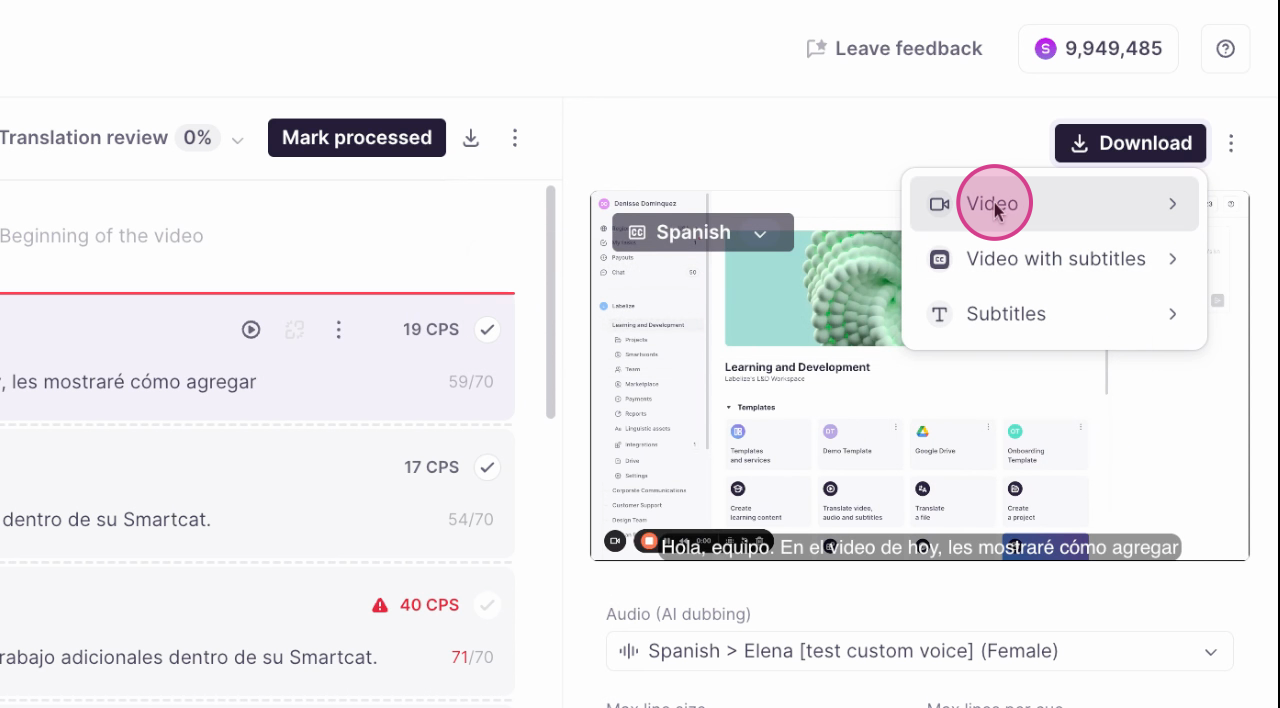
Click Video to download the original or translated video without subtitles. You can then download the separate subtitle file and upload it to a service such as YouTube, Vimeo, Wistia, or any other video provider.
You can now export your video, subtitles, or dubbing in the format that fits your workflow.
FAQs
Can I download subtitles in different languages?
Yes. Smartcat lets you download subtitles in either your source language or your target languages.
What formats are the subtitles available in?
The subtitles are available in SRT and VTT formats.
Can I download a video with the subtitles already included?
Yes. Select the Video with subtitles option to download a video with the subtitles incorporated.
Can I download a video without subtitles?
Yes. Click Video to download the original or translated video without subtitles. You can then download the separate subtitle file and upload it to your video service.
Can I use the translated video and subtitles on other platforms?
Yes. You can download the video and subtitle files and upload them to a service such as YouTube, Vimeo, Wistia, or any other video provider.
Want to learn more?
See how Smartcat can transform your localization workflow.
Still need help?
Our support team responds within one business day.