Find and hire freelancers on the Marketplace
Overview
Hiring freelancers is a common need for many project managers and businesses. Smartcat hosts a large database of vetted linguists and translation agencies, making it a place to find and hire freelancers. Whether you need to expand your team or are seeking professional translation services, Smartcat handles the hiring process end to end.
The benefits of using Smartcat
Smartcat stands out as a hiring platform due to its extensive database of vetted linguists and translation agencies. This large pool of professionals means you can find the right fit for your specific needs, no matter how unique they may be.
The benefits don't stop at selection. Smartcat also offers a platform for tracking the progress of your hired freelancers. You can monitor their work in real time, giving you greater control and peace of mind.
When it comes to payments, Smartcat has you covered. Smartcat handles financial transactions, so you can pay your freelancers promptly and securely. You manage the entire hiring process, from selection to payment, in one place.
Methods of hiring freelancers in Smartcat
Smartcat offers multiple methods to hire freelancers, catering to different needs and preferences:
-
Use Smartcat AI to hire a linguist — click the Get professional review button on the Translation overview page, and Smartcat AI selects the best-rated professional for your language pair. This feature takes both quality and cost into account, so you get the most value for your money
-
Hire a professional from your project page — for a more hands-on approach, go to the Find Freelancers tab on your project page, where you can use various criteria to screen freelancers and find the best match
-
Post a job on the Smartcat board — to wait for freelancers to come to you, post a job on the Smartcat board so interested, qualified freelancers can offer their services
Each method provides a different approach to hiring, so you can choose the one that best fits your style and needs.
Detailed guide on how to screen freelancers
Smartcat provides a variety of tools and filters to help you screen potential freelancers.
Use filters and search criteria
On the Marketplace page, use filters to narrow down your search. These include language pairs, services provided, areas of expertise, competency levels, translation samples in the freelancer's portfolio, the time in the freelancer's location, and whether different dialects are included. You can also screen freelancers based on the cost of the services they provide.
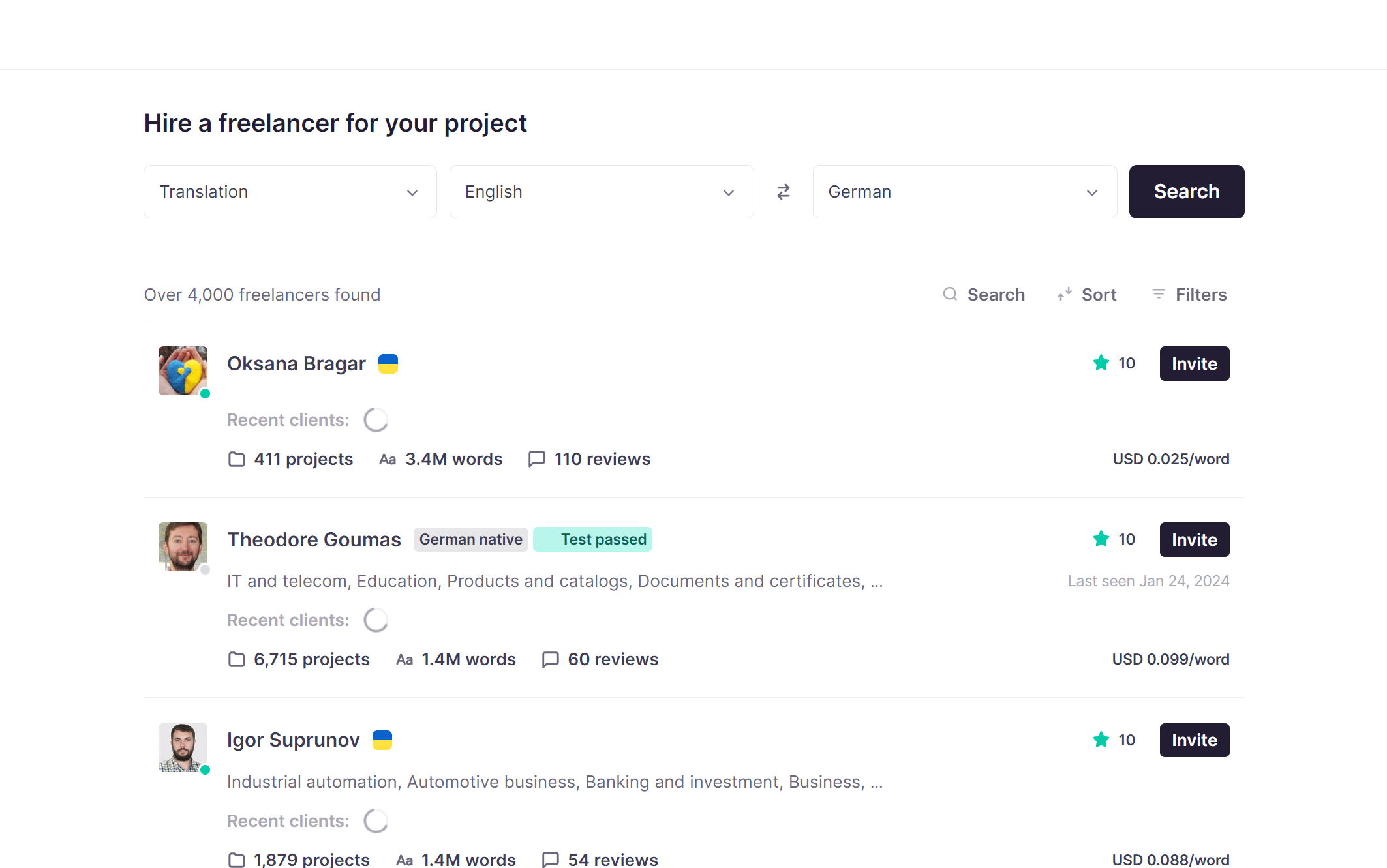
View detailed freelancer profiles
Each freelancer on Smartcat has a detailed profile that you can view by clicking Show full info.
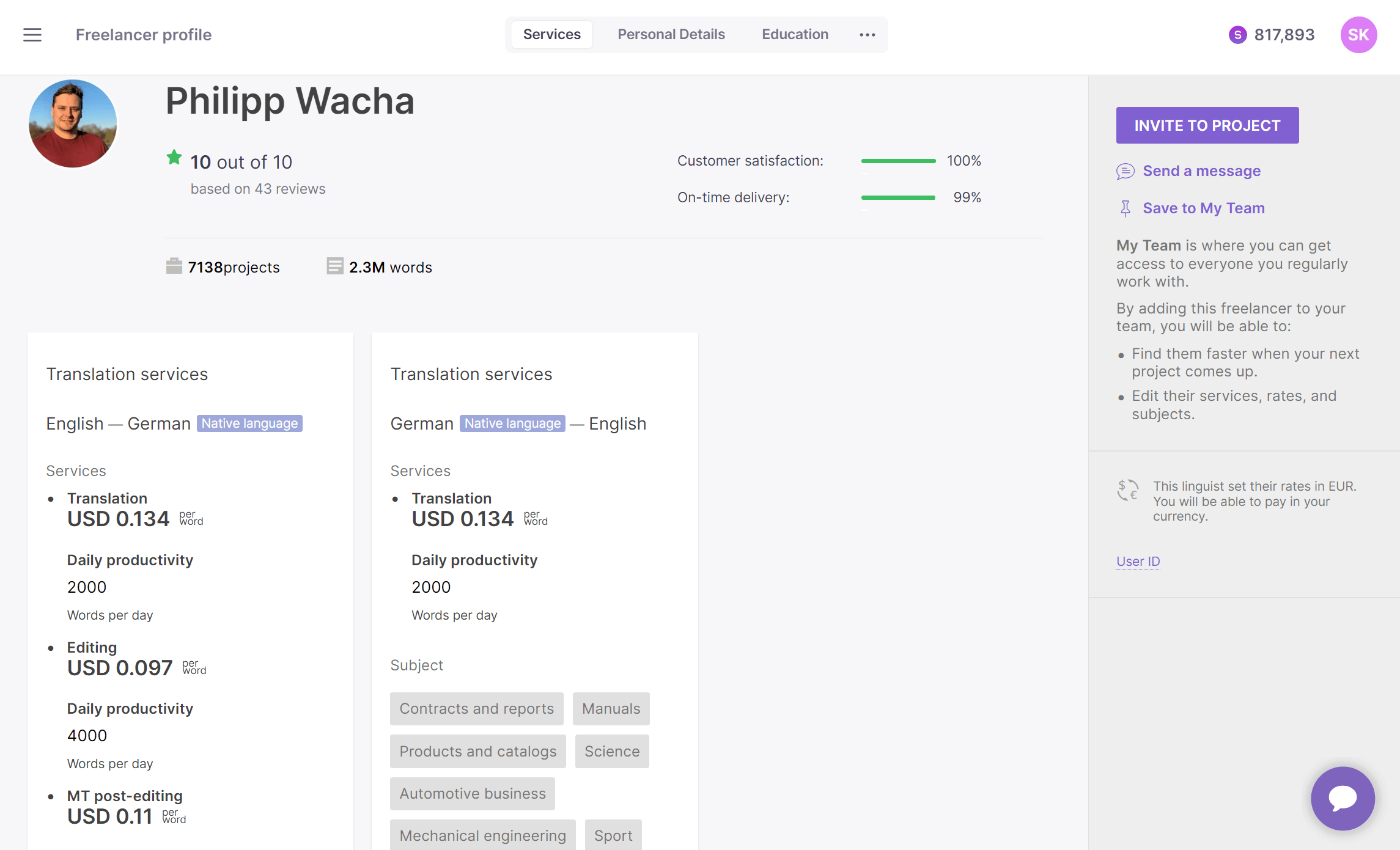
Profiles provide information such as the number of words and projects translated in Smartcat, prices, and review results. Some freelancers include additional details like personal information, education level, and work experience. An important feature is the competency level, which gives you an idea of the freelancer's skills and expertise in a specific topic.
Freelancers on Smartcat can have three competency levels:
-
Certified — one of Smartcat's LSP partners certifies that this freelancer performs excellently in a specific topic
-
Test passed — the freelancer has been tested for a specific topic
-
Course passed — the freelancer has taken a course for a specific topic
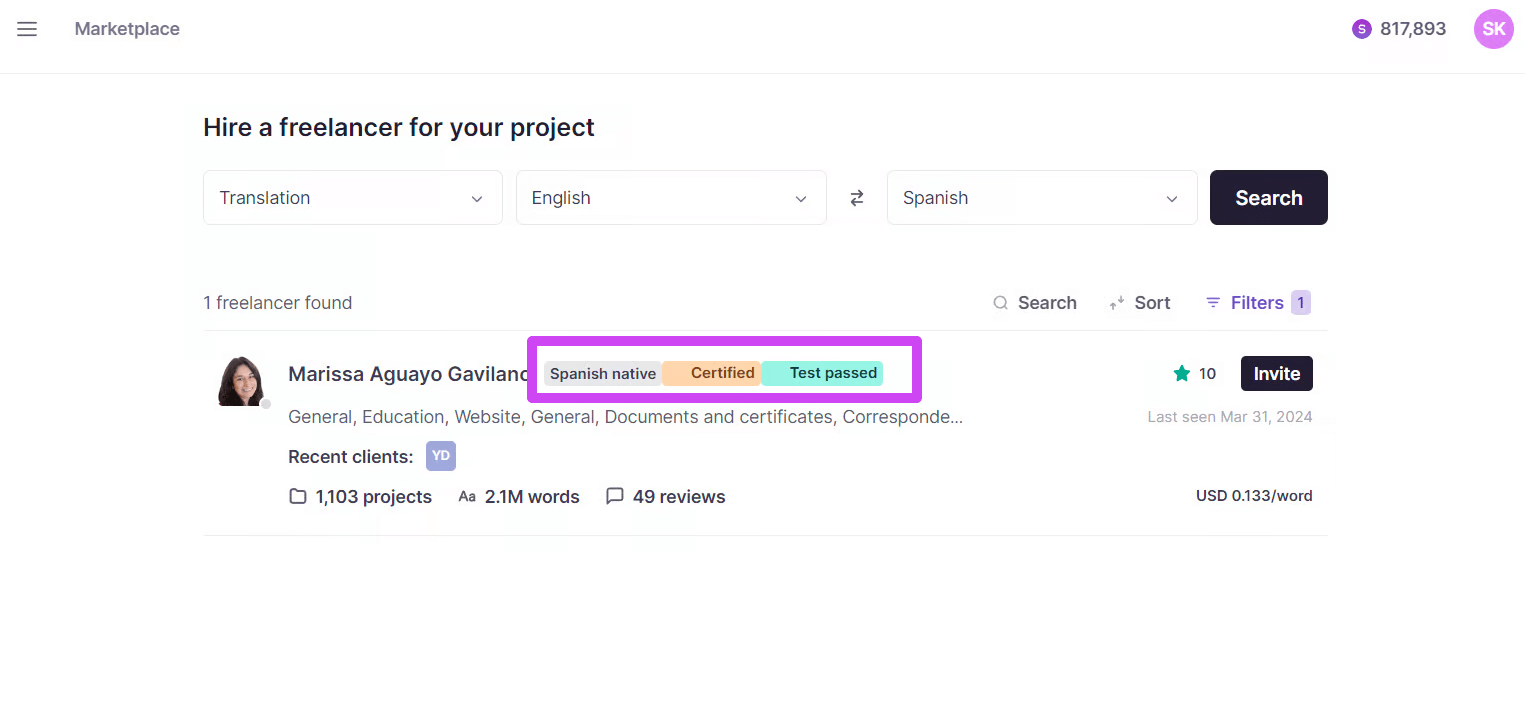
These levels give you an idea of the freelancer's skills and expertise in a specific topic, so you can make more informed decisions when hiring.
By using these tools and understanding the information provided, you can effectively screen freelancers and find the best fit for your project.
Long-term collaboration with freelancers
Smartcat is not just a platform for one-off projects. It also supports long-term collaboration with freelancers.
Add freelancers to your team
Once you've found freelancers who meet your requirements, add them to your team on Smartcat by clicking Save to My Team on the freelancer's profile.
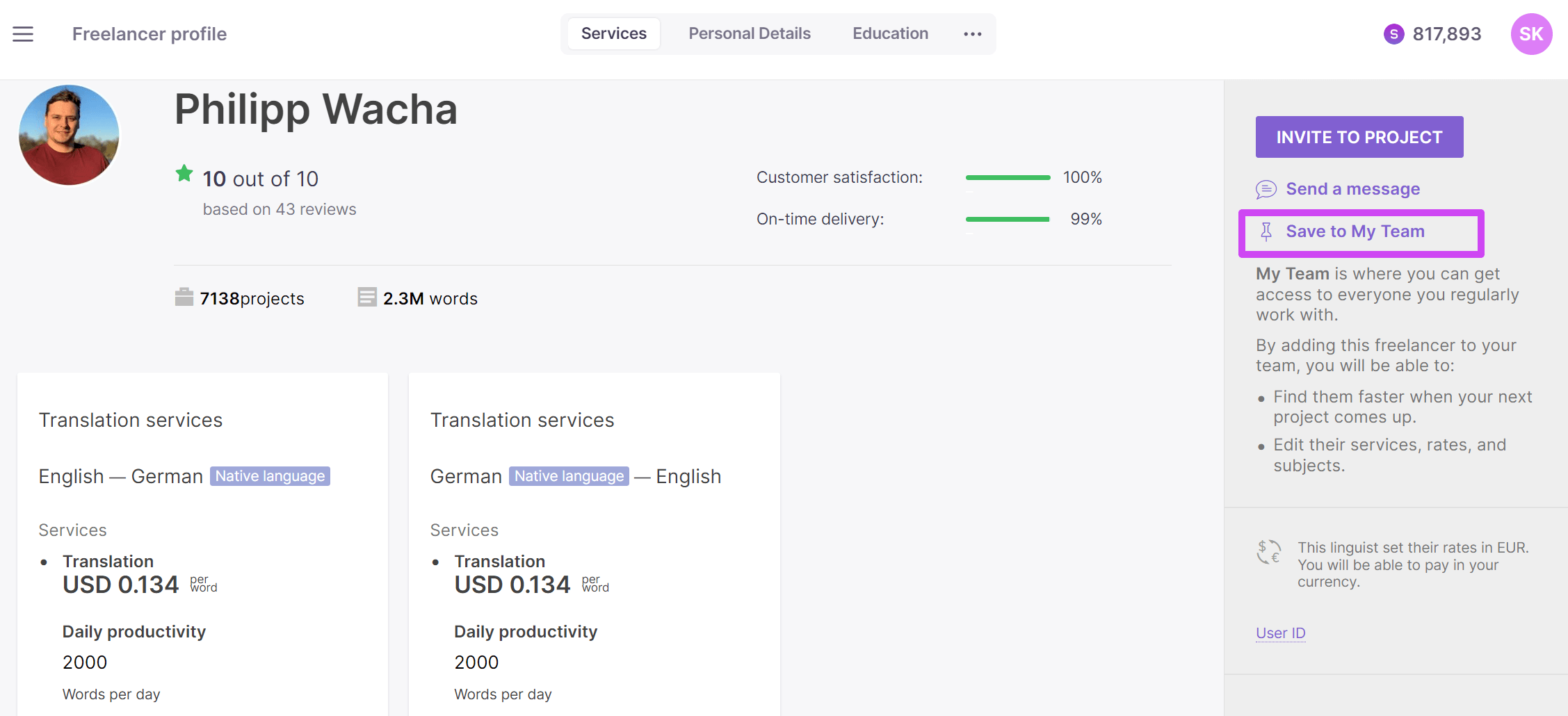
Once a freelancer is added, a pin icon appears on their picture, sections for notes and client information are added, and the Save to My Team option is replaced by a Remove from My Team option.
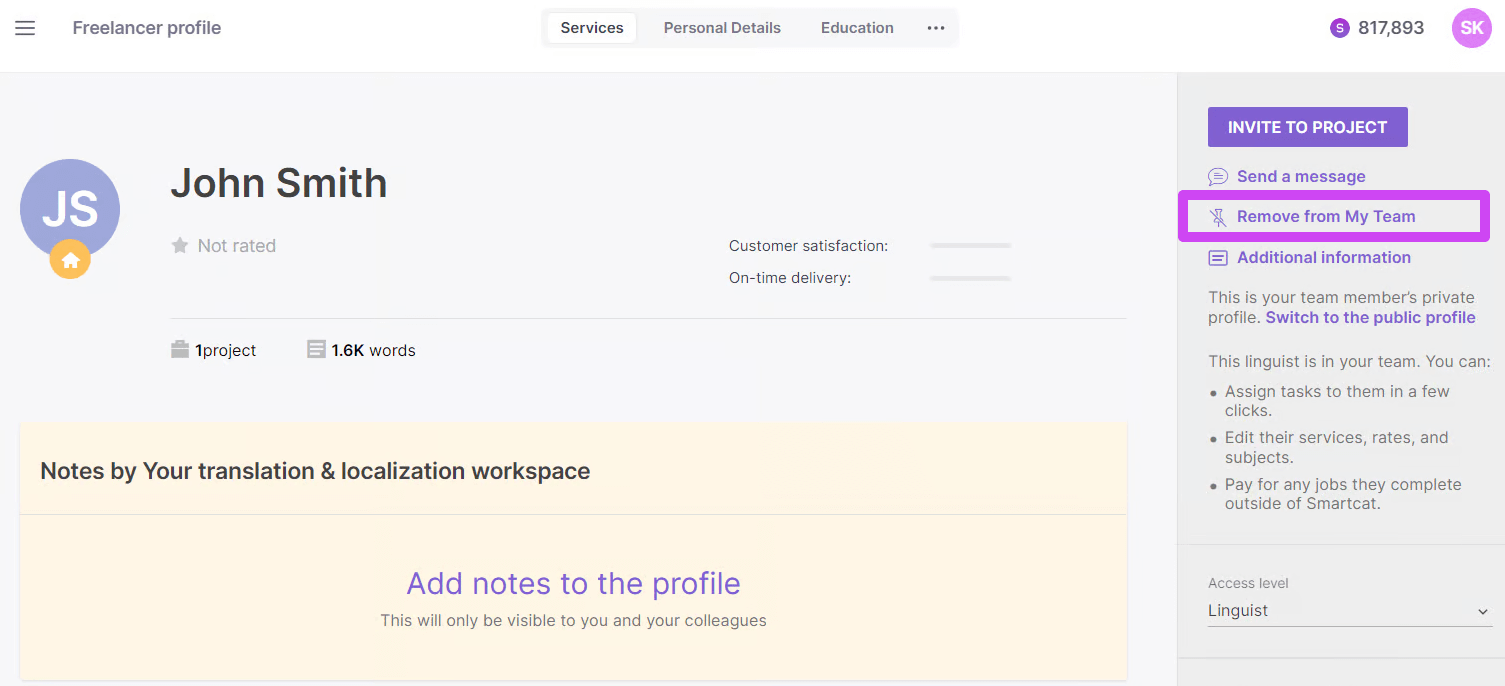
📌 Any comments added to the My Team profile of a freelancer remain visible only in your corporate account and are not shared with other Smartcat Marketplace users. You can switch back to the public profile view of the freelancer at any time.
Negotiate rates and edit service details
Smartcat gives you the flexibility to negotiate rates with your freelancers. You can also edit the services provided by the freelancer, including prices.
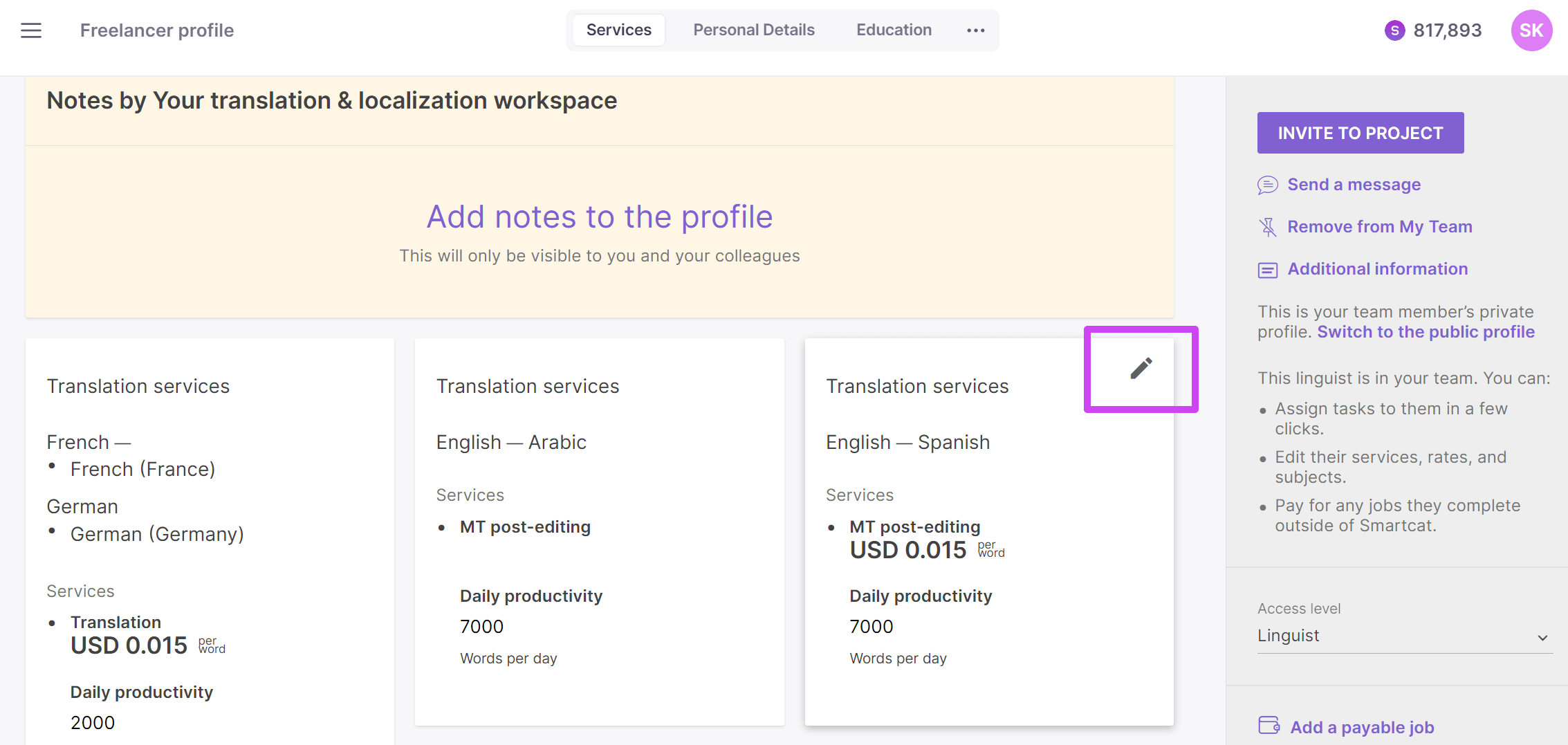
To do this, hover over the different services in the freelancer's profile and click the edit pencil.
The new rate applies to invitations sent after the rate adjustment.
📌 Changes made to the My Team profile are unique to a corporate account and do not affect the public profile of the freelancer that is shared with other Smartcat users. Freelancers do not get a notification that they have been added to a team until they receive some communication from the project manager.
⚠️ The rates you edit here are used for payment calculations. Any changes to rates and services should always be done in collaboration with the freelancers.
By fostering long-term relationships with freelancers, you can build a reliable team that understands your needs and delivers consistent results.
Additional services
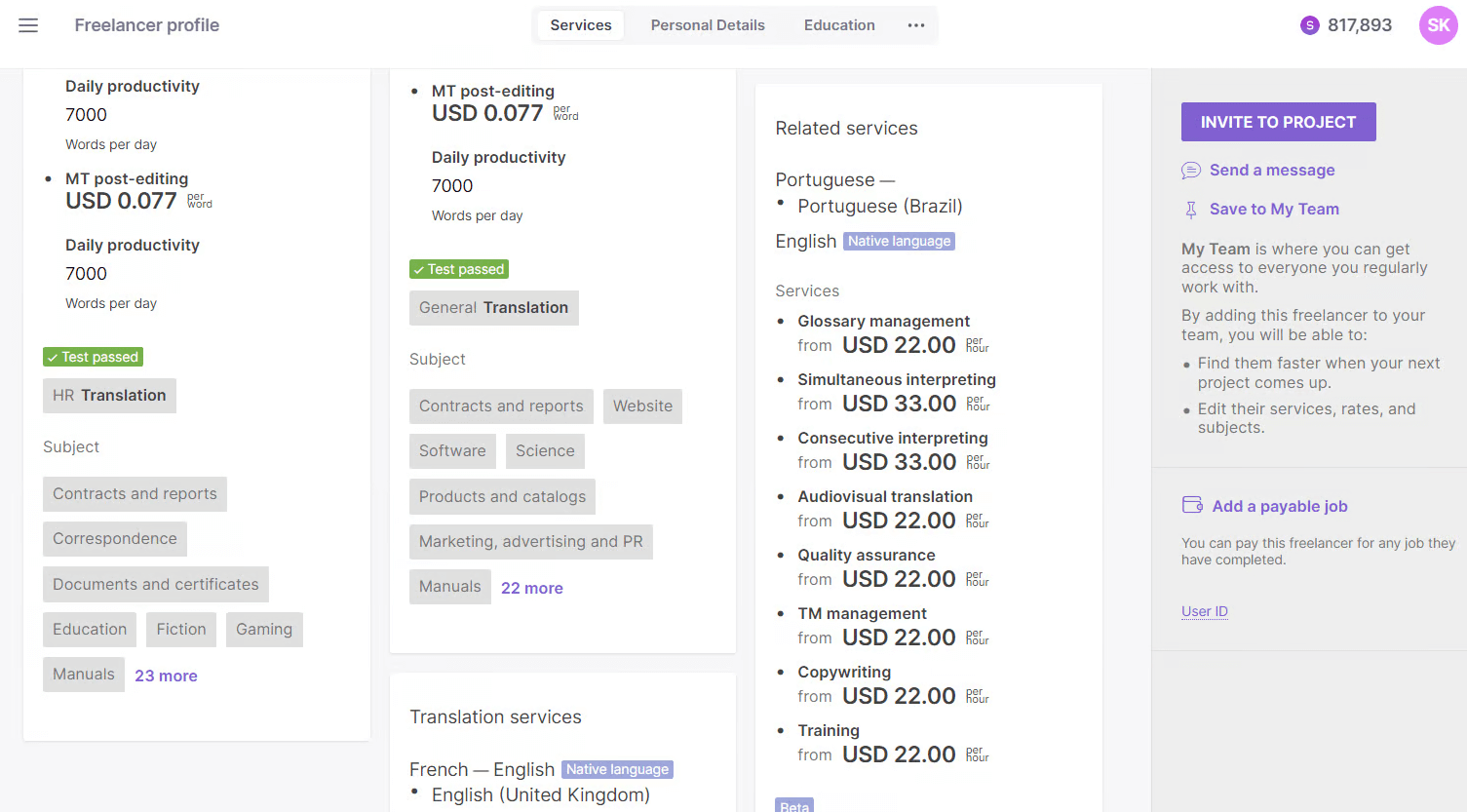
Besides the traditional language services, freelancers on the Marketplace offer a range of other services that can help language providers expand what they offer to their clients. These additional services add flexibility for service providers dealing with fluctuating volumes of work.
Setting a negotiated vendor or supplier rate for a specific project
To apply your negotiated vendor rate to a specific project, set it before you send the task invitation — either on the supplier's record in your Team or vendor list, per service and language pair, or directly in the invitation form when you invite them. The rate in effect at the moment the invitation goes out is the one that applies to that job.
Two things to keep in mind:
-
A rate you change afterward only takes effect for new invitations you send from that point on — it does not retroactively update invitations that have already been sent
-
Once a supplier has accepted a task, the rate on that specific job becomes locked and can no longer be edited through the rate field. If you need to correct the amount after a job has already been accepted, that has to be handled as a payment adjustment at completion rather than a rate change.
FAQs
What are the different ways to hire a freelancer in Smartcat?
You can use Smartcat AI to automatically select the best-rated professional for your language pair (via the Get professional review button), screen candidates yourself on the Find Freelancers tab of your project page, or post a job on the Smartcat board and wait for freelancers to apply.
What do the competency level badges (Certified, Test passed, Course passed) mean?
Certified means one of Smartcat's LSP partners has certified the freelancer's performance in a specific topic. Test passed means the freelancer has been tested for that topic. Course passed means they've completed a course on it.
What happens when I add a freelancer to My Team?
The freelancer is saved for long-term collaboration — you'll see a pin icon on their profile, plus notes and client-information sections that stay private to your account. You can also negotiate rates or edit their service details for your account without affecting their public profile.
Do freelancers get notified when I add them to My Team?
No. Freelancers only get notified once you send them actual communication, such as a project invitation.
If I edit a freelancer's rate in my My Team view, does that change their public rate?
No. Rate and service edits made in your My Team view are unique to your corporate account; the freelancer's public profile is unaffected.
What do I do when an assigned marketplace supplier stops responding?
If an assigned marketplace supplier stops responding to a rework or revision request, you are not required to keep waiting on them. You can cancel their current task invitation and invite a different supplier to the same task from the project's Tasks tab. The content and any work already done stays in place, so nothing is lost for the next linguist to pick up. See: help.smartcat.com/how-to-invite-multiple-suppliers-to-a-task. Regarding the unresponsive supplier's payment, if you'd like to report the quality issue and lack of response, Smartcat's Support team handles this as a dispute — they review the situation and give the supplier a chance to respond before any payment action is taken (a rate reduction on already-completed work generally needs the supplier's written consent), so an outcome can't be guaranteed in advance. It's best to raise this promptly: a completed stage auto-verifies after 15 days if nobody reviews it, and completing a later workflow stage also verifies the earlier one.
Want to learn more?
See how Smartcat can transform your localization workflow.
Still need help?
Our support team responds within one business day.