Promote your translation company on the Marketplace
Overview
Setting up your translation company profile is a straightforward task that makes a big difference to your company's presence on the Smartcat Marketplace. This article explains the best practices for setting up your company profile to increase its appeal and visibility for potential clients.
Set up your corporate profile
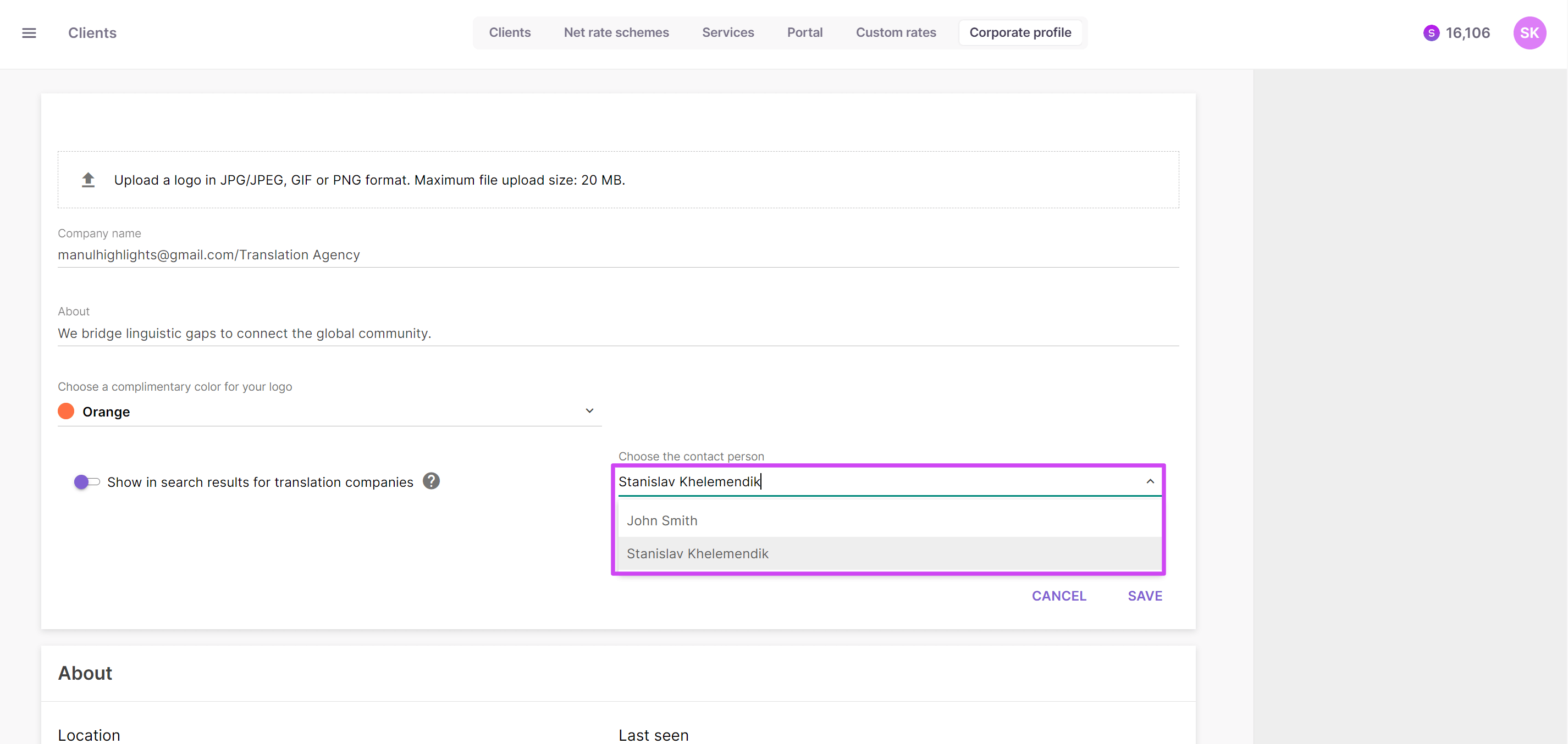
To start, go to the Clients section, open the Corporate Profile tab, and choose your company's contact person. This person receives all incoming messages from clients.
-
Start editing the Corporate Profile tab and make the required selection in the Choose the contact person field
-
Enable the option Show in search results for translation companies
Your company is now discoverable by clients searching for translation companies.
Add your services
Specify the services your company provides so that Smartcat can automatically calculate their cost for the client.
-
Open the Services tab and start editing the Add service tab
-
Add the relevant services and select only one workflow stage for each service, as shown in the table below
| Service | Workflow stage | Unit type | Subjects |
|---|---|---|---|
| AI Review and Editing | AI Post Editing | words | optional |
| Translation | Translation | words | optional |
| Editing | Editing | words | optional |
| Proofreading | Proofreading | words | optional |
Each service is now available for clients to request.
Create custom rates
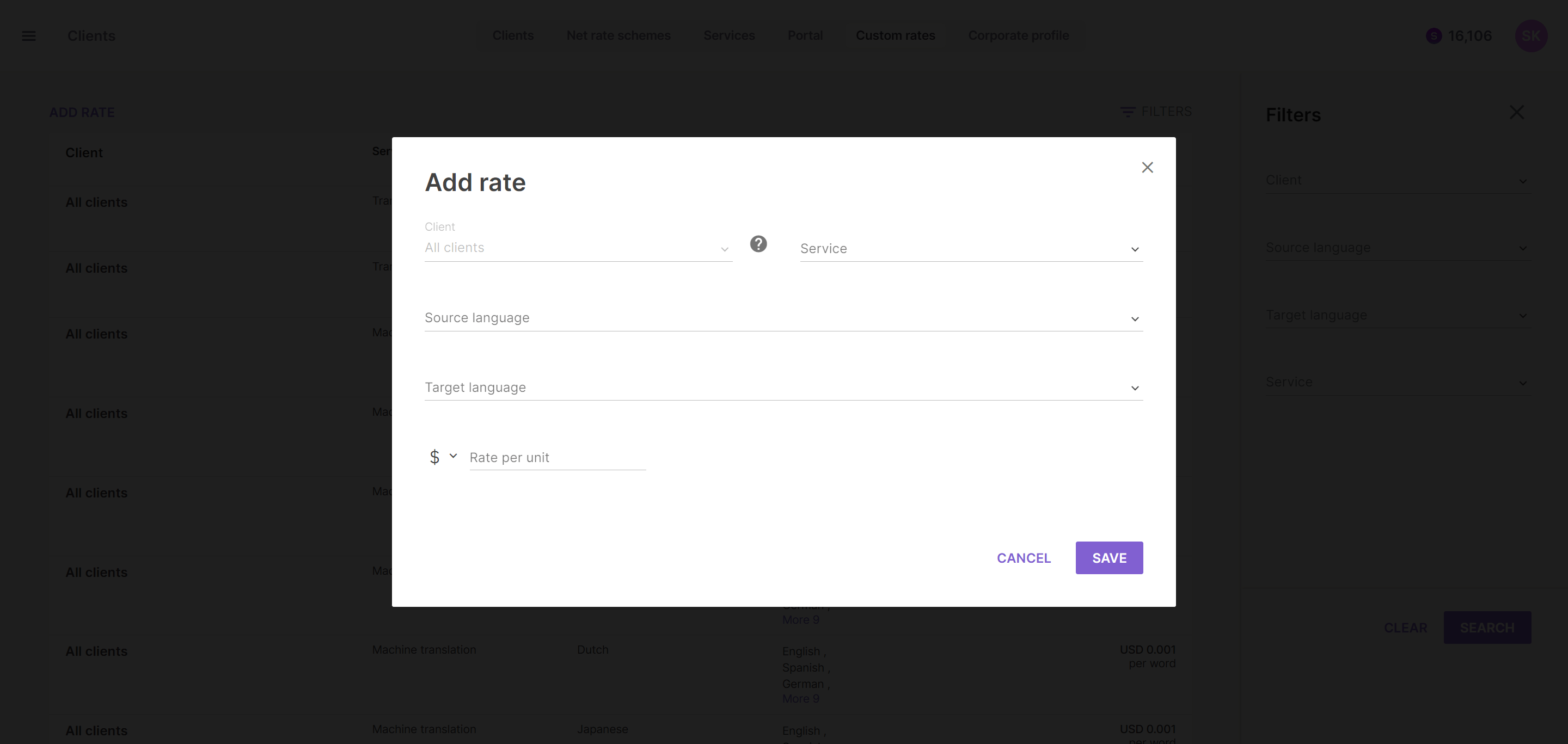
Open the Custom Rates tab and create the rate for each service specified. Click Add rate and specify the service, language pair, and cost.
💡 Alternatively, you can upload client data in a spreadsheet using the template referred to in the sidebar.
FAQs
Who receives client messages sent to my company on the Marketplace?
The contact person you designate in the Corporate Profile tab receives all incoming client messages.
How do I make my company discoverable to clients searching for translation companies?
Enable the "Show in search results for translation companies" option in your Corporate Profile tab.
Can I set different rates for different clients?
Yes. Use the Custom Rates tab to create rates per service and language pair, or upload rates in bulk using the provided spreadsheet template.
When adding a service, how many workflow stages can I select?
Only one workflow stage per service — for example, Translation maps to the Translation stage, and AI Review and Editing maps to AI Post Editing.
Want to learn more?
See how Smartcat can transform your localization workflow.
Still need help?
Our support team responds within one business day.