Organize your Smartcat workspace
Overview
The more complicated your projects get, the bigger and more diverse your team needs to be. Smartcat gives you convenient, secure workspaces and virtual environments where you can share projects, linguistic assets, and other resources with your teammates.
Join or create a workspace
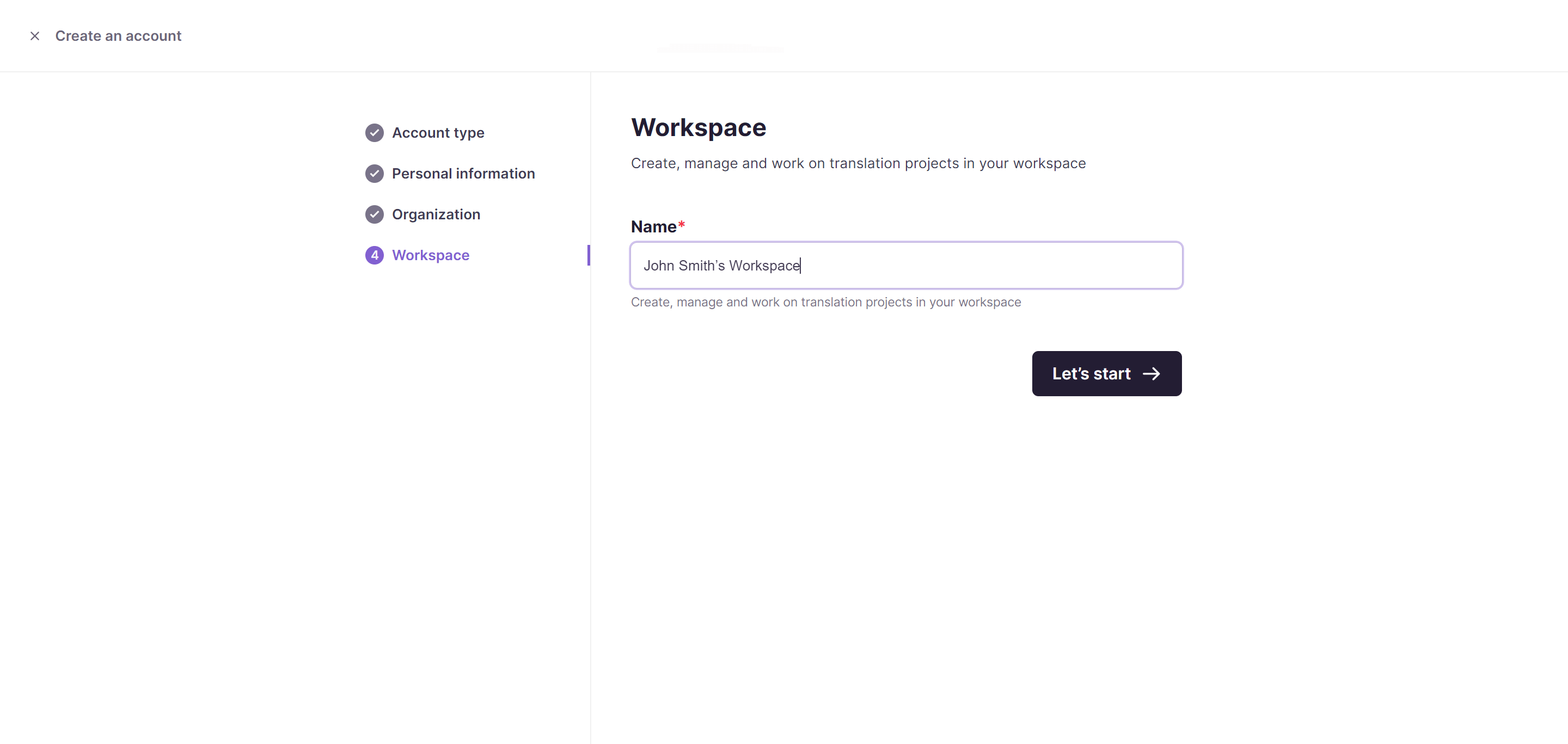
When you create your Smartcat account, you can request to join an existing workspace in your organization or create a new one.
You can invite colleagues, contractors, or anyone else to work with you in Smartcat at any time.
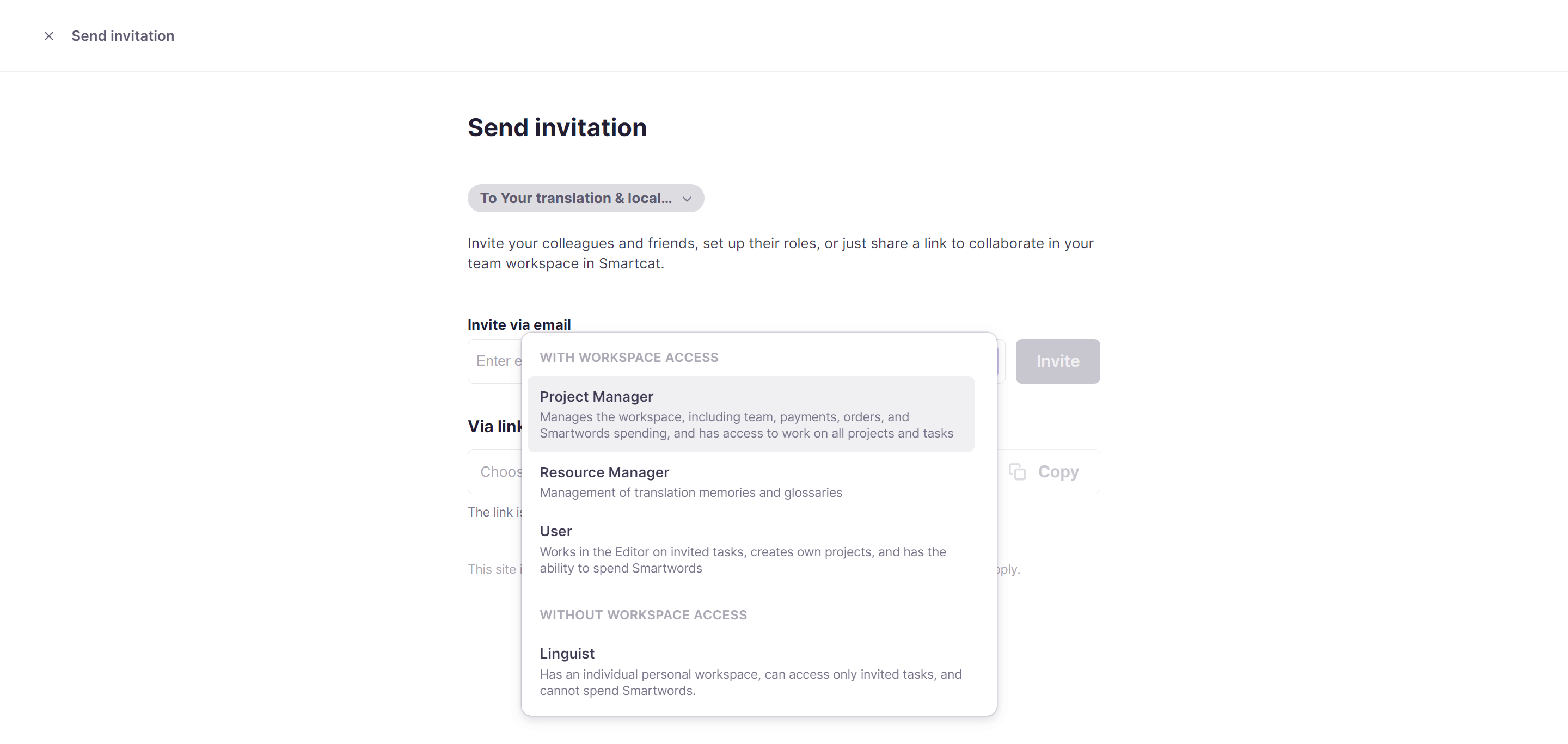
You can do this by sharing a link, as described in this article.
What workspace users can do
Workspace users can:
-
Create, view, and edit translations and projects
-
Create and manage Translation Memories (TM) and glossaries
-
Use Smartwords in the workspace to get AI translation
-
Approve, download, and share translations
-
Find and assign language service providers to do the translations and post-editing
-
Test translators and check translation quality manually or through Smartcat
What workspace administrators can do
In addition to the user permissions, Workspace Admins can:
-
View all projects in the workspace and get information about their owners
-
Manage the Smartcat subscription and top up Smartwords for the workspace
-
Invite new vendors and team members to projects
Create a hidden workspace
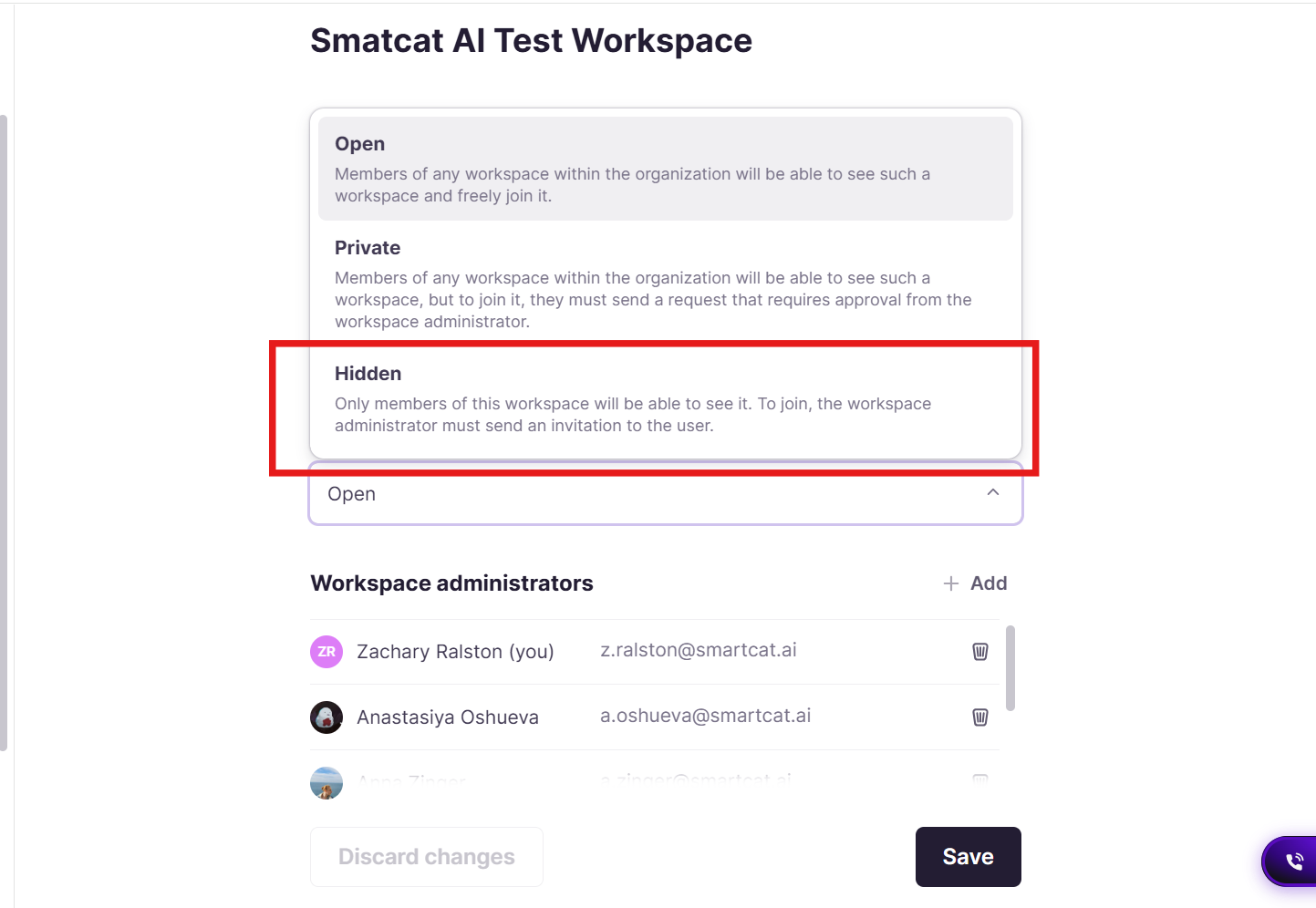
You can create a Hidden workspace to hide the workspace from other users within your own organization. When a workspace is hidden, only users who receive an invite from an administrator of that workspace can access it.
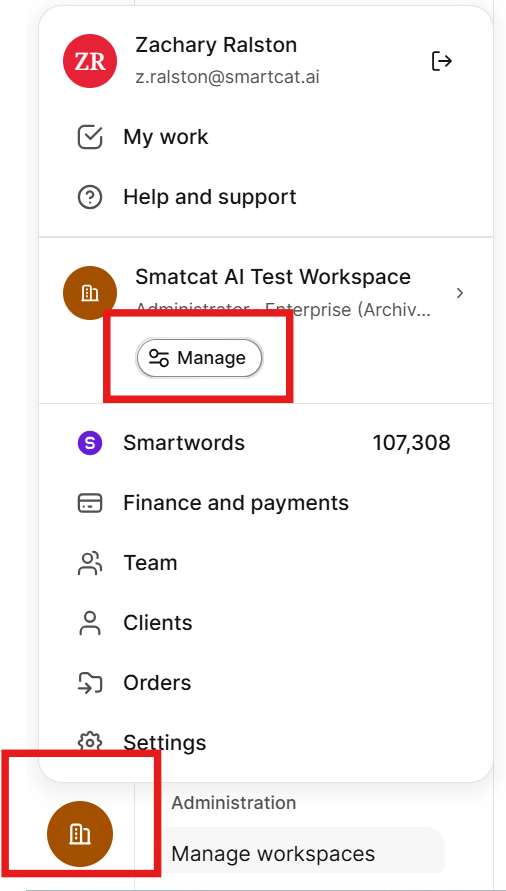
- As a workspace administrator, click the workspace button to open the menu, then click Manage.
- On the General settings page, use the Access dropdown to set the workspace access to Hidden.
- Click Save
Add vendors from the Marketplace
Beyond inviting a member of your team, a colleague from a different department, or a freelancer hired outside Smartcat, you can hire vendors from the Smartcat Marketplace and add them to your team to collaborate on a regular basis.
Removing team members from your workspace
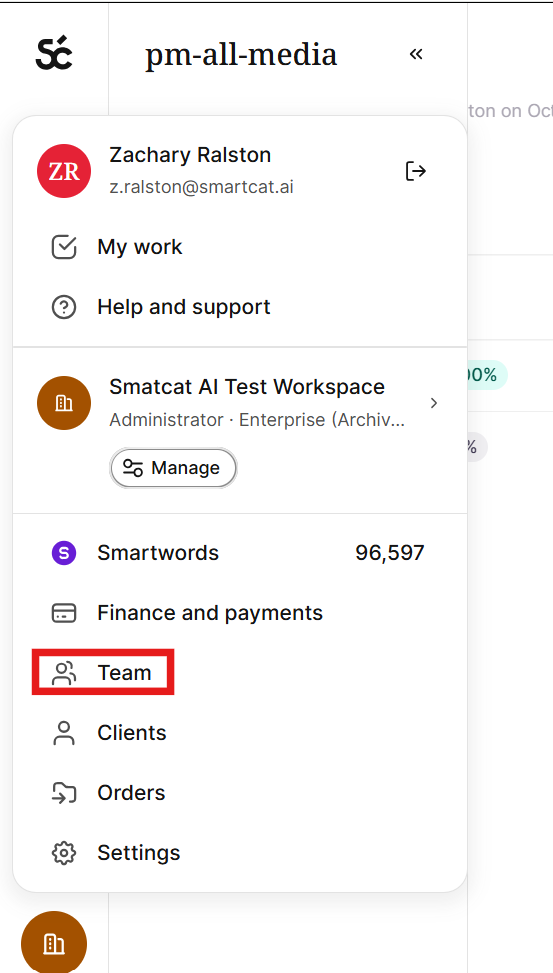
- Click Workspace → Team
-
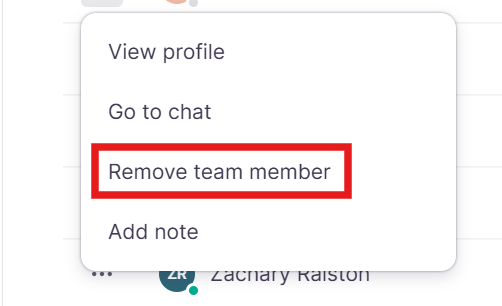
Find the team member you want to remove and click … next to their name
-
Select Remove team member. This immediately revokes their access to the workspace.
Removing a team member requires Workspace Admin rights, or a role that includes permission to manage users. If you don’t see the Remove team member option, one of your workspace admins will need to do it for you.
Removing someone does not delete anything they created. All their projects remain in the workspace and stay fully accessible to other admins and project managers. If you need to find and reassign their work afterward, you can filter the project list by Creator or Manager.
Smartcat does not recommend trying to revoke access by changing a password or recovery phone. That approach doesn’t revoke active sessions or API tokens, so the person may retain some level of access even after the change. Removing them from the Team list is the clean, complete way to offboard someone.
Benefits of using Smartcat workspaces
-
Safety and security: you can change access permissions at any time
-
Transparency and control: the Workspace Admin can see all project details, including task-by-task progress, on one page
-
Flexibility: you can negotiate with freelancers and set discounted rates for you and your workspace users
FAQs
What's the difference between a regular workspace user and a Workspace Admin?
Users can create/edit translations and projects, manage TMs and glossaries, use Smartwords, and assign linguists. Admins additionally see all projects and their owners across the workspace and manage the subscription and Smartwords top-ups.
Can I invite a freelancer who isn't part of my organization to work in my workspace?
Yes — beyond inviting team members and colleagues, you can hire vendors directly from the Smartcat Marketplace and add them to your team for ongoing collaboration.
If I revoke someone's access to a workspace, does that happen immediately?
Access permissions can be changed at any time; the article doesn't call out a delay, so treat permission changes as taking effect immediately.
Can I negotiate custom rates with a freelancer I add to my workspace?
Yes — one of the stated benefits of Smartcat workspaces is the flexibility to negotiate with freelancers and set discounted rates for your workspace.
Does creating a new workspace require a new Smartcat account?
No — when you create your account you can join an existing workspace in your organization or create a new one; the account itself isn't tied to a single workspace.
Can I delete another user’s workspace?
There's currently no way for an organization or workspace admin to delete another person's workspace themselves, even if that person has left your company. This request always needs to go through Smartcat Support. To request it, contact Support as an organization admin and confirm which workspace you want removed. Smartcat will verify you have admin rights on the organization and then process the deletion. Keep in mind deletion is permanent — any projects, translation memories, and glossaries stored in that workspace are deleted along with it, so we'll ask you to confirm that's acceptable before proceeding.
Can I move a project between workspaces?
Projects cannot be moved (or duplicated) between workspaces in Smartcat — a project stays permanently in the workspace it was created in, and "Duplicate project" only creates a copy within that same workspace.
To continue the same work in a different workspace, export the relevant translation memory as a TMX file from the source workspace (Intelligence Fabric → Reviewed Translations → Export), import that TMX into a translation memory in the target workspace, then recreate the project there using the original source files and attach that TM so existing translations auto-fill via pretranslation. This carries over translations but not comments, revision history, or task assignments, and any linguists will need to be re-invited. If the two workspaces sit on different regional servers (EU/US/Asia), translation memories can't be shared live between them at all in that configuration. In that case, Smartcat support can set up a cross-region TM/glossary "Synchronization", or, if the workspaces are in the same region, live "Resource Sharing," which keeps translation memories and glossaries automatically in sync across workspaces in that region going forward.
Want to learn more?
See how Smartcat can transform your localization workflow.
Still need help?
Our support team responds within one business day.