Recovering an accidentally deleted project document
Overview
Deleting a document from a project in Smartcat is permanent. There is no trash from which to recover the document or undo function, and the document cannot be restored directly from the project or workspace once it has been removed.
The good news is that your translation work usually isn't lost. Every segment that was confirmed in the CAT editor is automatically written to your workspace's Translation Memory (TM) (also called Reviewed Translations) the moment it's confirmed, independently of the document itself — so those TM entries survive even after the document is deleted. You can use your TM to refill a replacement document with the translations you already approved.
Requirements and limitations
- Only confirmed segments are recoverable. If a segment was translated (for example, by AI or MT) but never confirmed in the CAT editor, it was never written to TM and cannot be recovered this way.
How it works
Recover translations after a document is deleted
-
Re-upload the same source file — either into a new, empty project or back into the original project.
-
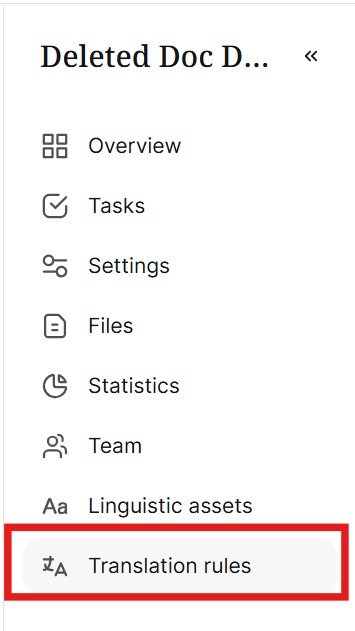
Open the project's Translation rules.
- Add a translation rule that pulls matches from your workspace Translation Memory.
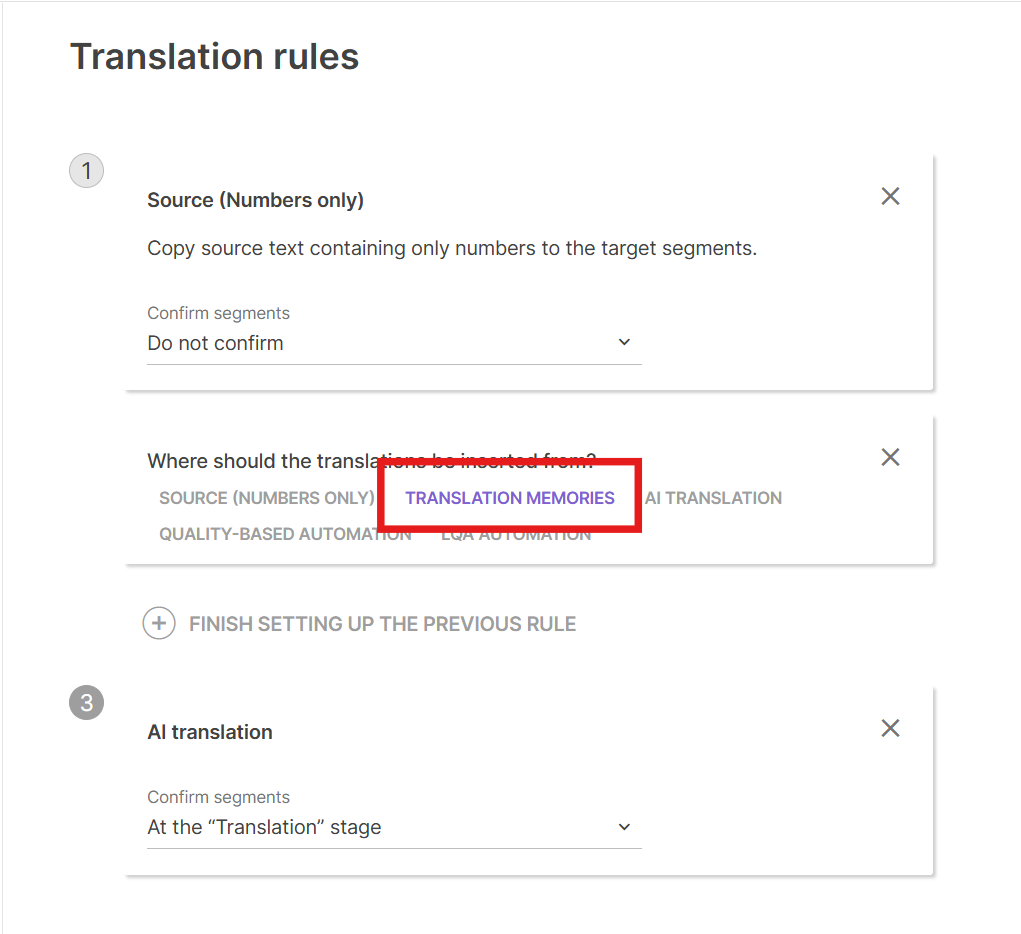
-
Set 100% matches to be inserted and confirmed automatically.
-
Click Save & Run.
AI translation refills the segments with your previously confirmed translations, pulled from the TM entries that were written when those segments were originally confirmed — before the document was deleted.
FAQs
Can I undo deleting a document from a project?
No. Deletion is permanent, and the document can't be restored directly from the project or workspace.
Will I lose all my translation work if I delete a document by mistake?
Not necessarily. Any segment that was confirmed in the CAT editor before deletion was already written to your workspace TM, independently of the document. Re-uploading the source file and translating from TM can refill those segments.
What won't be recovered?
Any segment that was translated (including by AI or MT) but never confirmed before the document was deleted. Unconfirmed segments are never written to TM, so there's nothing to pull back.
Do I need the exact original file to recover translations?
Yes — re-upload the same source file so AI Translation can match its segments against your TM.
Want to learn more?
See how Smartcat can transform your localization workflow.
Still need help?
Our support team responds within one business day.