Cancel a project
Overview
You can cancel a project in Smartcat if you no longer need it. Canceling the project removes all appointments and invitations from it and refunds any prepayments. You can restore a canceled project later if needed.
Requirements and limitations
-
You cannot cancel a project that is already marked Completed.
-
You cannot cancel a project that was assigned to you via an Order. Cancel the originating order instead.
-
Canceling a project with suppliers assigned cancels all assignments that have incomplete tasks. Completed tasks are marked as approved by you.
⚠️ Canceling a project is not the same as the "Update a Project" file-replace flow — in-progress translation work is not guaranteed to be preserved. Confirm all work you want to keep is saved or exported before canceling a project with active translation in progress.
How it works
Cancel a project
- In the left navigation sidebar, click Projects.

-
Open the project (or find it in your projects list).
-
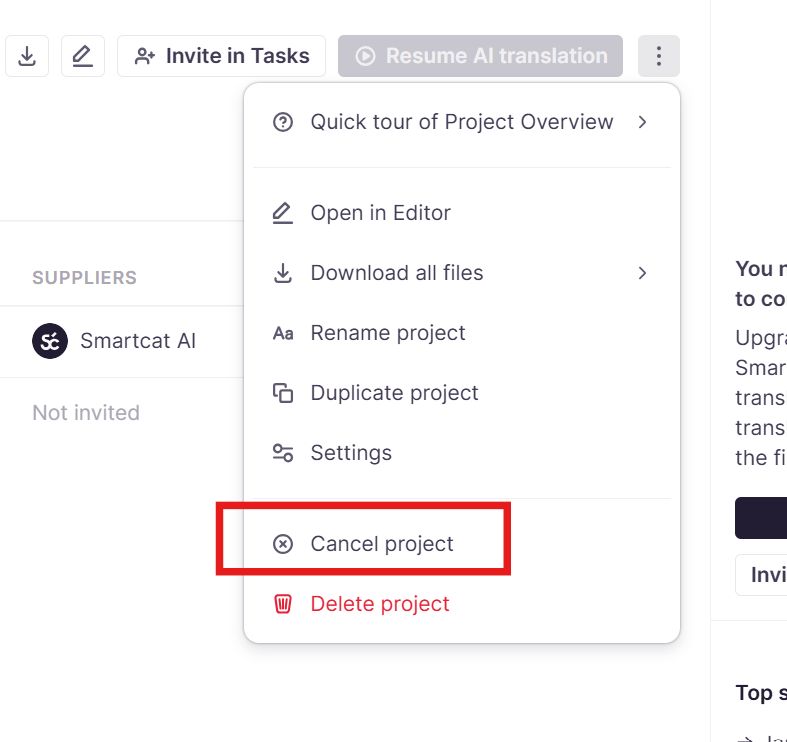
Click ⋮ in the project list row or at the top right of the project overview page and select Cancel project.
-
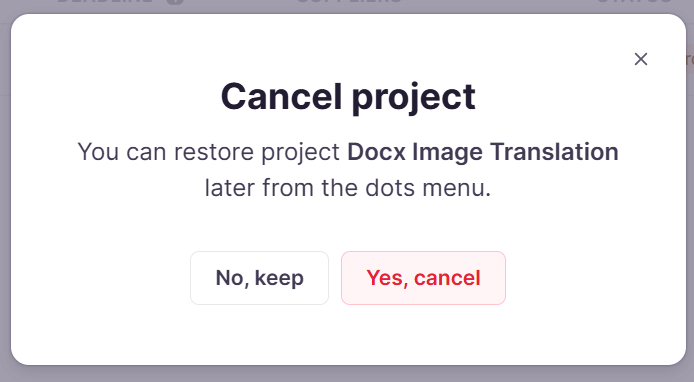
Confirm in the dialog that appears. If suppliers are assigned, the dialog notes that incomplete assignments will be canceled and completed ones marked approved.
-
Select Yes, cancel.
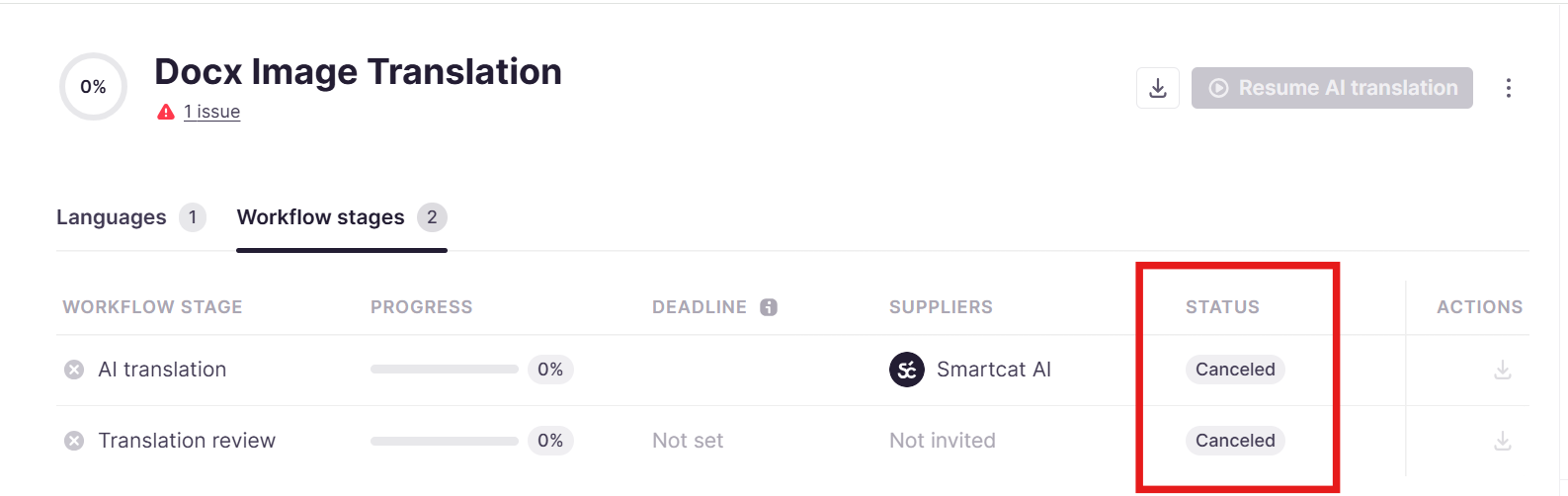
The project status changes to Canceled.
Restore a canceled project
-
Open the canceled project.
-
Select Restore from the ⋮ menu.
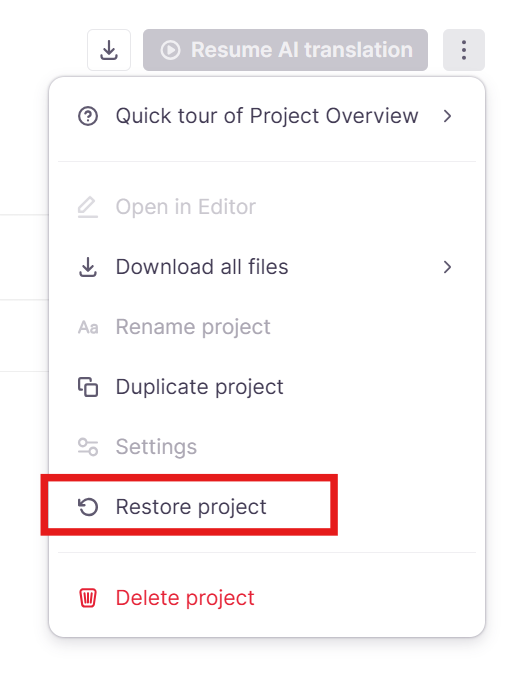
Smartcat automatically determines the correct status to restore the project to (usually In Progress) based on the state of its documents.
FAQs
Will I lose my translation progress if I cancel a project?
Canceling removes assignments and invitations and refunds prepayments, but in-progress translation is not guaranteed to carry over. Confirm important work is saved before canceling.
Want to learn more?
See how Smartcat can transform your localization workflow.
Still need help?
Our support team responds within one business day.