Connect Google Docs with Smartcat
Overview
Google Docs is an online word processor in the free, web-based Google Docs Editors suite. The Smartcat integration lets localization managers connect a Google Drive folder to Smartcat and create a continuous localization flow for the documents in that folder.
How to configure the integration
-
Create a new integration project
-
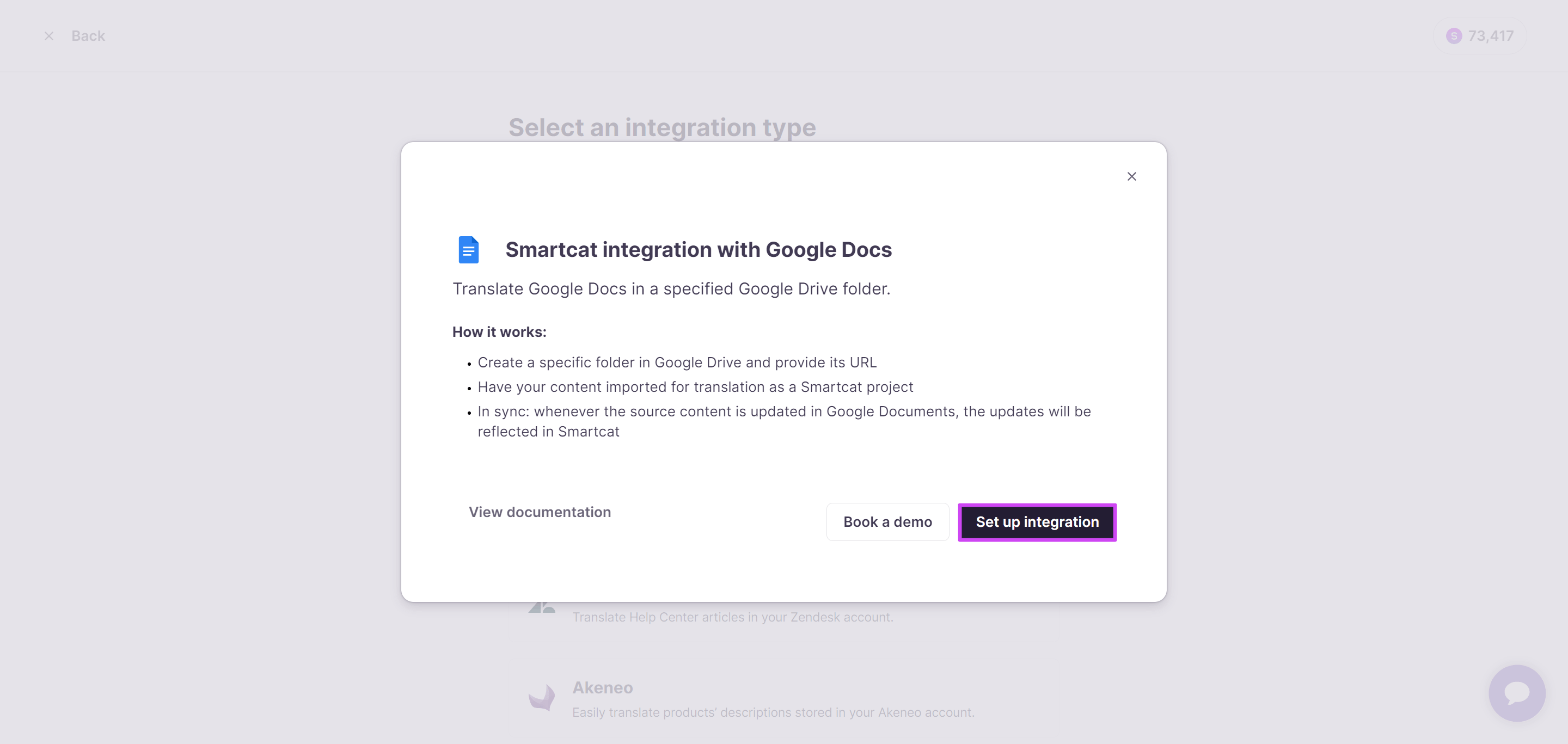
In the Integrations tab, click Set up integration on the Google Docs tile
-
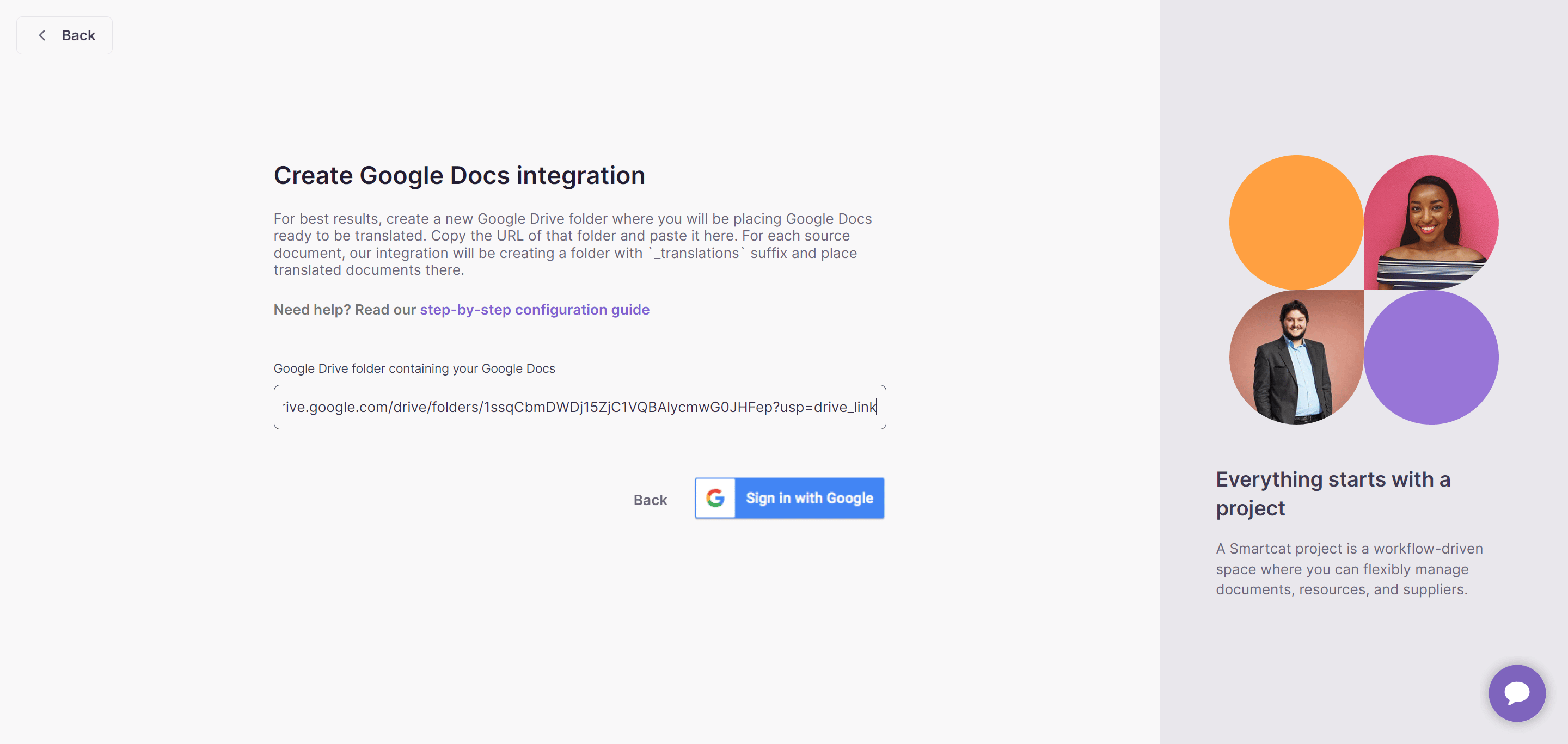
Paste the URL of the target Google Drive folder
-
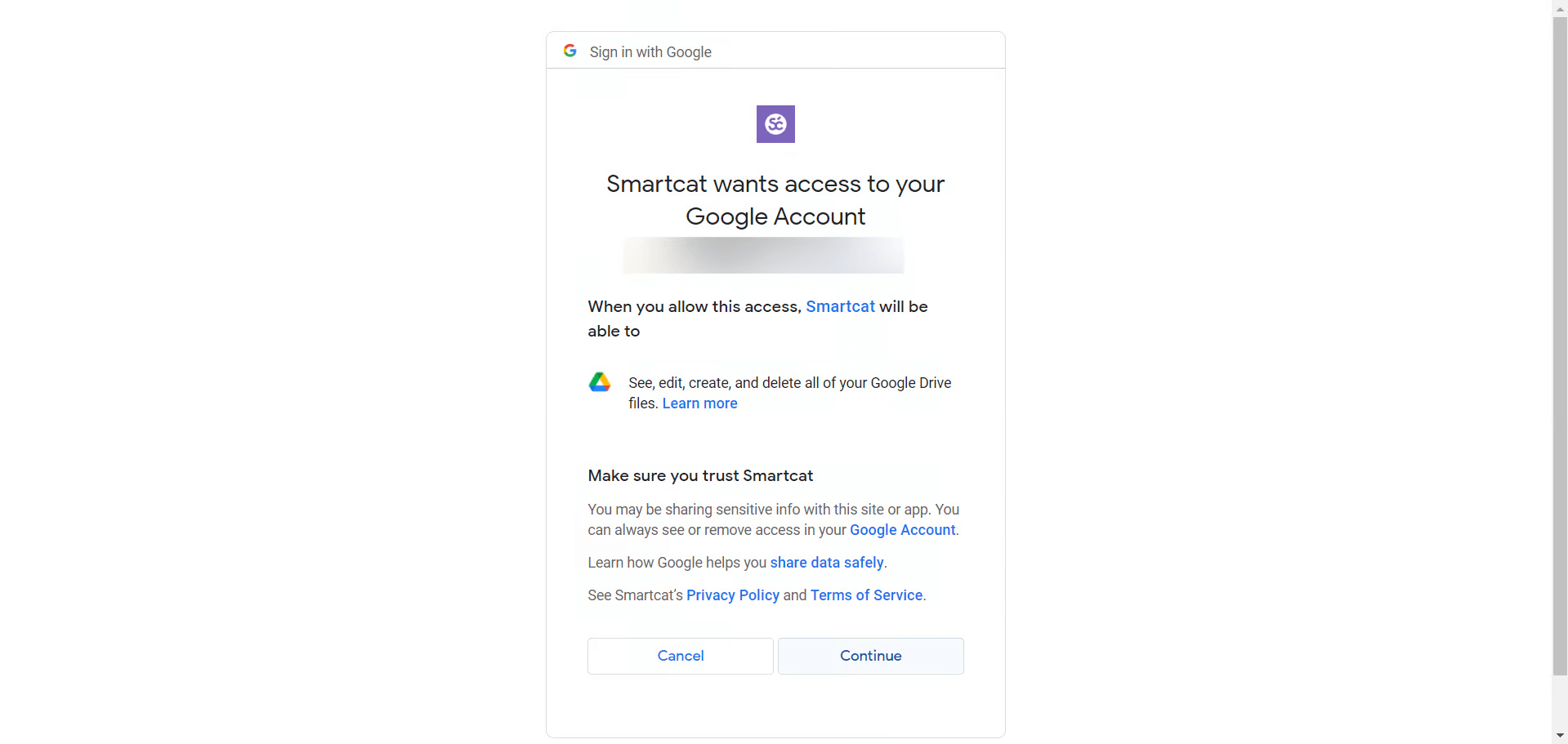
Click Sign in with Google, select your Google account, and grant access to Smartcat
-
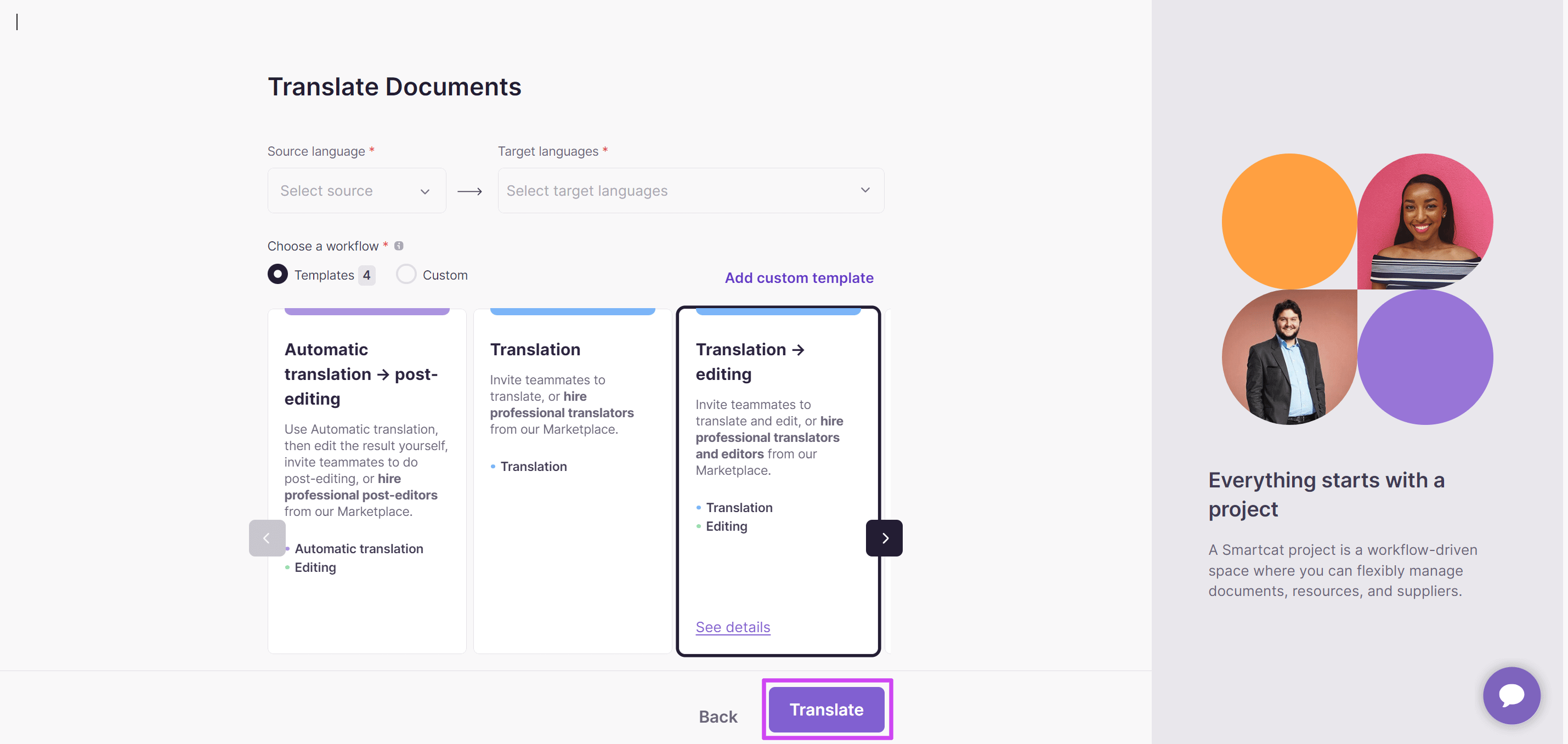
Specify the source and target languages, choose the workflow, and click Translate — you can leave the other parameters at their defaults
During setup, Smartcat automatically imports previous translations into the project Translation Memory so you can reuse them later, and keeps translations flowing back to your source automatically.
The integration is configured, and the documents in your folder are ready to translate.
How to use the integration
When the integration is created, the folder's content is synchronized with the current Smartcat project, and every document in the folder appears as a Smartcat project document.
-
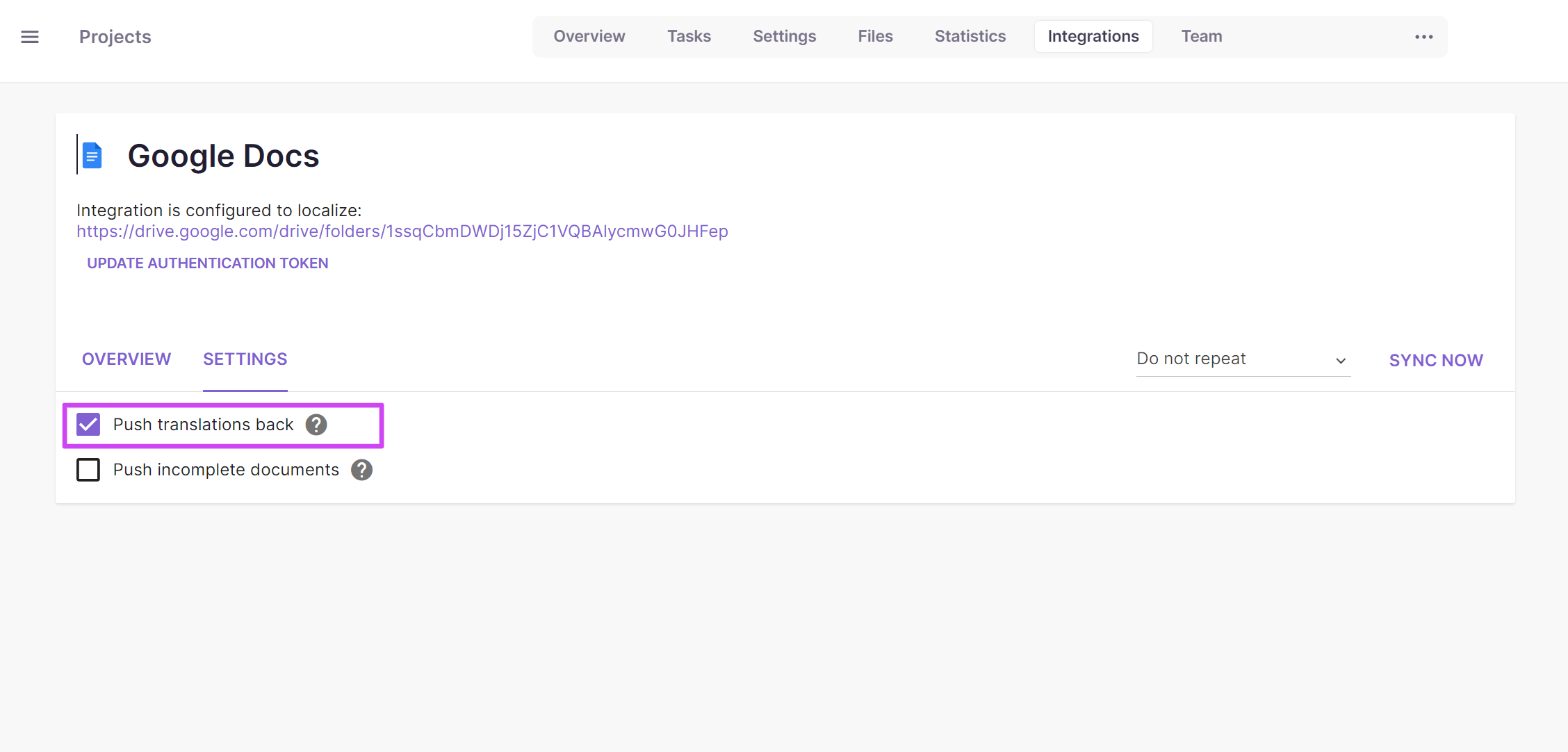
After a document translation is complete, return to the integration settings and open the Settings tab
-
Make sure Push translations back is selected (the default) and click Sync Now
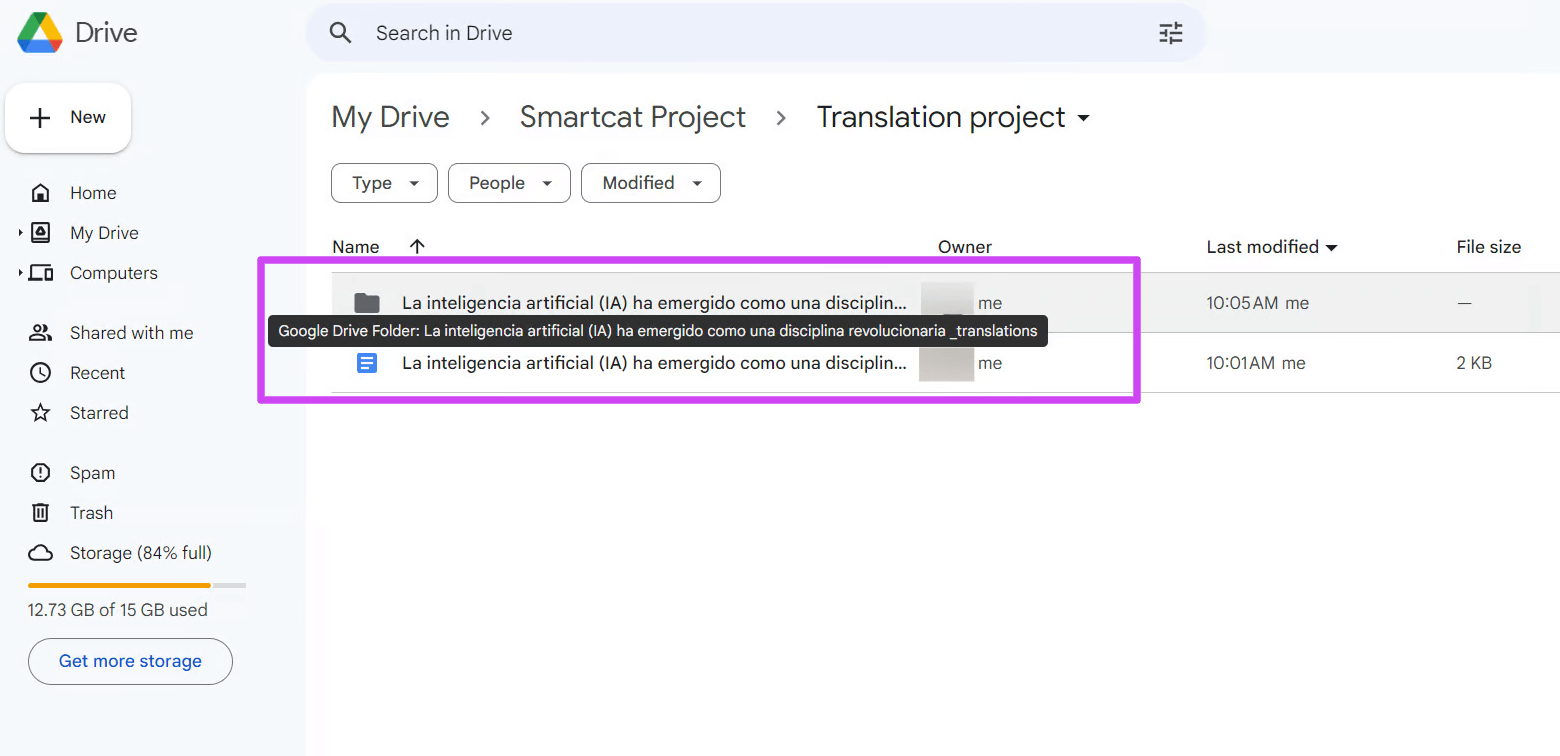
The target documents are pushed to Google Docs and appear in a separate folder in the same location as the originals. For each source document, Smartcat creates a folder with a _translations suffix and stores the translated documents there.
📌 If new source segments were added since the previous sync, the Smartcat documents are updated accordingly. By default a sync ignores incomplete translations; enable Publish incomplete documents to include them in every sync.
💡 Instead of clicking Sync Now each time, schedule automatic syncs by clicking Do not repeat and choosing an interval from the dropdown menu.
FAQs
Do I connect individual Google Docs files, or a whole folder?
You connect a Google Drive folder — every document inside that folder is synchronized as a document in the corresponding Smartcat project.
Where do the translated documents end up?
For each source document, Smartcat creates a companion folder with a "_translations" suffix in the same Drive location and stores the translated documents there.
Does the integration reuse any translations I've already done?
Yes — during setup, Smartcat automatically imports previous translations from the folder into the project's Translation Memory so they can be reused going forward.
Will incomplete translations get pushed to Google Docs during a sync?
Not by default — a sync ignores documents with incomplete translations unless you enable the Publish incomplete documents option.
Can I avoid manually clicking Sync Now every time?
Yes — you can schedule automatic syncs by selecting an interval from the Do not repeat dropdown instead of syncing manually each time.
Want to learn more?
See how Smartcat can transform your localization workflow.
Still need help?
Our support team responds within one business day.