Switch between regional servers
Overview
Smartcat uses servers in different locations to optimize performance.
When you create an account, Smartcat automatically assigns it to the server nearest to you. If you are invited to a Smartcat project, your account is automatically created in the project's geographical zone.
You can be connected to several regional servers. This happens if the email you used to create your account is linked to several corporate workspaces on different servers.
📌 There is no difference in how you work across servers. You can work in different regional markets and have clients on different servers, and no project or other sensitive information is exchanged between the servers. Server assignment is workspace driven, not something to manually optimize for travel.
Switching servers
-
Open the sign-in form and find your server name in the bottom left corner
-
Click the server name to switch servers
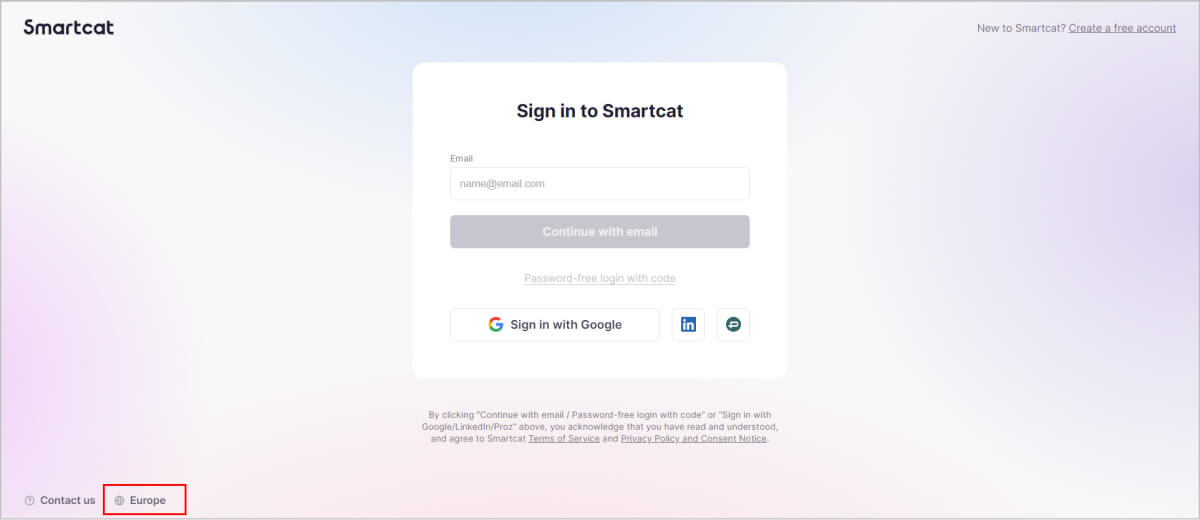
When you switch between workspaces, the server switches automatically.
FAQs
Which server does my account get assigned to?
Smartcat automatically assigns your account to the server nearest to you, or to the geographical zone of a project you're invited into.
Does it matter which server my account is on if I work with international clients?
No — there's no difference in how you work across servers, and no project or sensitive information is exchanged between servers.
Can I be connected to more than one regional server?
Yes — this happens if the email you used is linked to corporate workspaces on different servers.
How do I switch servers manually?
On the sign-in form, find your server name in the bottom-left corner and click it to switch.
Does switching workspaces automatically switch my server too?
Yes — when you switch between workspaces on different servers, the server switches automatically.
Can Smartcat set up a new regional server for my organization?
No. Smartcat does not build additional regional servers for individual customer requests. Smartcat currently operates servers in the USA, EU, and Asia only. If your organization needs to align with a specific country's data-residency or compliance requirements, contact your account manager. Smartcat can help you connect to the closest existing regional server and provide SOC 2 Type II and GDPR compliance documentation, along with IP whitelisting, to support your compliance review.
Does Smartcat offer on-premises or dedicated hosting?
No. Smartcat does not offer on-premises deployments or dedicated servers as a standard option.
Want to learn more?
See how Smartcat can transform your localization workflow.
Still need help?
Our support team responds within one business day.