How Smartcat calculates translation costs
Overview
Smartcat calculates translation cost automatically from the number of weighted words in your documents and the linguist's per-word (or per-character) rate under the applied net rate scheme. Weighting reflects Translation Memory (TM) matches, repetitions, and net rate schemes, so you pay less for content Smartcat has seen before. This article explains how each factor shapes the final cost.
⚠️ This is a separate mechanism from Smartwords consumption. See Understanding Smartwords.
For a wider picture of project figures, see statistics in Smartcat.
How cost is calculated
Translation Memory matches and repetitions
Translation Memory (TM) match percentages represent the similarity between a source segment in the CAT editor and a TM unit. The minimum threshold for fuzzy matches is 50%.
For example:
| Translation Memory segment | Source segment | Match percentage |
|---|---|---|
| Main Settings | Main Settings | 100% |
| Home and office | Home & office | 70% |
| Research and development | Institute for research and development | 62% |
| User interface design and development | Institute for research and development | 37% (no match) |
There are different types of TM matches:
-
50–99% (fuzzy match) — the source segment differs to some extent from the TM unit
-
100% (exact text match) — the source segment is the same as the TM unit
-
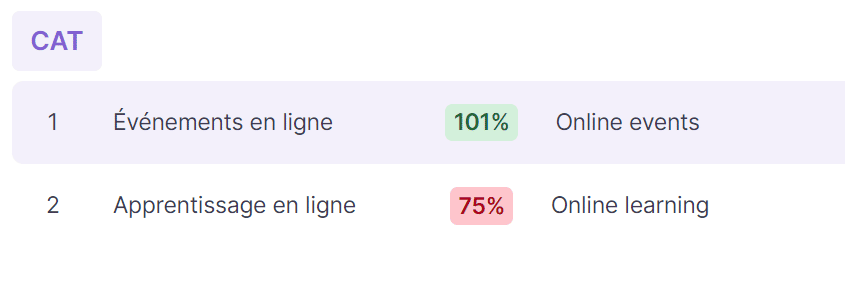
101% (context match) — the source segment matches the TM unit, and one adjacent segment matches the
x-context-preorx-context-postproperty of the TM unit -
102% (full context match) — the source segment matches the TM unit, and both adjacent segments match the
x-context-preandx-context-postproperties of the TM unit -
103% (ID context match) — the source segment matches the TM unit, and the
x-contextproperty of the TM unit matches the segment context -
Repetition — the source segment appears several times throughout the document
-
Cross-file repetition — the same as a repetition, but it appears across multiple documents in the same project
Units used for statistics
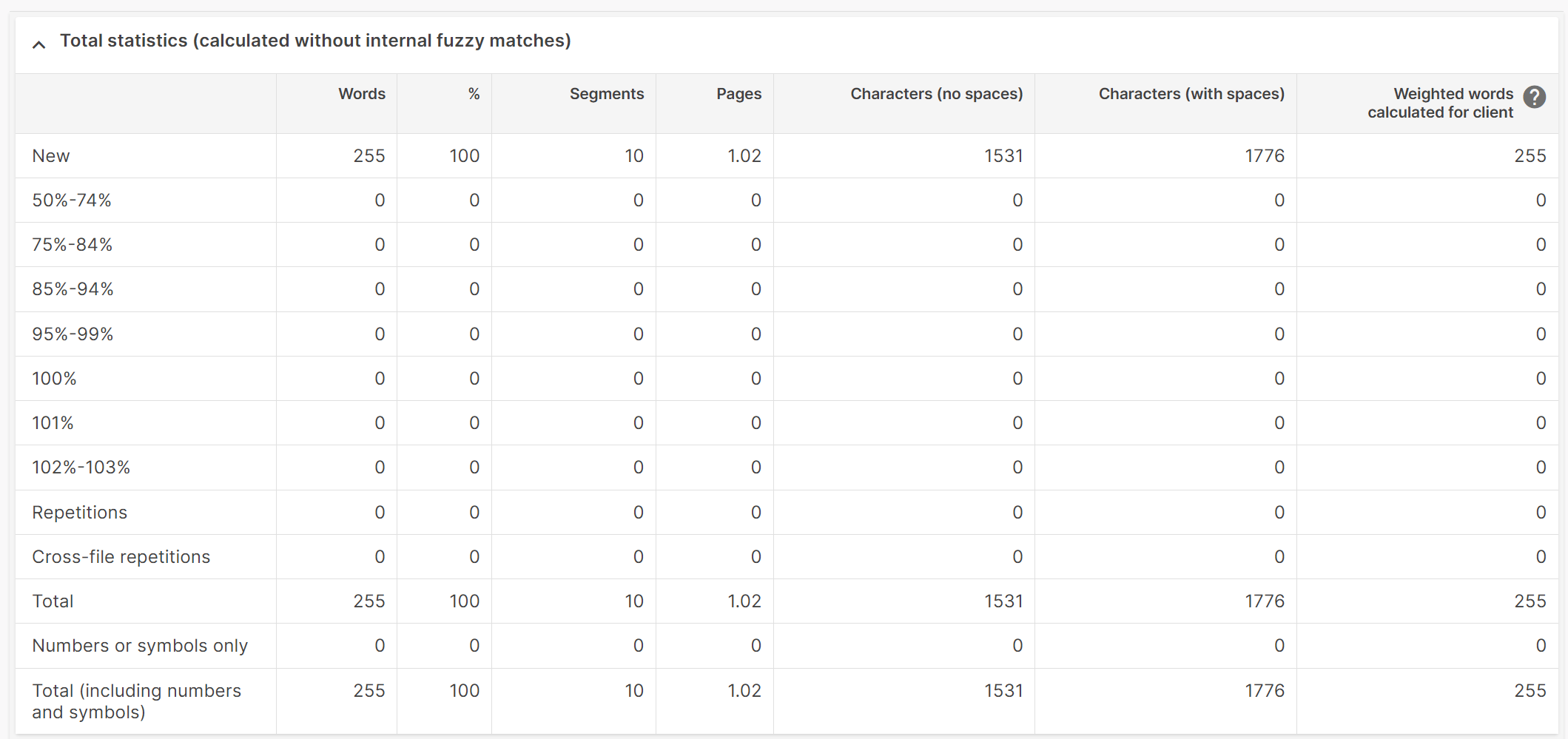
Smartcat supports these units for statistics:
-
Words
-
Chinese, Korean, and Japanese characters
-
Pages (one page equals 250 words or Asian characters)
-
Characters with spaces
-
Characters without spaces
💡 To count one page as 1,800 characters without spaces instead of 250 words, contact Smartcat support and we will customize this setting for your account.
Net rate schemes
There are two types of net rate schemes, and they should not be mixed up:
-
Client net rate schemes — used mainly to calculate the number of weighted words a client pays for. You can customize net rate schemes and link them to clients; selecting a client in your project assigns that client's net rate scheme automatically
-
Supplier net rate schemes — used to calculate weighted words payable per workflow stage, with rates for different TM matches and repetitions. Set them under Payments → Settings & balance → Payment settings
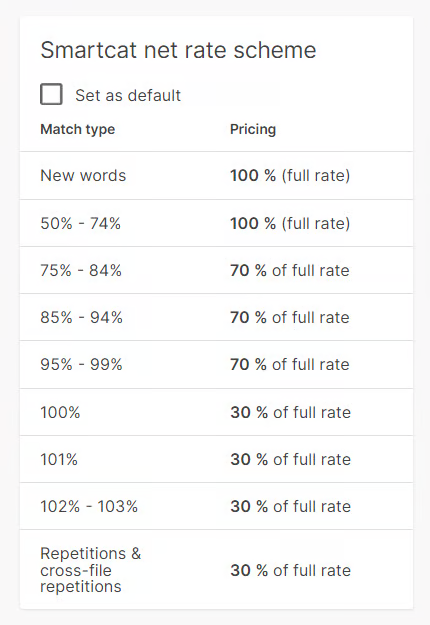
📌 Matches in a scheme must be paid at the full rate (100%) for any stage above the first, because after the first stage the confirmed segments are recorded as 102% matches in the project's Translation Memory.
Supplier net rate schemes are fixed at the moment the project is created. To change the match rates, create a new project.
Project cost
Smartcat calculates the cost of work by multiplying the number of weighted words (payable) in the original documents by the linguist's rate per word — or per character for character-based languages — under the applied net rate scheme.
TM matches and repetitions are calculated with discounts. By default, discounts do not apply to the work of editors, proofreaders, and post-editors.
Standard net rate for translators
| TM matches and repetitions | Percentage of the full per-word rate |
|---|---|
| New words | 100% (full rate) |
| 50–74% | 100% (full rate) |
| 75–84% | 70% |
| 85–94% | 40% |
| 95–99% | 10% |
| 100–102% | Unpaid |
| Repetitions, including cross-file repetitions | Unpaid |
For example, take a document of 31 words: 14 new, 12 fuzzy matches, and 7 repetitions. The weighted-word total is (14 × 1) + (12 × 0.4) + (7 × 0) = 18.8 weighted words.
How weighted words are attributed
Smartcat counts weighted words for the person who confirms each segment first at each workflow stage:
-
Only the first person to confirm a segment is paid for it, whether that is a linguist, project manager, admin, or an automated process
-
TM auto-confirmation counts as the first confirmation — if Smartcat auto-confirms segments through AI translation before a linguist is assigned, the linguist receives 0 weighted words even after making corrections
-
Confirmation by a project manager or admin before the assigned freelancer results in 0 payment for the freelancer
-
Restoring a document does not reset the calculation — once segments are confirmed by someone else, reassigning the document does not change attribution
Tasks cancelled before any segments are confirmed incur no cost. Once segments are confirmed and work has started, partial payment may apply based on the confirmed segments.
Net rate schemes work in real time, so Smartcat determines whether a TM unit was applied to a segment only when that segment is confirmed. This matters when several linguists work on the same stage: if one linguist confirms a segment and records it in the project TM, a second linguist who later translates a similar segment is treated as translating a fuzzy match and is paid at a discount, because Smartcat did not recognize the similarity until the first segment was confirmed.
A job that includes weighted words from already-confirmed segments is formed in the Payments section when a document reaches the status Confirmed or Canceled, or when a client deletes a document or project. A client can see the cost of assignees' work under the Team tab, and assignees see their earnings on the project page in their own workspace.
A linguist's rate is set at the moment they accept the invitation to a project. A client can ask Smartcat support to change the total cost of a job by mutual agreement with the linguist; support requires a screenshot of the chat where the linguist confirms the new rate or cost.
If translators need to revise work but no longer have access to the document, cancel the previous assignment and assign them to the last stage of the document.
Why estimated and final costs may differ
The final project cost may differ from the estimate shown right after you make an assignment. Common reasons:
-
Discounts for TM matches are applied during translation as segments are confirmed, which lowers the final cost, because Smartcat does not recognize similar segments until some are confirmed
-
On a repetition-paid stage that is split across linguists (or across many documents with repetitions), the linguist who first confirms a repetition is paid in full for every other instance of that segment, even outside their assigned range
-
Assignments or roles changed during the project, which affects the calculation
-
New documents or Translation Memories were added — a new TM can surface more matches, while new or updated documents increase the word count
Troubleshooting common weighted-word issues
AI translation confirms segments before a linguist is assigned
AI translation auto-confirms segments before a linguist is assigned, so the linguist shows 0 weighted words despite making corrections.
To verify the work was done:
-
Go to the document's Reviews tab
-
Look for the revision history and comments that show the linguist's corrections
-
Check the segment-by-segment changes in the editor
Solutions:
-
Configure the TM to suggest matches without auto-confirming
-
Assign linguists before applying AI translation
-
Add an extra workflow stage for the linguist's work
-
Create a manual payment to compensate the linguist
A project manager confirms segments before the freelancer
A project manager, admin, or client confirms segments before the assigned freelancer, resulting in $0 payment.
Solutions:
-
Train project managers not to confirm segments on stages assigned to freelancers
-
Create manual payments for affected freelancers
-
Add separate workflow stages to prevent overlap
Create a manual payment
When weighted words show as 0 but work was clearly performed:
-
Go to Project Settings → Freelancers
-
Find the affected freelancer
-
Click Add Manual Payment
-
Calculate the payment based on the actual work performed, using the Reviews tab to verify
-
Add a note explaining the reason for the manual payment
The freelancer is compensated for work that was not captured in the automatic weighted-word count.
Best practices to avoid these issues
-
Never confirm segments on stages assigned to freelancers
-
Apply AI translation only after linguists are assigned, or configure it to suggest matches without auto-confirming
-
Create distinct workflow stages for AI translation and human translation
-
Assign linguists before running automated processes
-
Check the Reviews tab whenever weighted words seem inconsistent with the work performed
-
Test a workflow with small documents before launching a full project
FAQs
What does a 100% TM match mean versus a 101% or 102% match?
A 100% match means the source segment text is identical to a Translation Memory unit. 101% and 102% (context matches) mean the segment also matches the adjacent segment context (before, after, or both) recorded in the TM, which is a stronger, more reliable match.
Why does a linguist show 0 weighted words even though they corrected the translation?
Only the first person to confirm a segment is paid for it. If AI translation auto-confirms segments before the linguist is assigned, the linguist's later corrections don't count toward weighted words, even though real work was done.
What can I do if a linguist wasn't paid despite doing real work?
You can create a manual payment: go to Project Settings → Freelancers, find the freelancer, click Add Manual Payment, and use the Reviews tab to verify and calculate the appropriate amount.
Why might the final project cost differ from the initial estimate?
TM-match discounts are only recognized as segments are actually confirmed, a repetition may be paid in full to whoever confirms it first, and new documents or Translation Memories added mid-project can shift the total after the initial estimate.
Want to learn more?
See how Smartcat can transform your localization workflow.
Still need help?
Our support team responds within one business day.