Understand the Contentful app and its supported content types
Overview
The Smartcat app for Contentful lets you localize content stored in Contentful and send it for translation through Smartcat. This article explains the two methods to localize content in Contentful, how to structure content models for localization, and how to configure a content model so you can send content to Smartcat.
Content model for localization
There are two basic approaches to localizing content in Contentful:
-
Localizing object fields directly
-
Creating a localizable field that references different instances of other content
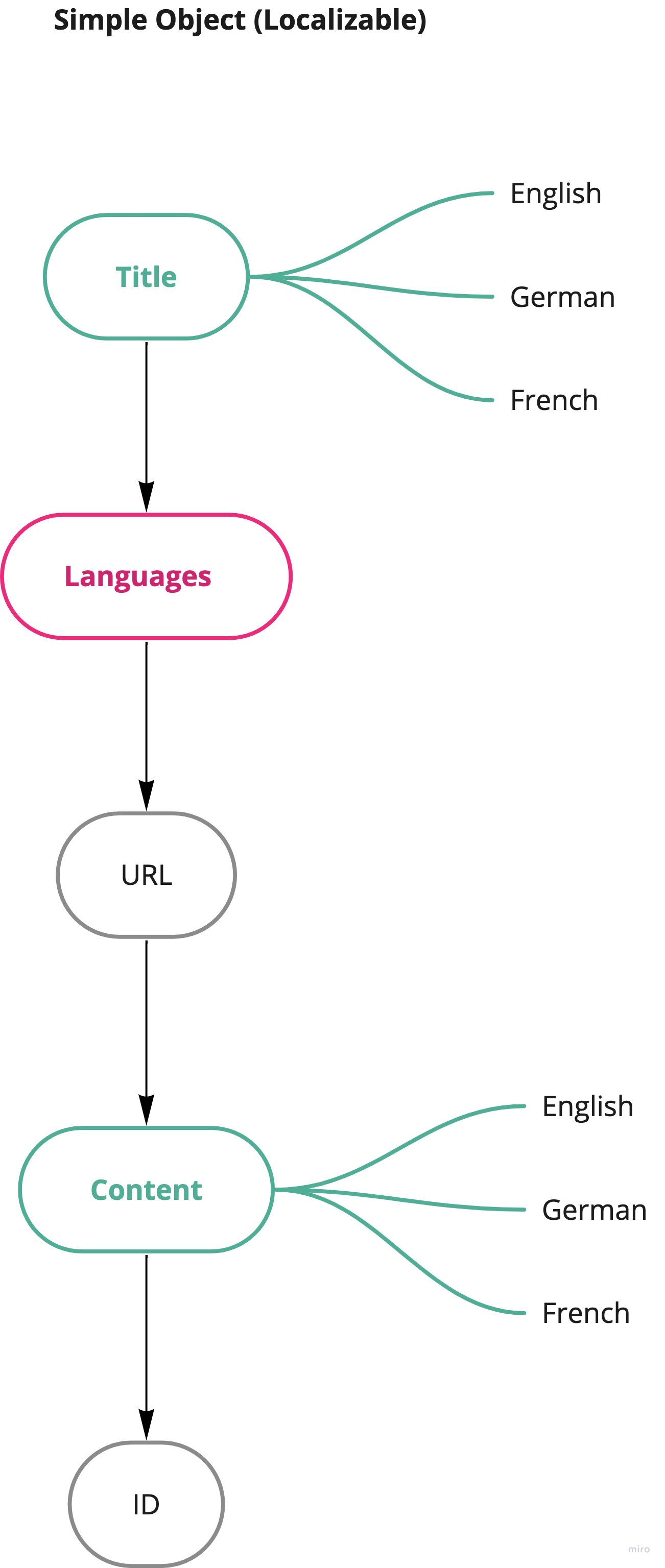
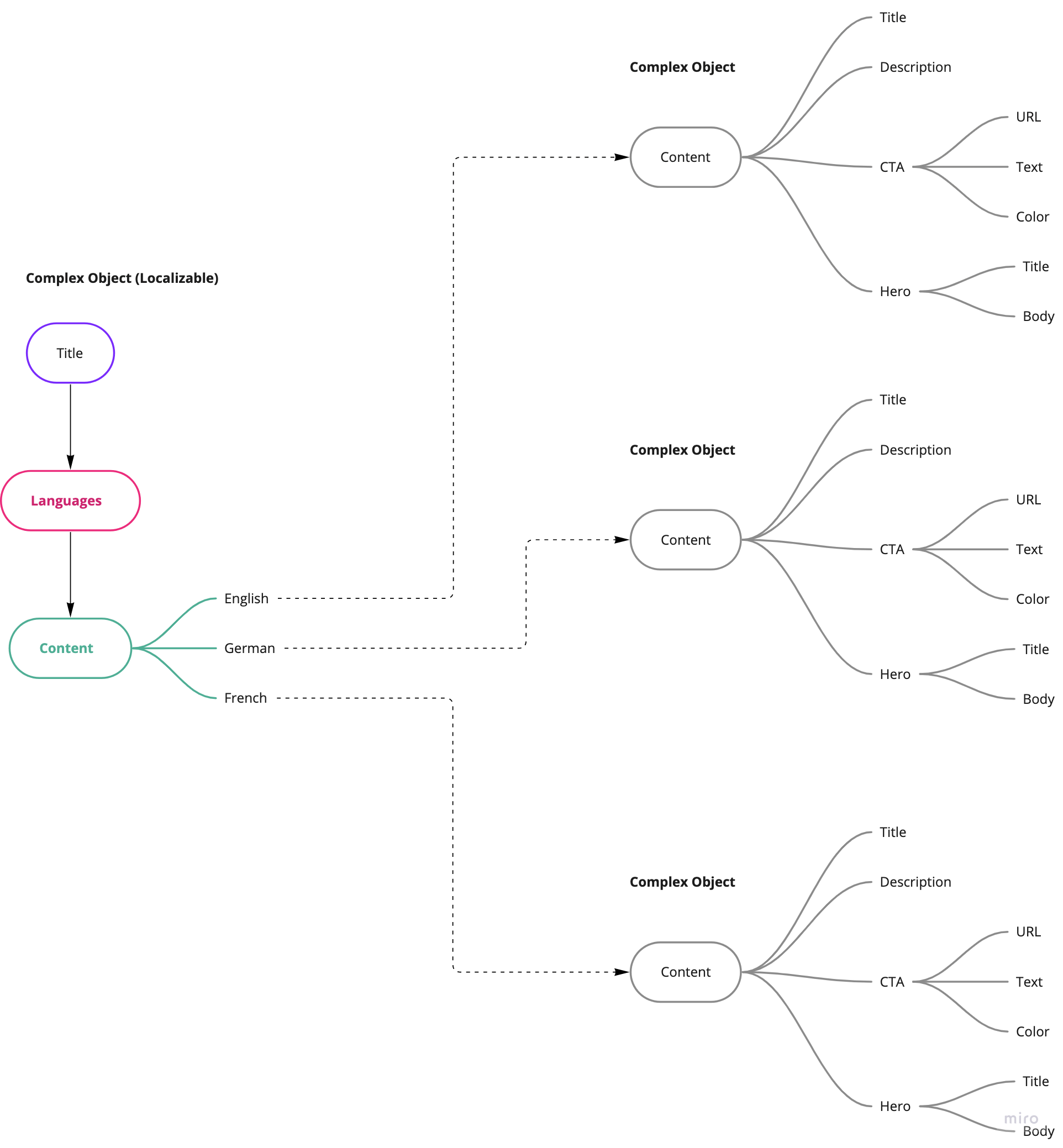
The diagrams below show these two approaches.
-
Green fields represent localizable fields (you can mark any field in Contentful as localizable). Localizable fields can have multiple locale variants
-
Black fields represent non-localizable fields
-
Red fields represent special non-localizable fields that the Smartcat app creates automatically and uses to determine the list of languages into which you want to translate the object
Simple objects
Use this approach if you want to translate individual objects and keep language variants for every field that you explicitly mark as localizable. This works well if you don't keep nested content models.
Complex objects
In most cases, you want your content structured in a tree-like fashion, with your content referencing other content types. In this mode, you can keep complex content as it is, without marking every single field as localizable. Instead, you localize the entire tree of properties by referencing them from a single "umbrella" content entry, which references each language-specific instance.
Setting up content models
Add a new content model and configure it for localization with Smartcat. This example uses the complex object model described above.
You create two object types:
-
Individual product content model — objects of this type contain the actual localizable content. You don't need to mark every single field in this content model as localizable, because Smartcat handles it automatically
-
Multilingual reference content model — this content type is used as an "umbrella" object to reference the actual product descriptions
Individual product content model
Go to the Content Model tab and create a new content model with the following fields.
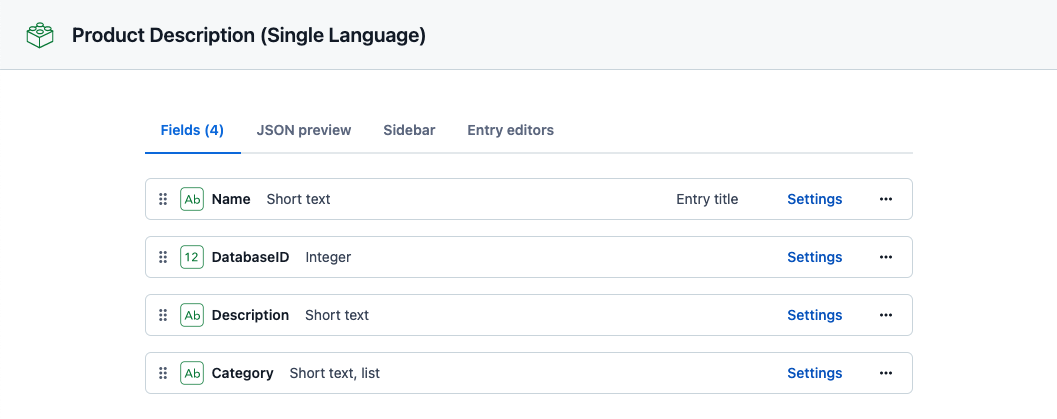
📌 The Name field is used as the entry title.
Multilingual reference content model
Go to the Content Model tab and create a new content model with the following fields.
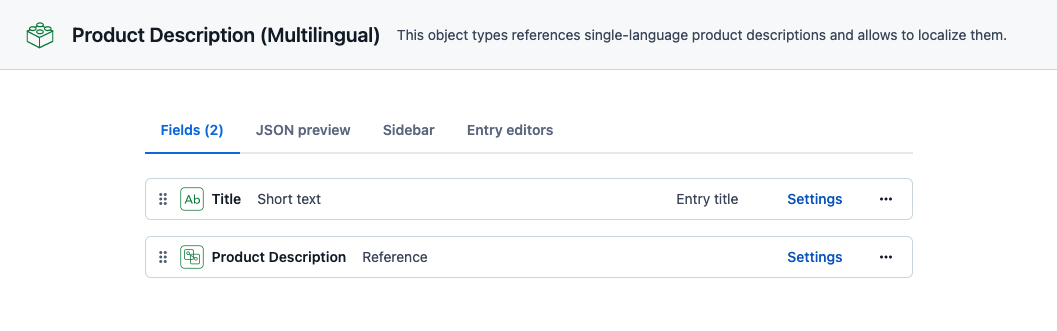
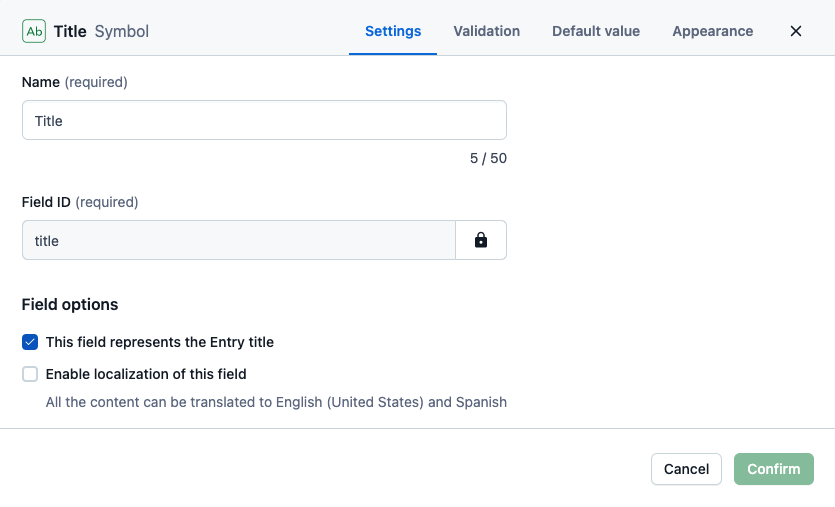
- Title — a field of Short text type. Click Create and configure and enable the This field represents the Entry title option. You don't need to localize the title itself. This object just references all localized copies, so its title is needed for management purposes only
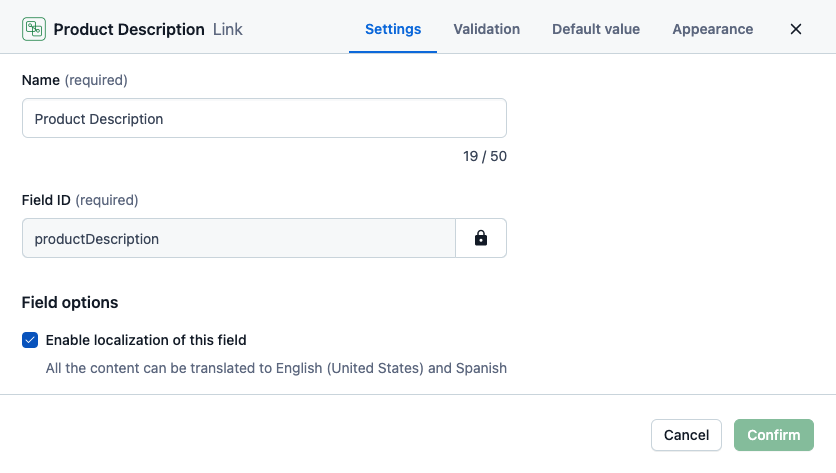
- Product description — a reference to a single entry (one reference). Click Create and configure and select the Enable localization of this field option
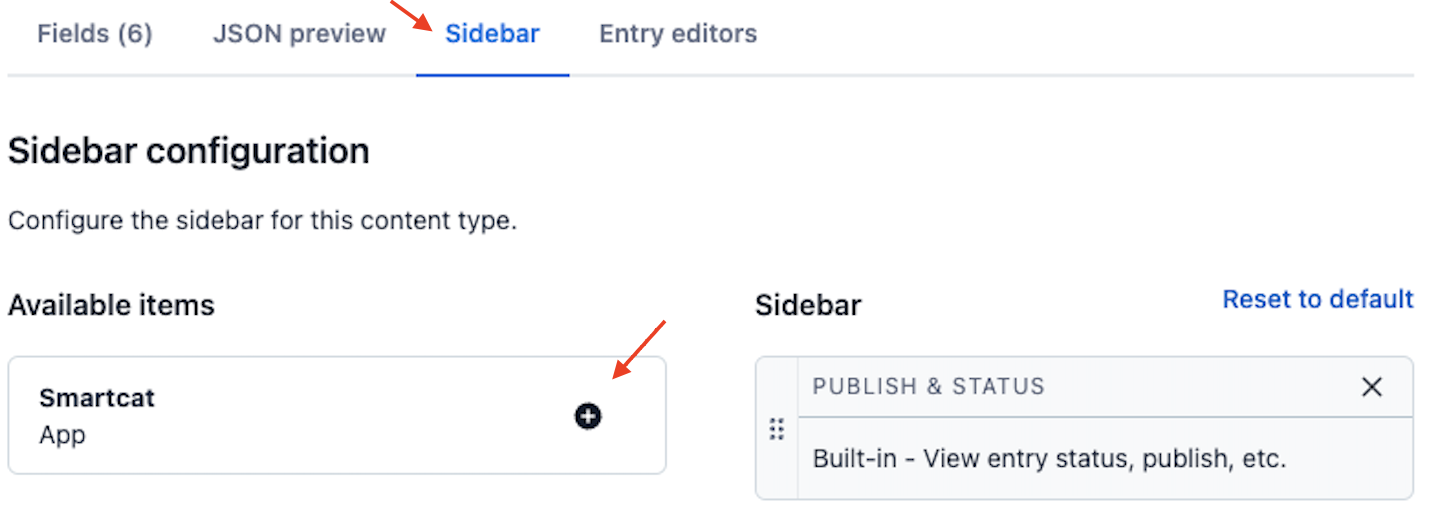
- Go to the Sidebar tab, move Smartcat Translator from the left column to the right column, then click Save. This enables localization of that particular content model
Your content model is now configured for localization, and you can start sending content to Smartcat for translation.
💡 For the next steps, see how to use the Contentful integration.
FAQs
What are the two basic approaches to structuring content for localization in Contentful?
Localizing object fields directly (marking individual fields as localizable) or creating a localizable reference field that points to separate language-specific content instances (the "umbrella" object approach).
When should I use the "complex object" (umbrella) model instead of marking every field localizable?
When your content is structured in a tree-like fashion with nested references, and you don't want to mark every single field in the tree as localizable individually.
What are the special "red" fields the Smartcat app creates automatically?
Non-localizable fields that Smartcat adds automatically and uses to determine the list of languages you want to translate the object into.
How do I enable the Smartcat Translator on a content model?
Go to the Sidebar tab of the content model, move Smartcat Translator from the left column to the right column, and save.
Does the entry title itself need to be localized in the umbrella content model?
No — the Title field on the umbrella/reference object is used only for management purposes; it references the localized copies rather than needing its own translation.
Want to learn more?
See how Smartcat can transform your localization workflow.
Still need help?
Our support team responds within one business day.