Identity Verification for Smartcat Marketplace Freelancers
Overview
Identity verification confirms your identity so clients can find and hire you on the Smartcat Marketplace. The process takes less than one minute and requires a government-issued ID and a quick face scan.
Verified freelancers appear in Marketplace search results and can receive job invitations from clients. Freelancers who choose not to verify can still use the free CAT Editor and accept direct Team invitations from clients.
⚠️As of April 29, 2026, verification is required for new freelancers. For existing freelancers, verification is currently encouraged but not yet mandatory. Smartcat is implementing the requirement gradually in batches. When your batch is reached, you will receive a notification with the due date and instructions on how to complete verification. We recommend completing verification early to avoid any interruptions to your account.
When to use it
Use identity verification when you want to:
-
Appear in Marketplace search results so clients can discover your profile
-
Receive job invitations from clients browsing the Marketplace
-
Build trust with potential clients through verified status
Requirements and Limitations
Requirements:
-
A valid government-issued ID (passport, national ID card, or driver's license)
-
A device with a camera for the liveness check (face scan)
-
Good lighting for clear photos
Limitations:
-
Verification applies only to Marketplace visibility — freelancers added directly to client Teams are not affected
-
Profile completion and availability settings are also required to appear in search results (verification alone is not sufficient)
-
Some document types may not be accepted depending on your country
How it works
For new freelancers
Step 1 — Start the registration process
-
Go to smartcat.com and click Sign Up
-
Select I'm a freelancer when prompted
-
Choose Join the Marketplace to begin the verification flow
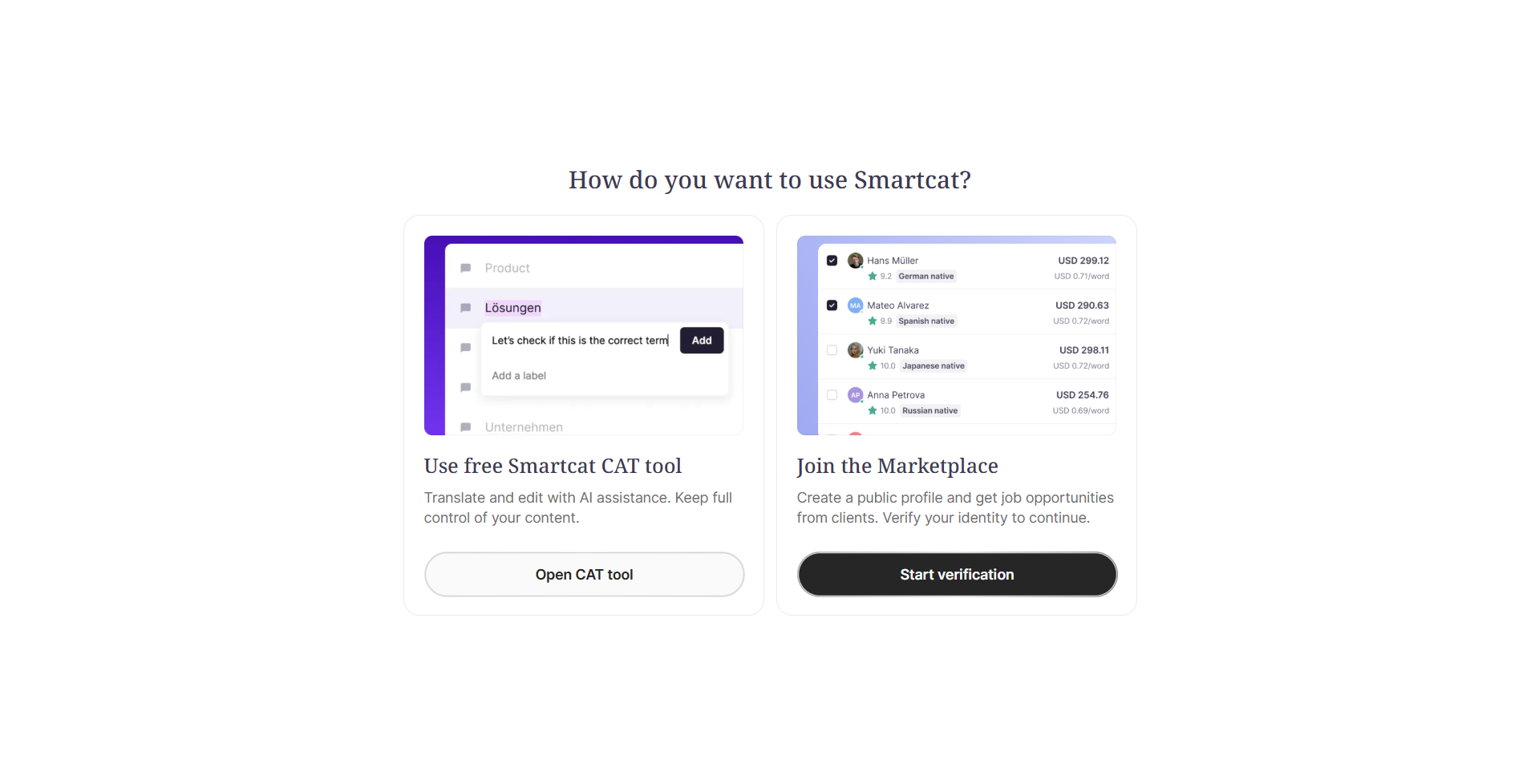
Step 2 — Complete identity verification
-
Select your country and document type (passport, ID card, or driver's license)
-
Upload or photograph your ID document
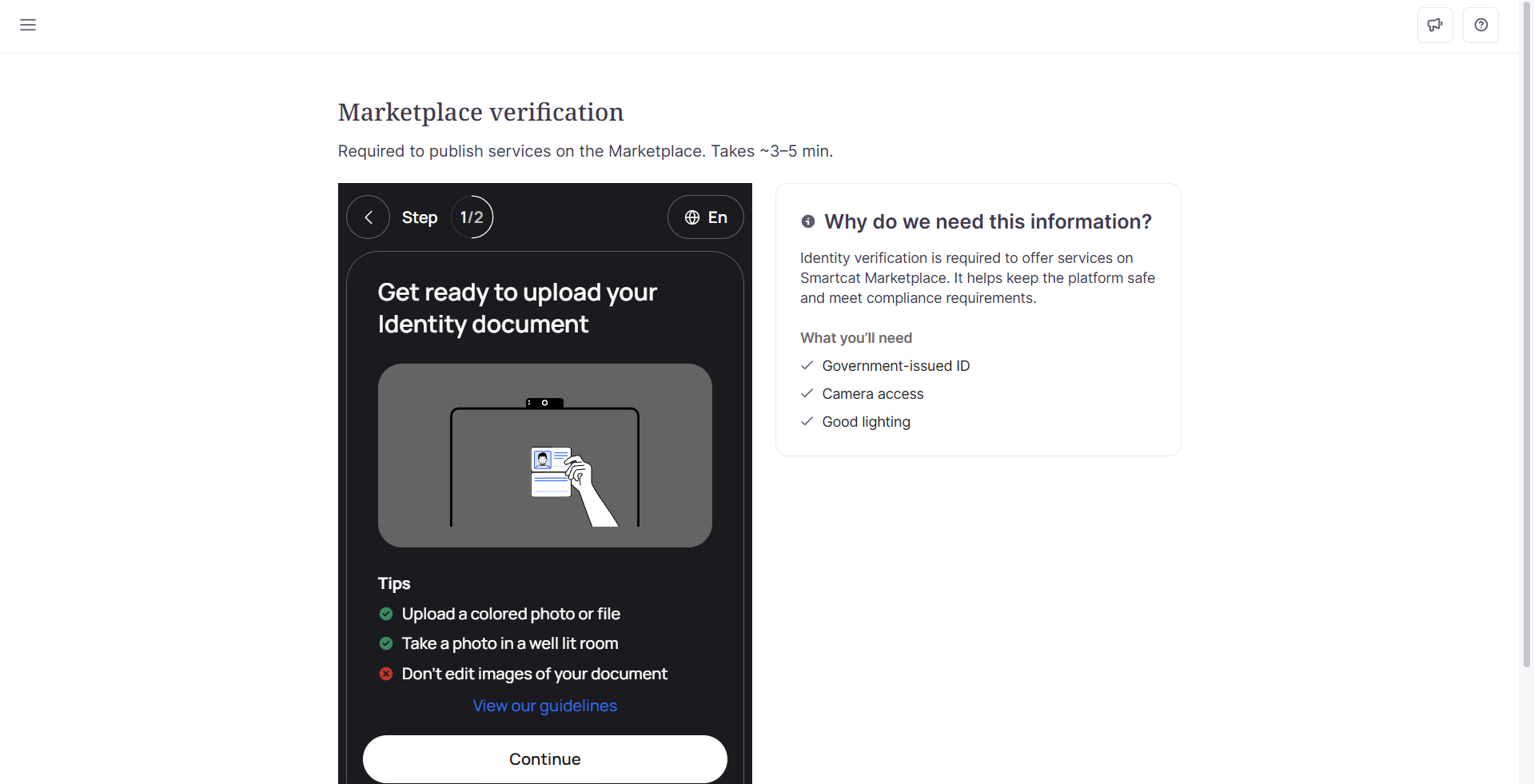
- Complete the liveness check by following the on-screen prompts to scan your face
The verification typically completes in under 30 seconds.
Step 3 — Complete your profile
-
After verification is approved, fill in your profile details (languages, specializations, rates)
-
Set your availability to Available
-
Your profile becomes visible to clients in Marketplace search
For existing freelancers
If you registered before identity verification was introduced, you see banners encouraging you to verify. During the voluntary phase:
-
You can continue using all features while banners are displayed
-
Verification is optional but recommended for full Marketplace visibility
-
Click Verify Now on any banner to start the process
⚠️ A future enforcement phase will require verification for Marketplace access. You will receive advance notice before any access changes.
Verification statuses
| Status | What it means | What to do |
|---|---|---|
| Required | Verification needed for Marketplace access | Complete the verification process |
| Processing | Documents submitted, verification in progress | Wait up to 30 seconds for results |
| Approved | Verification successful | Complete your profile to appear in search |
| Failed | Verification unsuccessful | Retry with clearer photos or a different document |
| Rejected | Permanent rejection | Contact support for assistance |
Troubleshooting
Problem: Verification status stuck on "Processing"
Solution: Clear your browser cache and refresh the page. If the status doesn't update after a few minutes, try logging out and back in.
Problem: Cannot start the verification process
Solution: Ensure you have a stable internet connection and that your browser allows camera access. Try a different browser if issues persist.
Problem: Documents keep getting rejected
Solution: Ensure your document is:
-
Fully visible with no edges cut off
-
Well-lit with no glare or shadows
-
In focus and readable
-
A supported document type for your country
Problem: Lost Marketplace access after previously having it
Solution: This may occur if enforcement has begun for existing freelancers. Complete the verification process to restore access. Contact support if you believe this is an error.
FAQs
Why is identity verification required?
Identity verification is standard practice for platforms that facilitate payments and professional services. It helps clients trust that freelancers are who they claim to be, reduces fraud, and creates a safer marketplace for everyone.
How long does verification take?
Most verifications complete in under 30 seconds. In rare cases, manual review may take up to 24 hours.
What if my verification fails?
You can retry the process. Common reasons for failure include:
-
Blurry or poorly lit photos
-
Document partially obscured or cut off
-
Face not clearly visible during liveness check
Try again with better lighting and ensure your full document is visible.
Can I use the CAT Editor while verification is pending?
Yes. The CAT Editor and all translation tools remain fully accessible regardless of your verification status.
Why does my profile name not need to match my legal name?
Your legal name (from your ID) and your display name are stored separately. Your legal name is used for payment and compliance purposes, while your display name appears on your public profile.
I see verification banners but can still access everything. Is something wrong?
No. During the voluntary rollout phase, banners encourage verification but do not block access. You can continue working normally while deciding whether to verify.
Will clients see a "verified" badge on my profile?
Currently, verification enables Marketplace visibility but does not display a visible badge. This may change in future updates.
What if I don't want to verify?
You can continue using the free CAT Editor and accept direct Team invitations from clients. However, you will not appear in Marketplace search results or receive Marketplace job invitations.
What does “Rejected” mean and what can I do?
The rejected status means your identity could not be verified and the decision is final based on the submitted documents. This is different than the Failed status, which allows you to retry your submission.
Rejection typically occurs when:
-
The document provided is expired, invalid, or not accepted in your country
-
The identity on the document could not be confirmed against the liveness check
-
The submission did not meet compliance requirements.
You can continue using the free CAT editor and accept direct Team invitations from clients. However, you cannot access the Marketplace or appear in search results.
You can appeal this status by contacting Smartcat Support and including your email address and a description of the issue. Our team will review your case.
Can I delete my submitted ID document or selfie without deleting my whole account?
There's no self-service option to delete your identity verification documents on their own. To request deletion of these specific files, contact Smartcat Support with your account details — they can escalate your request internally.
Can I withdraw my consent to identity verification without deleting my account?
There's no in-product option to withdraw consent for verification alone while keeping your account active. If you no longer want your verification documents processed, contact Smartcat Support to discuss your options, including account deletion, which removes your account and associated information (see Understand personal data protection in Smartcat).
Are my ID document and selfie removed if I delete my Smartcat account?
Deleting your account removes your account and all associated information at your request, per Smartcat's data deletion policy. If you want written confirmation that this specifically includes your identity verification files, mention this explicitly when you contact Support to request account deletion.
Want to learn more?
See how Smartcat can transform your localization workflow.
Still need help?
Our support team responds within one business day.