Use custom project properties
Overview
You can use custom project properties, also called custom fields, for a variety of purposes in Smartcat.
Popular use cases:
-
As a product mapping tool for generating reports
-
For the New Branded Custom Portal, the order management solution
-
To display additional information on projects, linguist profiles, and linguist clients
Getting up and running with custom fields
Follow these steps to get up and running with custom fields for your Smartcat projects.
Step 1: Create custom fields for your workspace
📌 Creating custom fields is available to Workspace Admins.
-
Log in to your Smartcat account and select a workspace
-
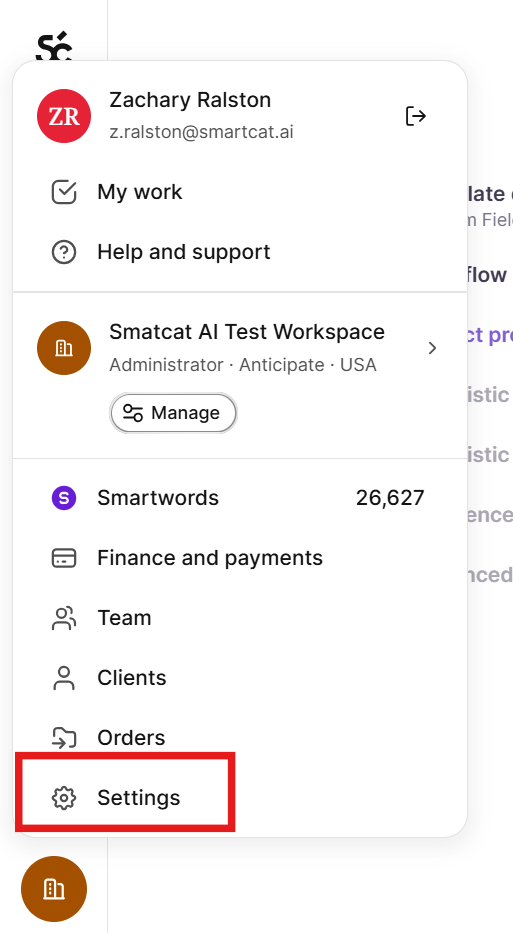
In the left navigation sidebar, click Settings
- Choose Custom fields in the left menu
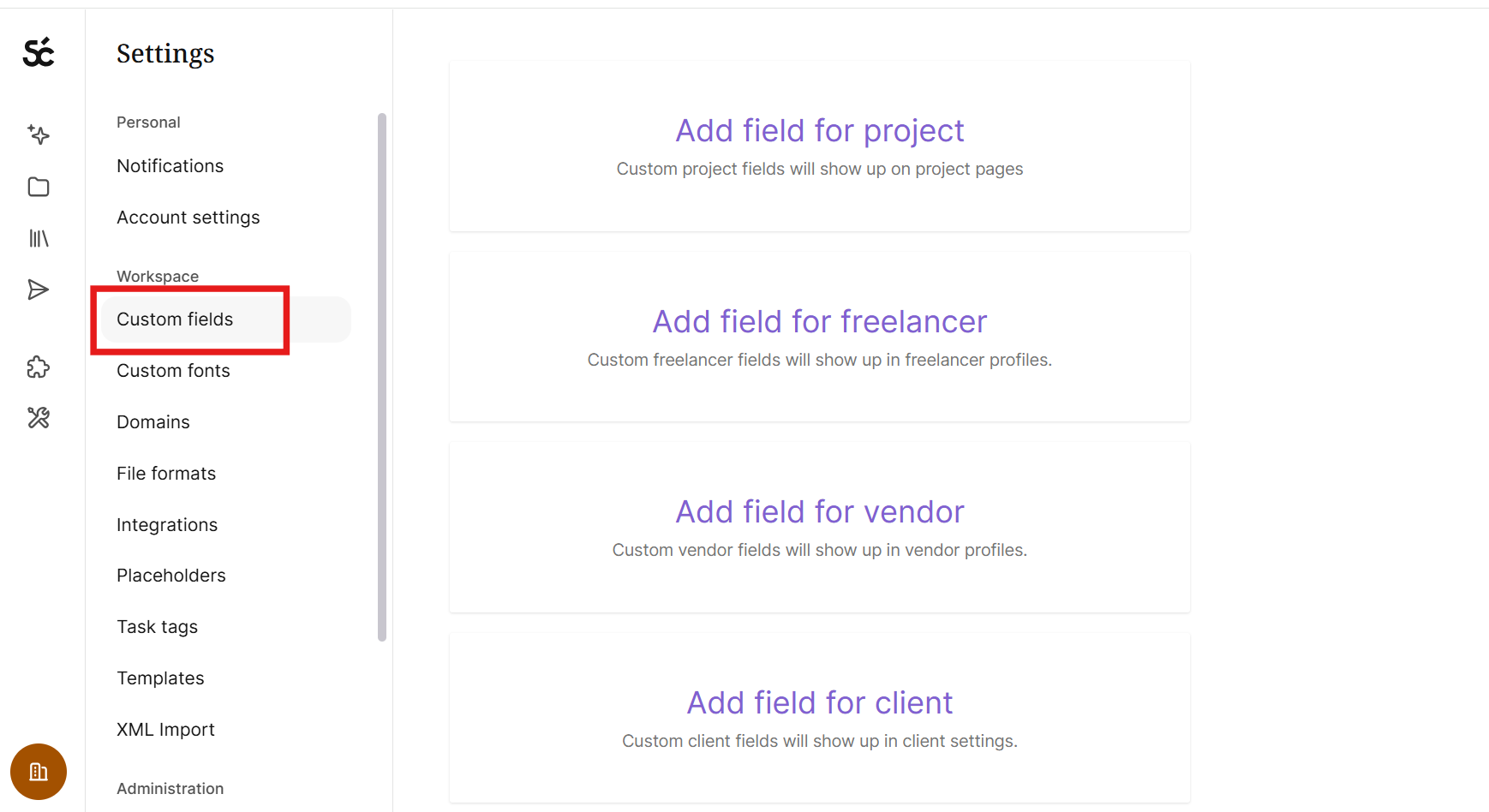
You can create custom fields for projects, freelancers' profiles, vendor profiles, and clients.
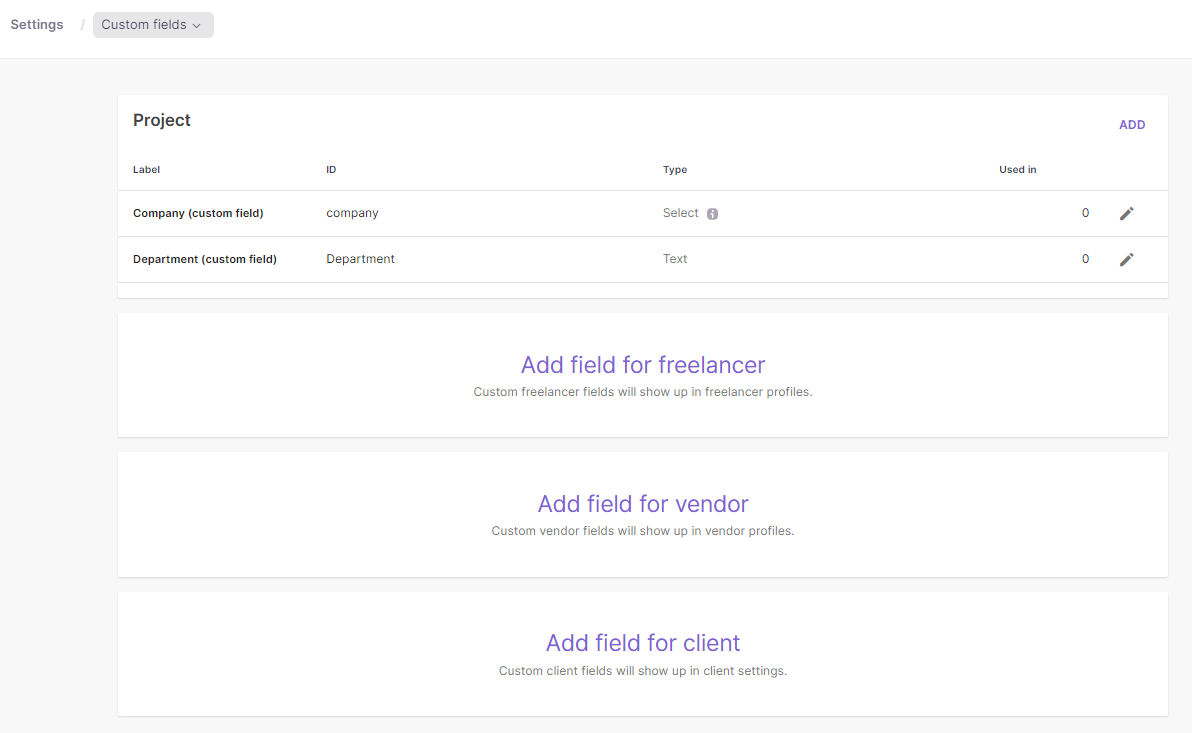
Your custom fields are now ready to configure.
Step 2: Configure your custom fields
The configuration process is made up of four short sections.
i. Projects
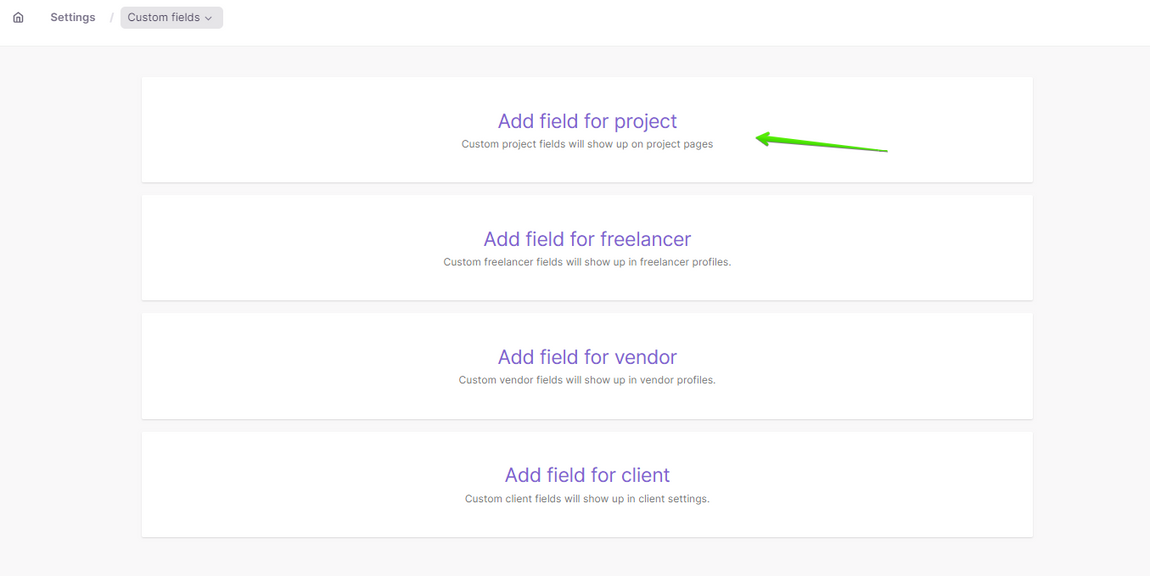
- Click Add field for project
-
Fill in the following information:
-
Label: the custom field name
-
ID: it can be the same as your custom field name
-
Type: there are two types of custom fields, a text field (you can enter text in it) and a drop-down menu with different values to choose from
-
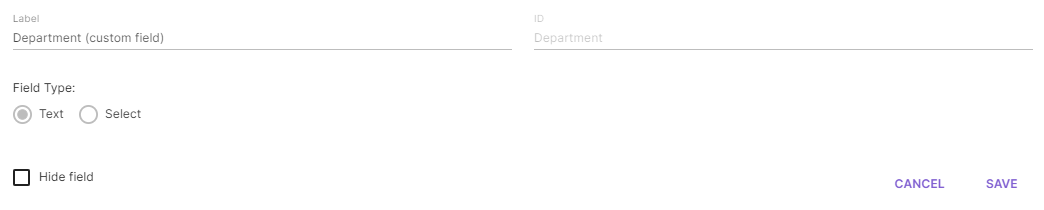
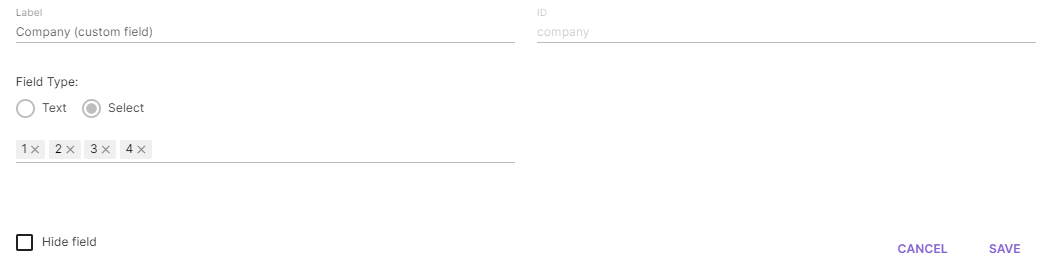
Custom fields appear in a project under Settings → Additional Information.
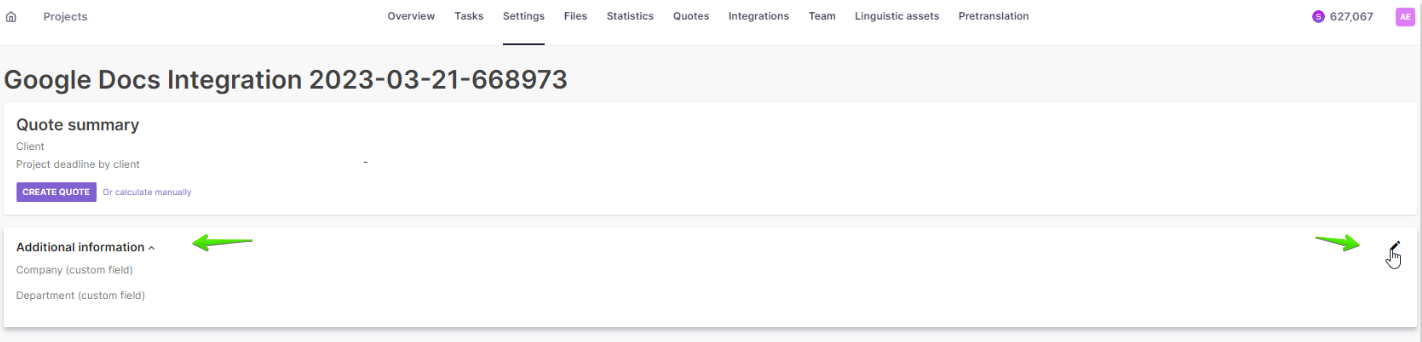
Your project custom fields are now available on every project.
ii. Freelancers
-
Click Add field for freelancer
-
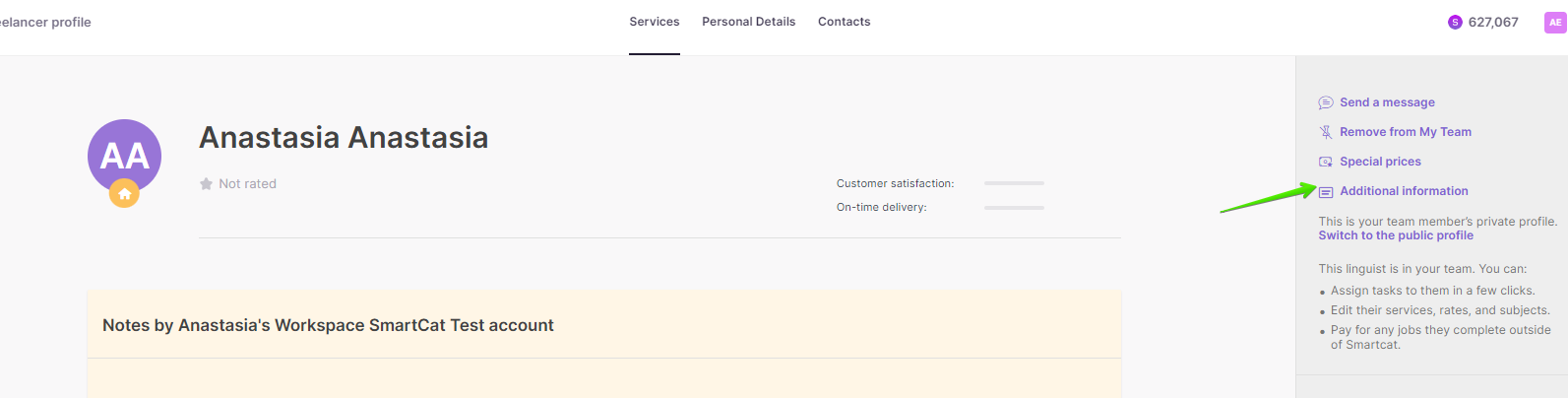
Following the same steps, create custom fields that appear in freelancer profiles
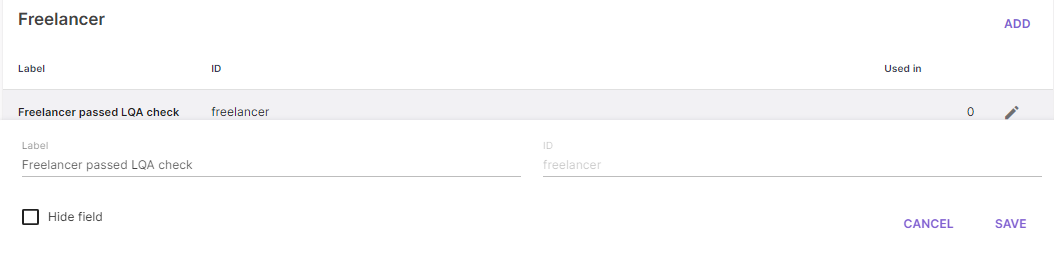
Open a linguist's profile from your Team members list → Additional Information.
iii. Vendors
-
Click Add field for vendor
-
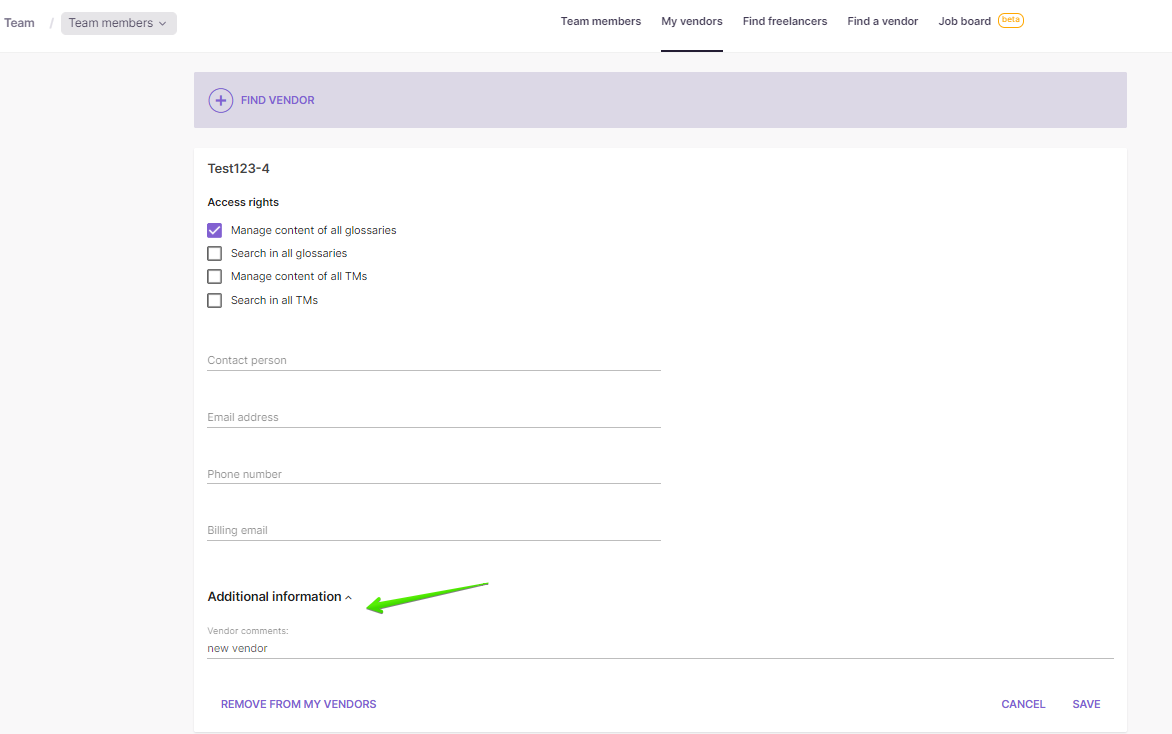
Following the same steps, create custom fields that appear in vendor profiles
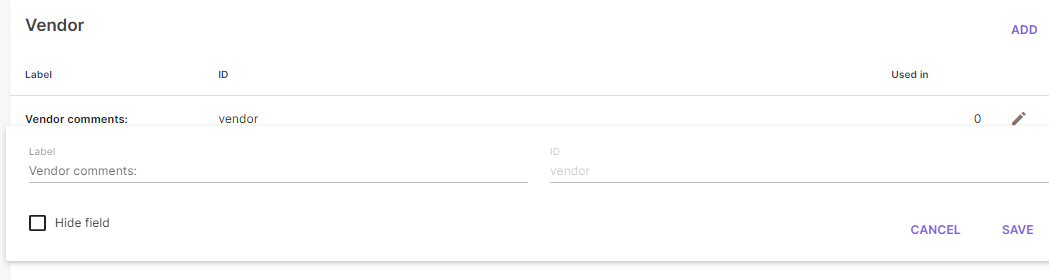
Open a vendor's profile from your Team page → My vendors → Additional Information.
iv. Clients
-
Click Add field for client
-
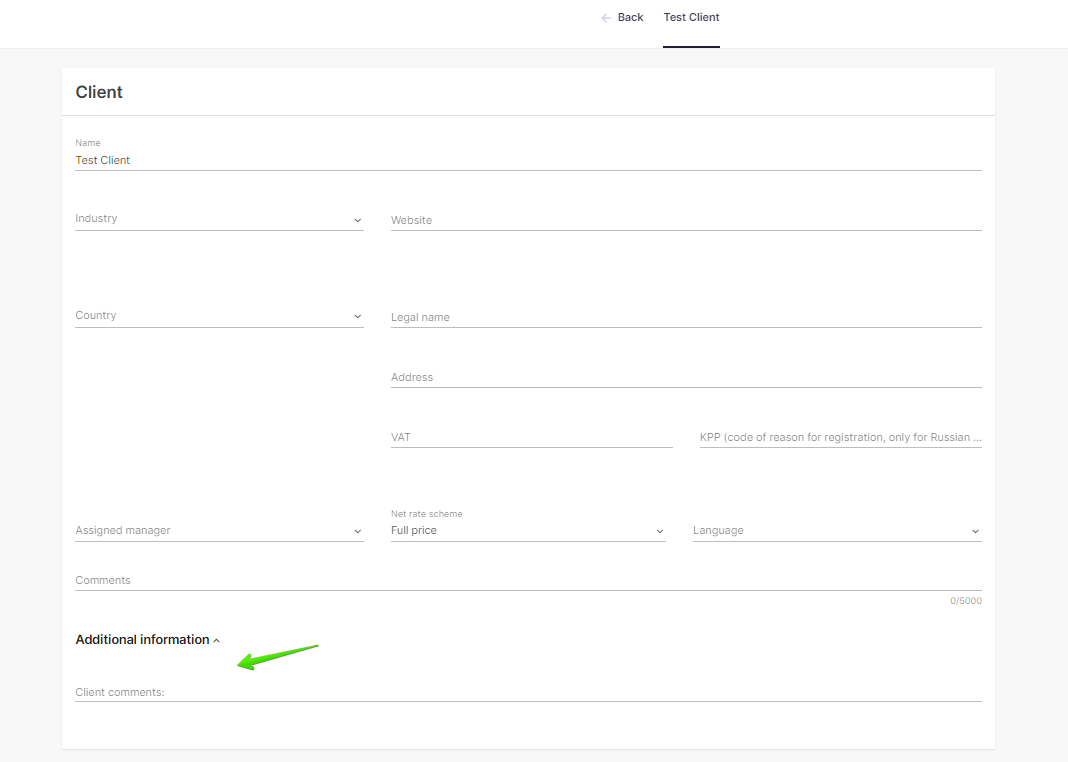
Following the same steps, create custom fields that appear in client profiles

Open a client's profile from your Home page under Clients → Additional Information.
You can now create a wide range of custom properties for your Smartcat translation and localization projects.
Add custom fields to a project template
You can add custom fields to your project template during the New Project wizard. You can select custom properties configured in Workspace settings and apply them to the template. Then, whenever you create a project with this template, those fields appear.
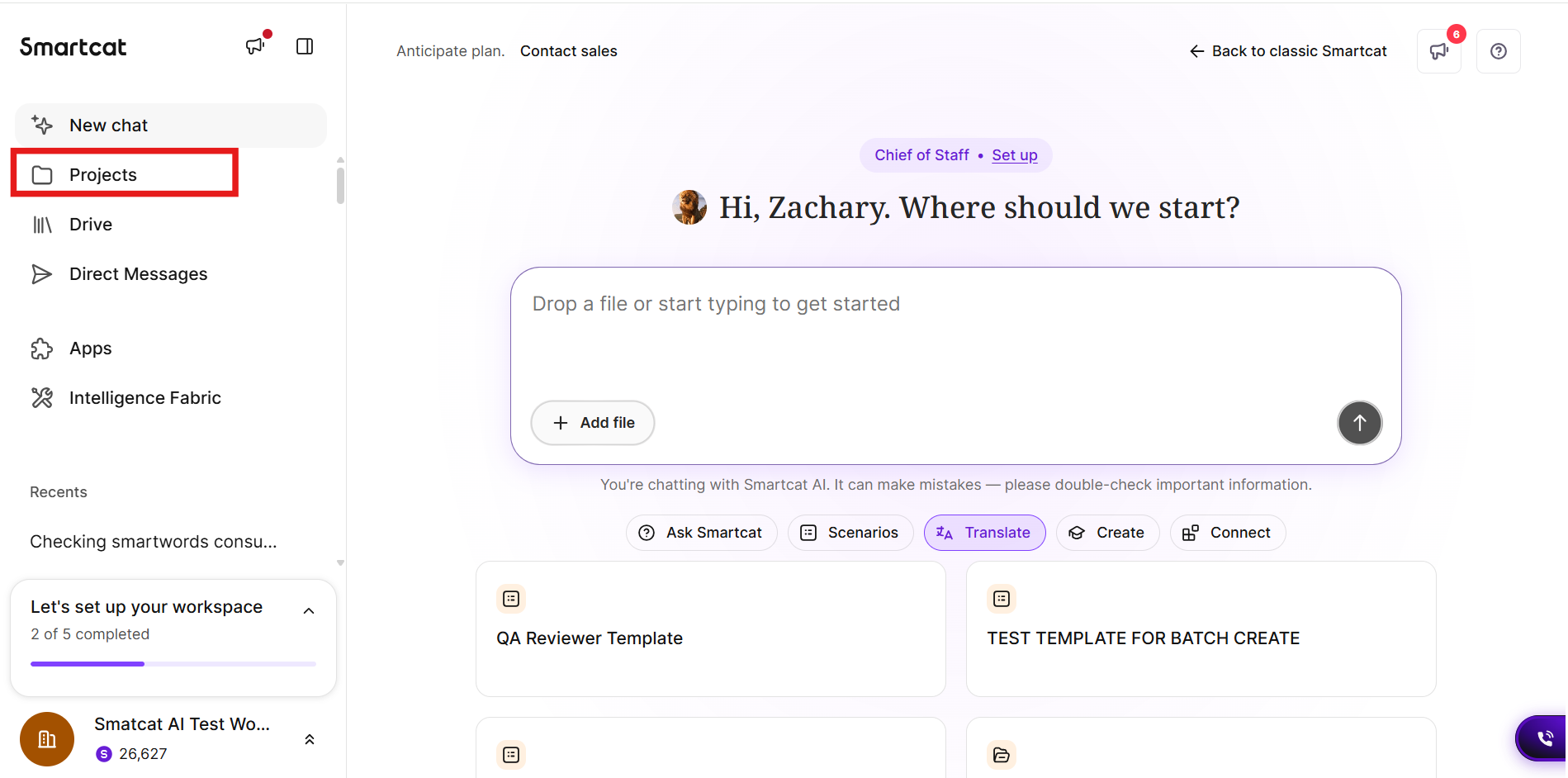
- In the left navigation sidebar, click Projects
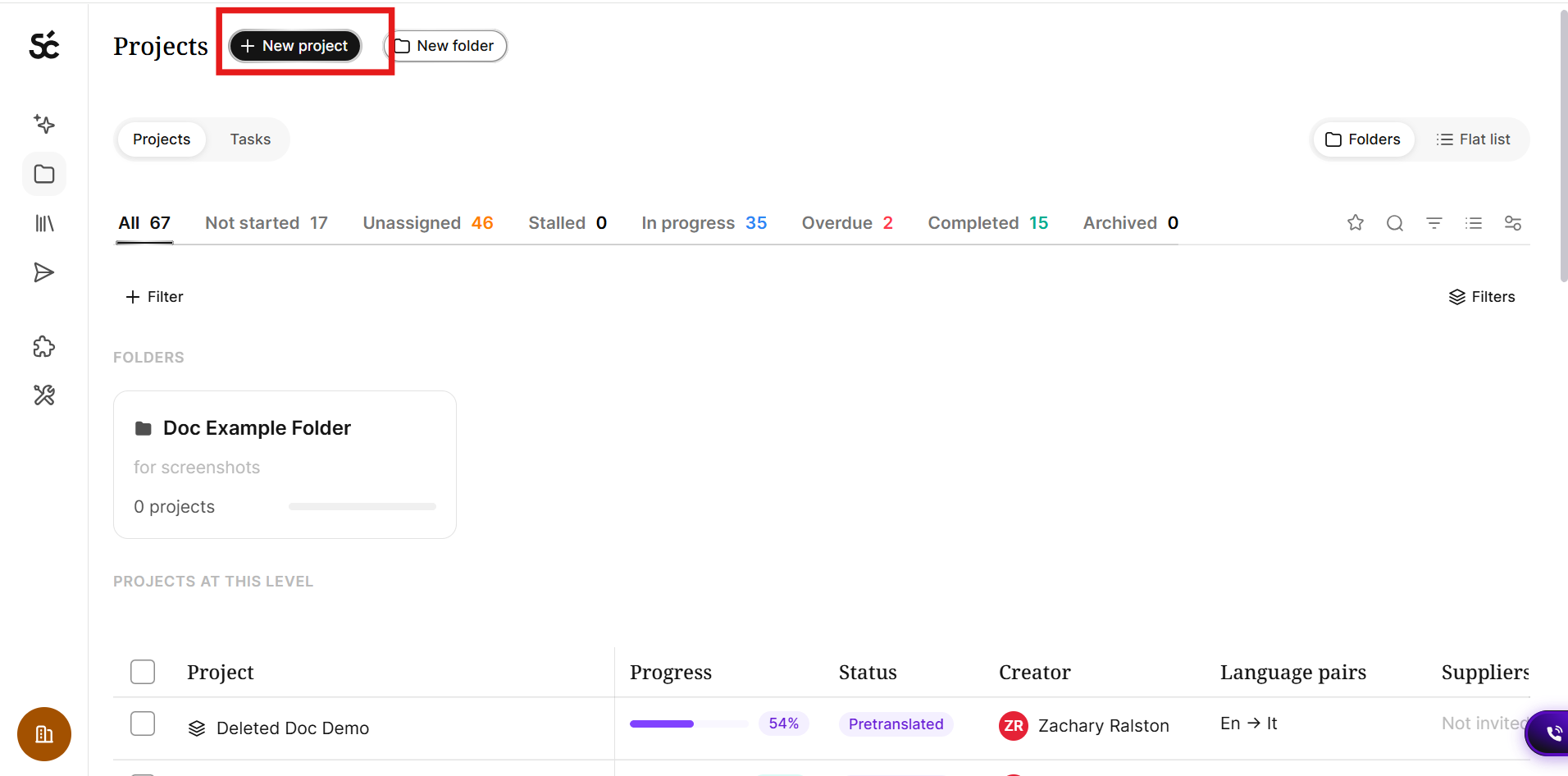
- Click +New project in the top left
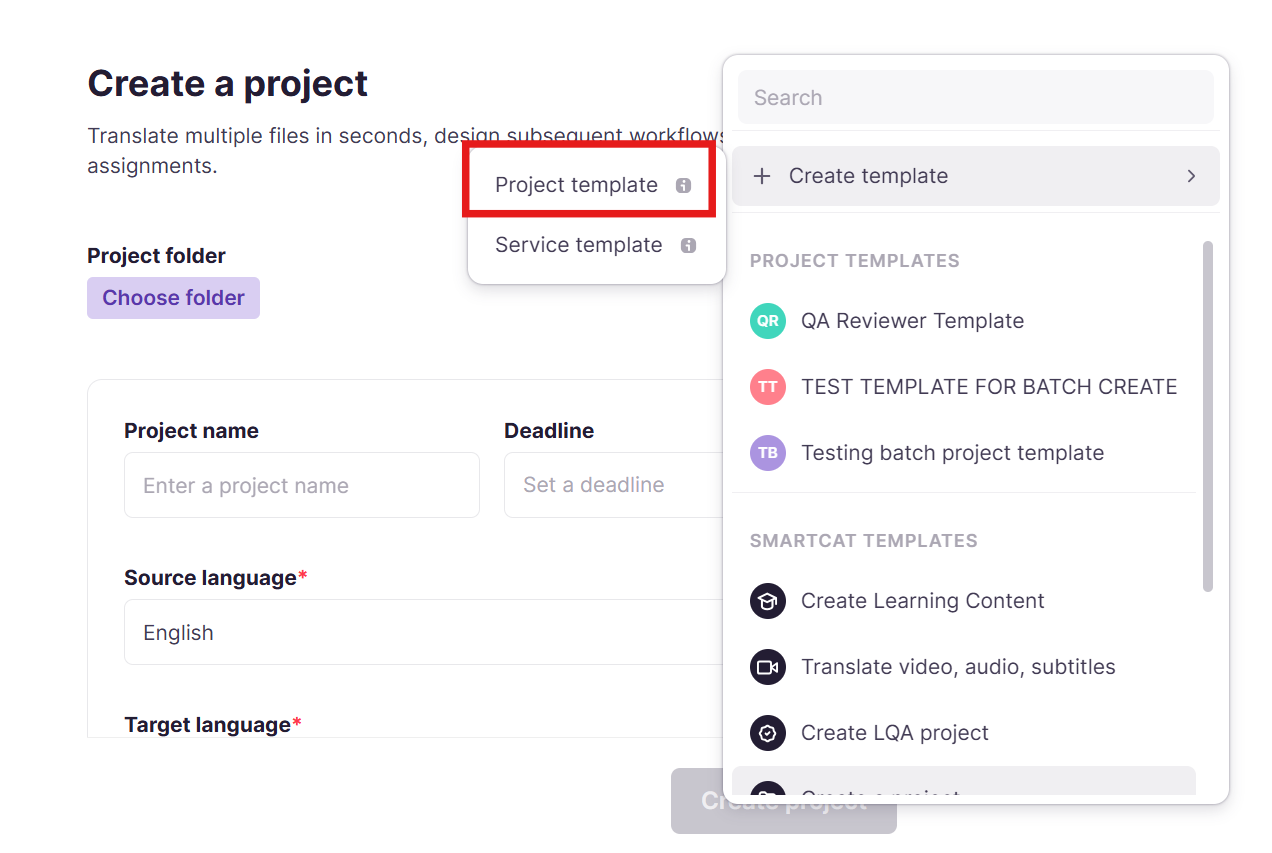
- Click Change template → +Create template → Project template
-
Complete steps 1 and 2 of the project template wizard
-
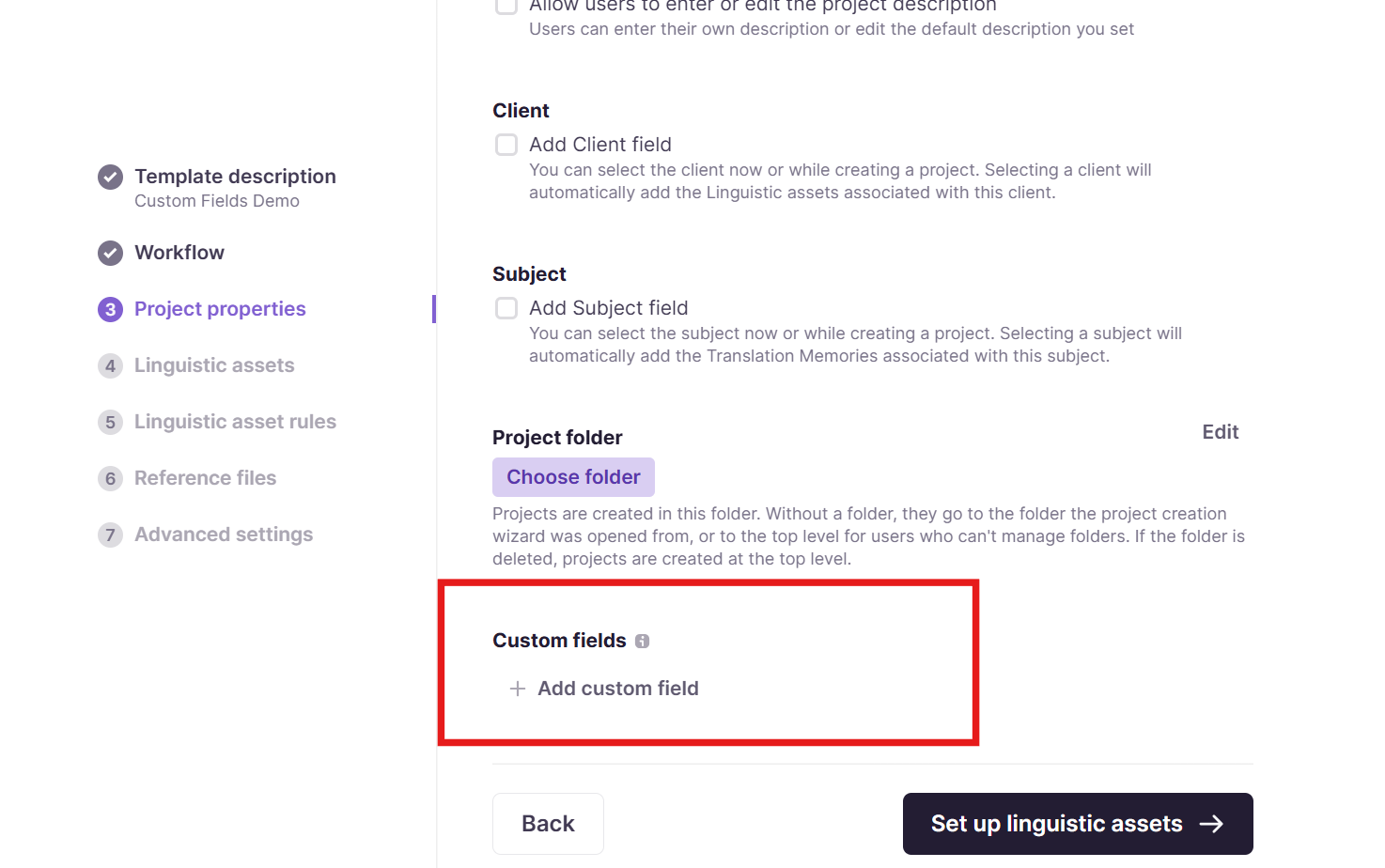
On the Project properties page, click + Add custom field
- Complete template set up
Add custom fields to a project
You can add custom fields to an individual project.
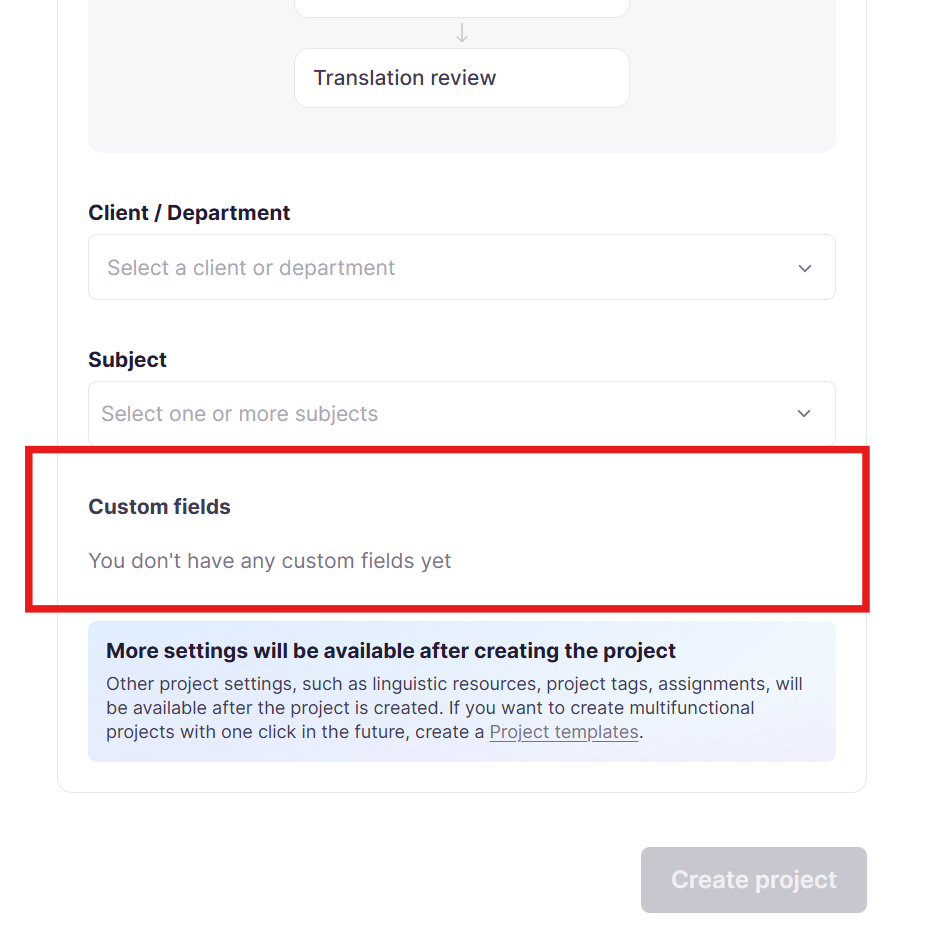
During project creation
-
On the Project page, click + New project
-
Click Workflow to open the advanced options
-
If you have custom fields configured in your workspace, you can set those fields at the bottom of the Workflow section
After project creation
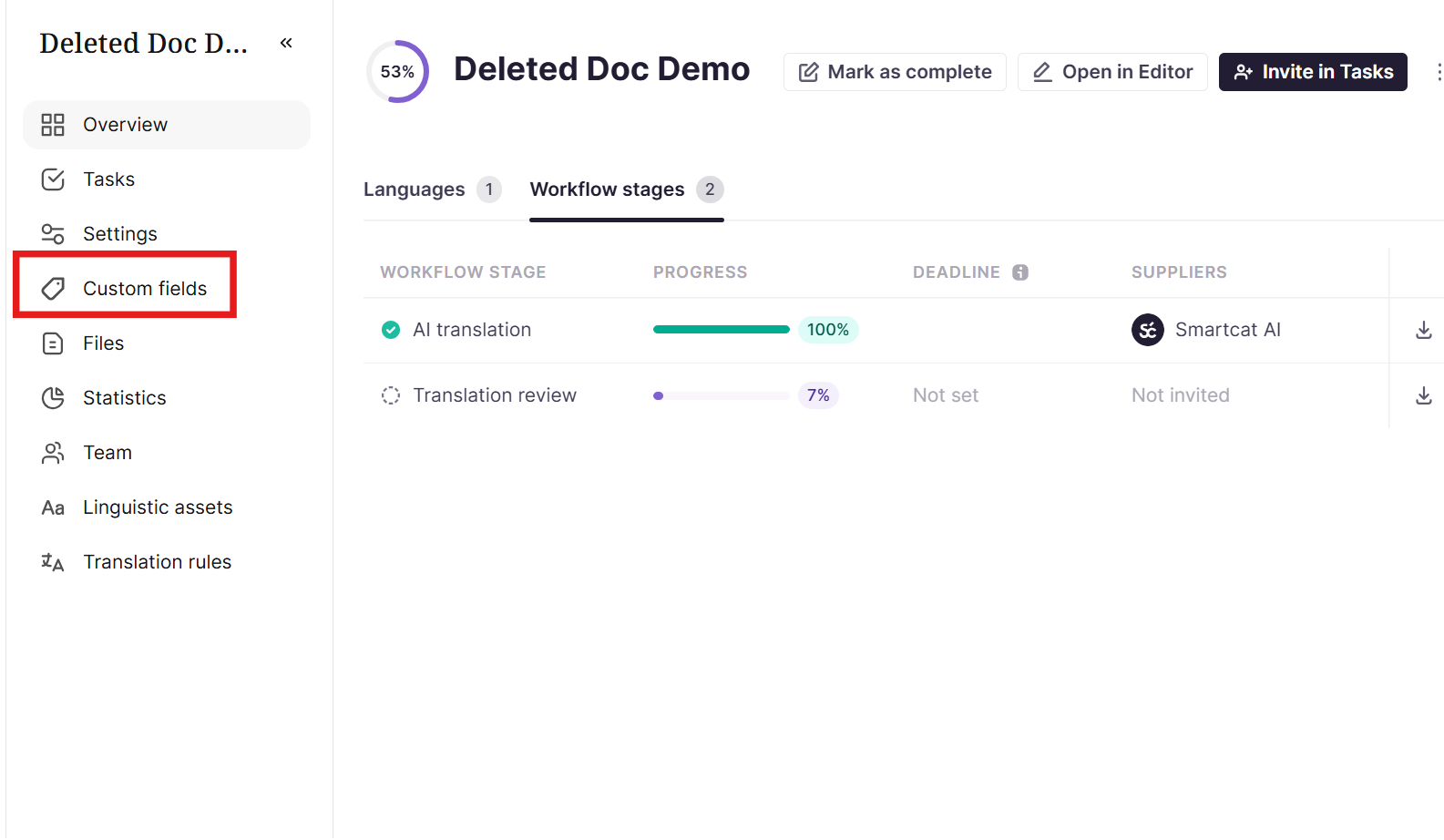
-
On the Project page, select a project to open
-
In the left sidebar, select Custom fields
FAQs
Who can create new custom fields for the workspace?
Only Workspace Admins can create custom fields, via Settings → Custom fields.
What entities can I create custom fields for?
Projects, freelancer profiles, vendor profiles, and clients — each has its own separate configuration section.
What are the two types of custom field I can create?
A free-text field (where you type in a value) or a drop-down menu with a predefined set of values to choose from.
Where do custom fields actually show up once created?
Project custom fields appear under a project's Settings → Additional Information; freelancer/vendor/client fields appear under Additional Information on their respective profile pages.
What are common reasons teams use custom fields?
As a mapping tool for generating reports, to support the Branded Custom Portal / order management solution, and to surface extra information on projects, linguists, and clients.
Want to learn more?
See how Smartcat can transform your localization workflow.
Still need help?
Our support team responds within one business day.