CAT editor
Preview source text in the CAT editor
Overview
The Source Preview feature gives you a real-time preview of the original text so you have deeper context while you work. In the CAT editor, you find the preview at the bottom or on the right of the editing area, where you see how the source text looks in the original file.
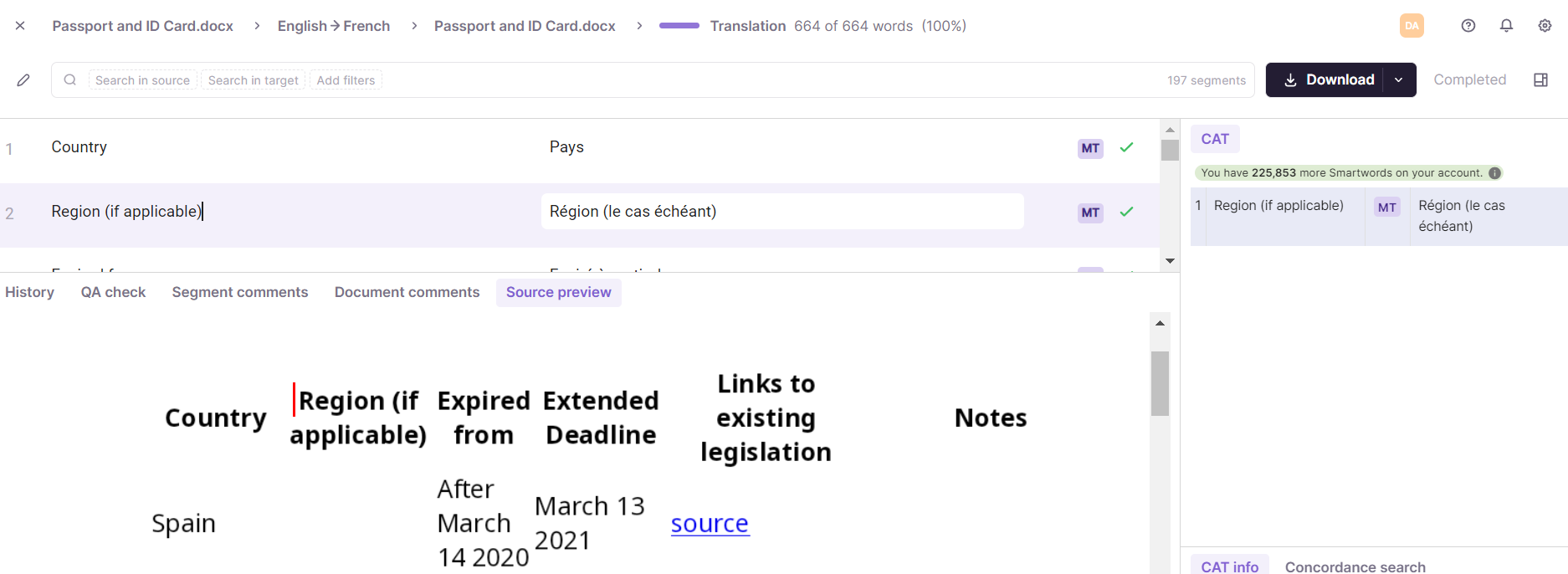
View more of your document
Drag the slider up to view more of your document.
Source Preview vs. Target Preview
Source Preview is available for only some file formats.
📌 Do not confuse Source Preview with Target Preview. Target Preview is available for subtitles and HTML files, and lets you view the translations applied on top of the source videos or converted to HTML.
Was this article helpful?
Want to learn more?
See how Smartcat can transform your localization workflow.
Still need help?
Our support team responds within one business day.
Have other feedback for us?
Thanks for your feedback!