Missing Settings Panel
Overview
If certain options are missing or inaccessible from your workspace homepage, this is usually because they have been disabled in the workspace Settings. Workspace Admins can control which homepage options are visible to users.
When to use it
-
Homepage options (like Projects, Resources, etc.) are missing from your workspace
-
You cannot see certain sections that should be available on your homepage
-
You need to customize which homepage options are visible to your team
How to use it
For Workspace Admins: Enable missing homepage options
Step 1: Access Organization Settings
-
Click your organization name in the top left corner
-
Click the > arrow next to the organization name
-
Select Settings and preferences
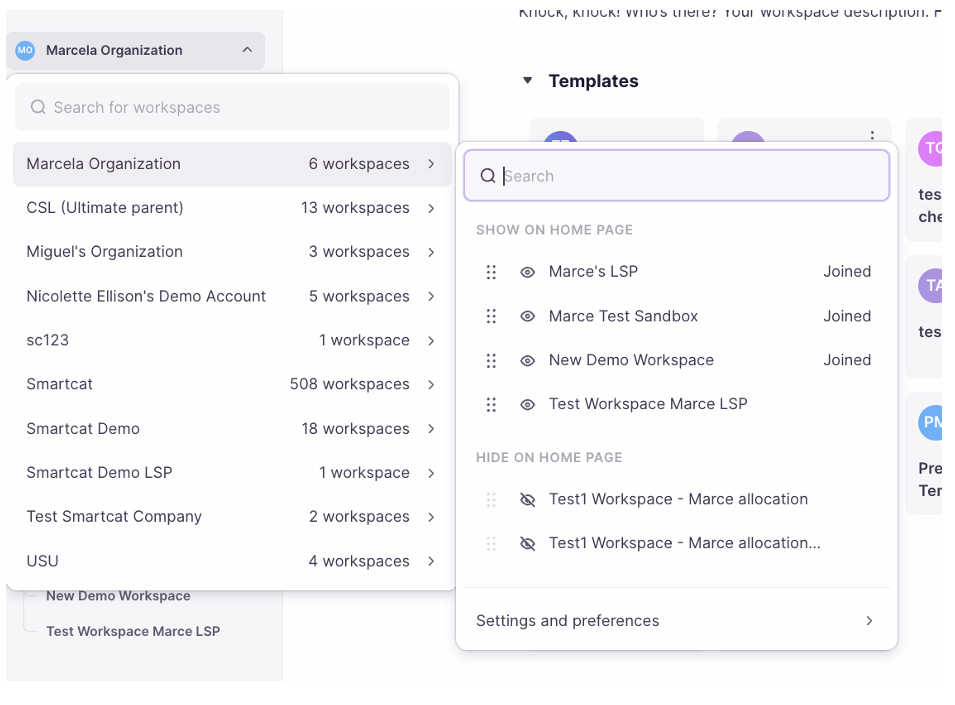
- Choose Manage organization
Step 2: Access Workspace Settings
- Next to the name of the affected workspace, click the settings icon
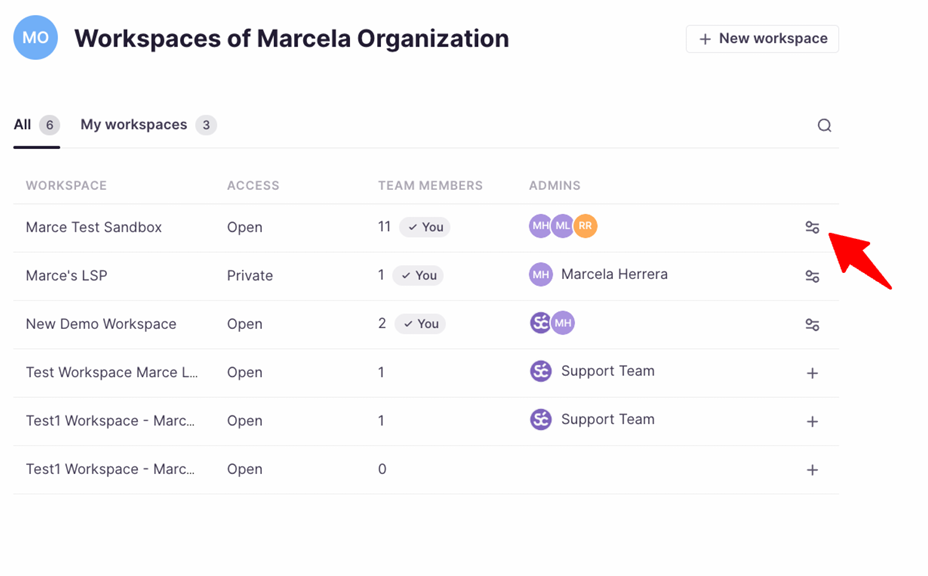
Step 3: Configure Homepage Options
-
Click Homepage in the settings menu
-
Click the visibility icon next to each option you want to enable/disable
-
You can also drag and drop each item to sort them in your preferred order
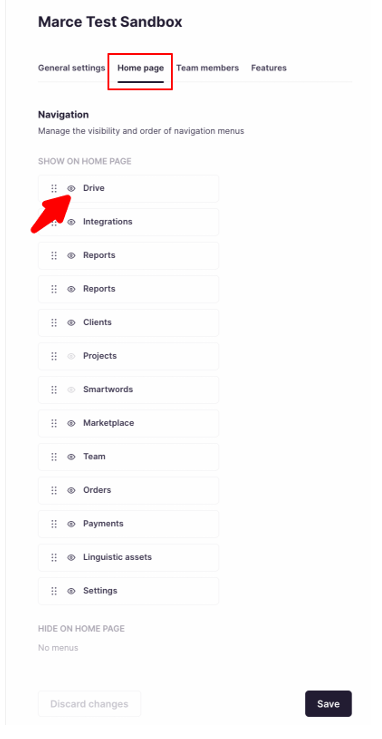
- Click Save when you're finished
Result: The enabled options now appear on your workspace homepage for users with the proper permissions.
Requirements and limitations
-
Only Workspace Admins can modify homepage visibility settings
-
Changes apply to all users in the workspace
-
Some options may be restricted based on your subscription plan
FAQs
I'm a Workspace Admin but I can't find the Settings icon next to my workspace name. What should I do?
Make sure you're viewing the organization-level settings, not workspace-level settings. The path is: Organization name > Settings and preferences > Manage organization.
Can I customize homepage options for individual users?
No, homepage visibility settings apply to all users in the workspace. Individual users cannot customize their own homepage layout.
What homepage options can be controlled?
The specific options available depend on your workspace configuration and subscription plan. Common options include Projects, Linguistic Assets, Clients, and other workspace tools.
Want to learn more?
See how Smartcat can transform your localization workflow.
Still need help?
Our support team responds within one business day.