Use recommended voices for AI dubbing
Overview
Recommended voices for AI dubbing help your team produce polished, natural-sounding AI voiceovers that are optimized for each target language and stay consistent across all localized versions of a video.
When to use it
Use recommended voices for AI dubbing when you want to:
-
Ensure AI voiceovers sound natural and appropriate for the target language
-
Maintain consistent voice quality across multiple languages or versions of the same video
-
Align voice choices across linguists, projects, and regions
-
Deliver polished, publish-ready video using AI voices
This is especially useful for multilingual projects where quality, tone, and consistency matter as much as accuracy.
How to use it
-
Open a video or audio file in the Subtitle Editor
-
Select AI voiceover in the sidebar
-
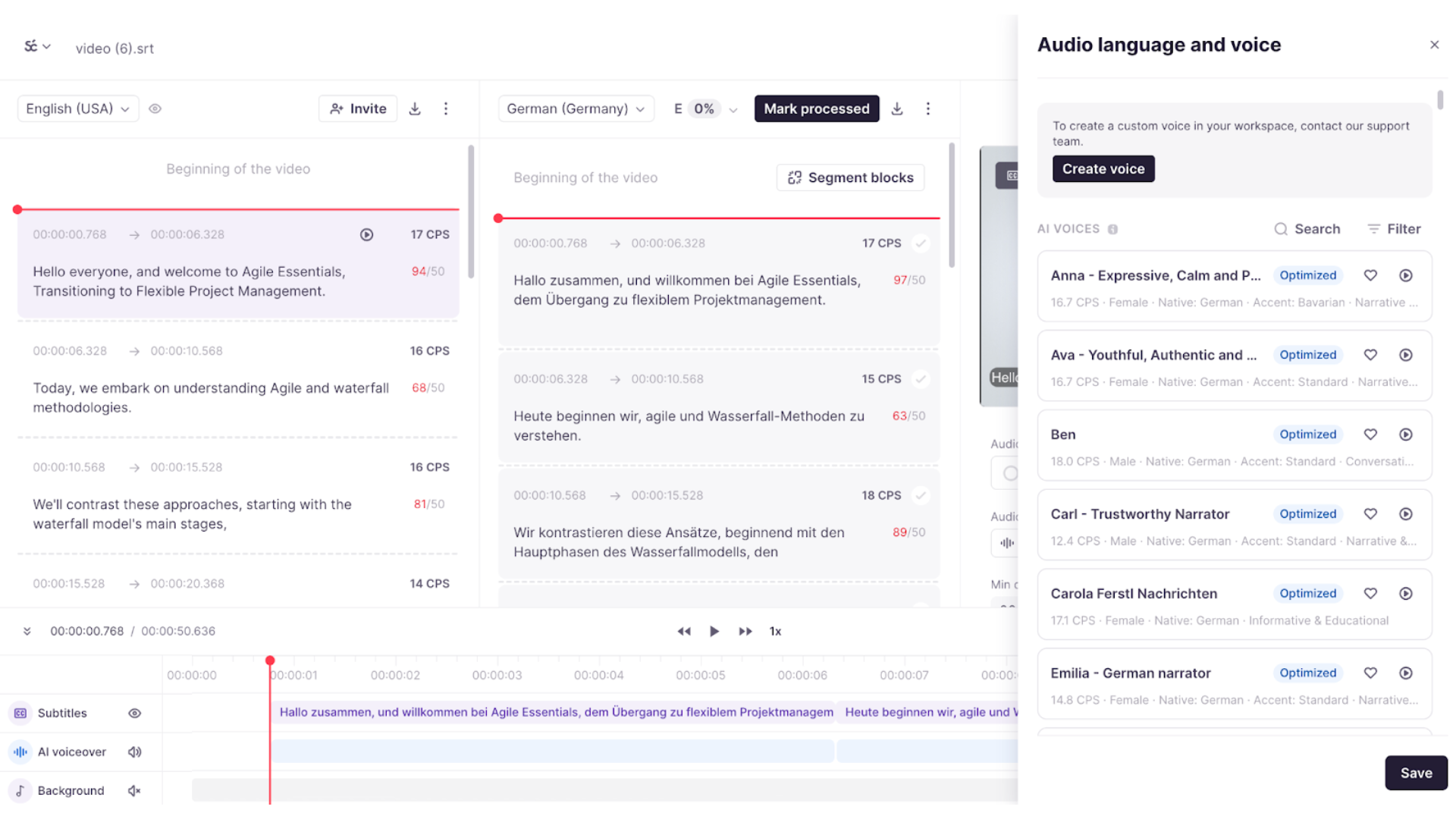
Open the voice selection panel
-
Review recommended voices, recent voices, or favorites
-
Preview and apply a voice
-
Preview the content with the selected AI voice
Your video now plays back with the selected AI voice applied.
Requirements
-
The Subtitle Editor must be enabled by your Smartcat Account Manager
-
Admins and Project Managers can manage favorites
-
Voice cloning requests are handled manually through Support
-
Dubbing is supported in the Subtitle Editor only, not the CAT editor
FAQs
Are recent voices personal or shared?
Recent voices are shared across the workspace.
Do voice previews consume Smartwords?
No, previews do not consume Smartwords.
Can linguists add favorites?
No. Only Project Managers and Admins can mark voices as favorites.
Still need help?
Our support team responds within one business day.