How can I delete my Smartcat account?
Overview
This article explains how to permanently delete your Smartcat account. Depending on your account type and eligibility, you can either delete your account yourself through Profile Settings or request deletion through our Support Team.
Account deletion is permanent and irreversible. Once deleted, your account and all associated data cannot be recovered.
Before You Delete Your Account
Before proceeding with account deletion, take these important steps:
Download Your Data
Account deletion permanently removes:
-
All profile information
-
All documents and files
-
All glossaries and translation memories (TMs)
-
Access to your balance record
Download any glossaries, translation memories, documents, or other files you want to keep. After deletion, Support cannot restore any of this data.
Ensure All Payments are Complete
-
If you owe payments: Make sure all suppliers and freelancers have been paid.
-
If you are owed payments: Make sure you have received all pending payments and withdrawn any remaining balance.
Eligibility for Self-Service Deletion
You can delete your account directly from Profile Settings if you meet all of the following conditions:
For Workspace Users:
-
No active paid subscription
-
No unpaid jobs
-
No unpaid invoices
-
No funds remaining on your balance
-
No ongoing projects
For Freelancers:
-
No funds remaining on your balance
-
No active paid features
-
No unfinished client projects
-
No pending payments
If you do not meet these conditions, you need to contact Support for assistance.
How to Delete Your Account
Option 1: Self-Service Deletion (if Eligible)
-
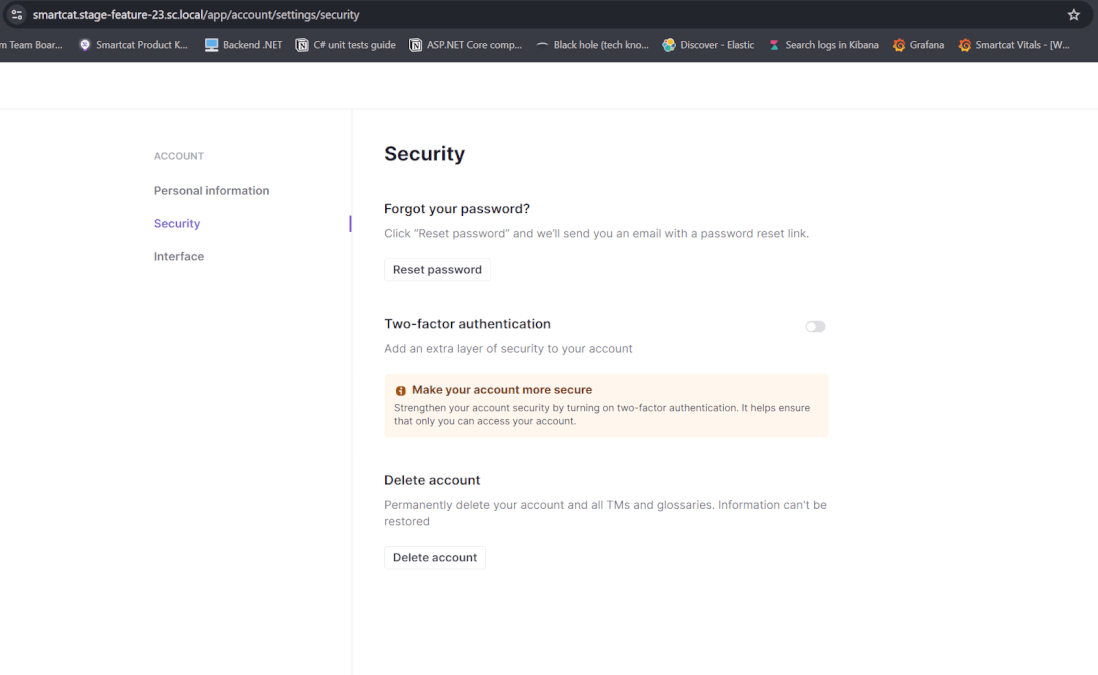
Go to Profile Settings
-
Open the Security tab
-
Click Delete Account
-
Review the confirmation message
-
Confirm the deletion
If you meet all eligibility requirements, your account is deleted instantly. If a message appears indicating you are not eligible, proceed to Option 2.
Option 2: Request Deletion Through Support
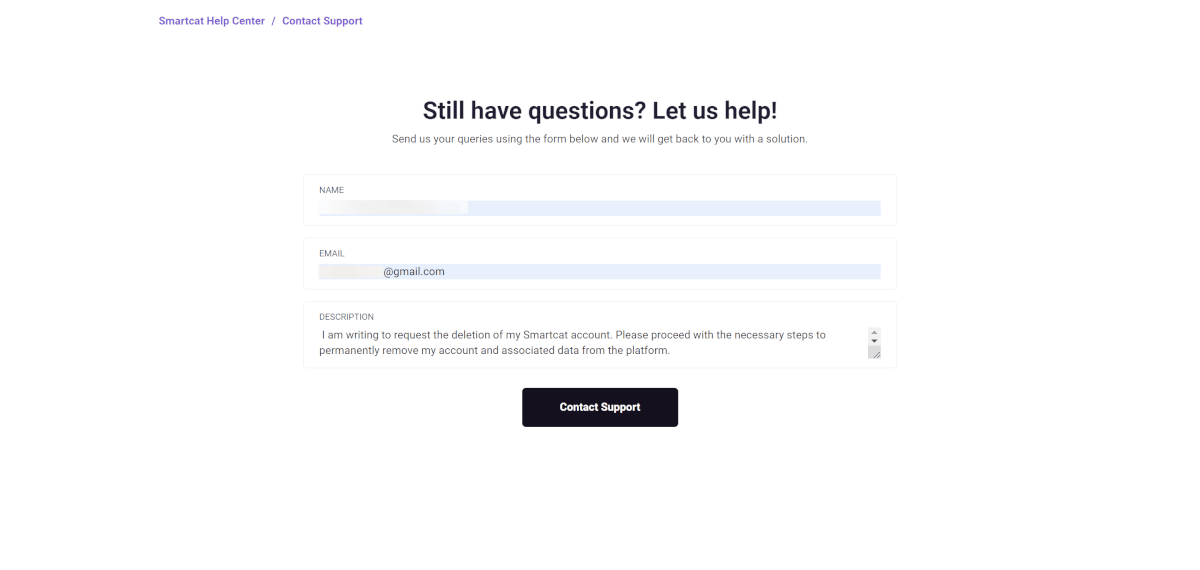
If you cannot delete your account through self-service, contact our Support team and indicate that you want to delete your account. They will respond within one business day.
Why Support assistance may be required:
-
Outstanding supplier payments need to be verified
-
Active subscriptions or balances need to be resolved
-
Complex account situations require manual review
To speed up the process:
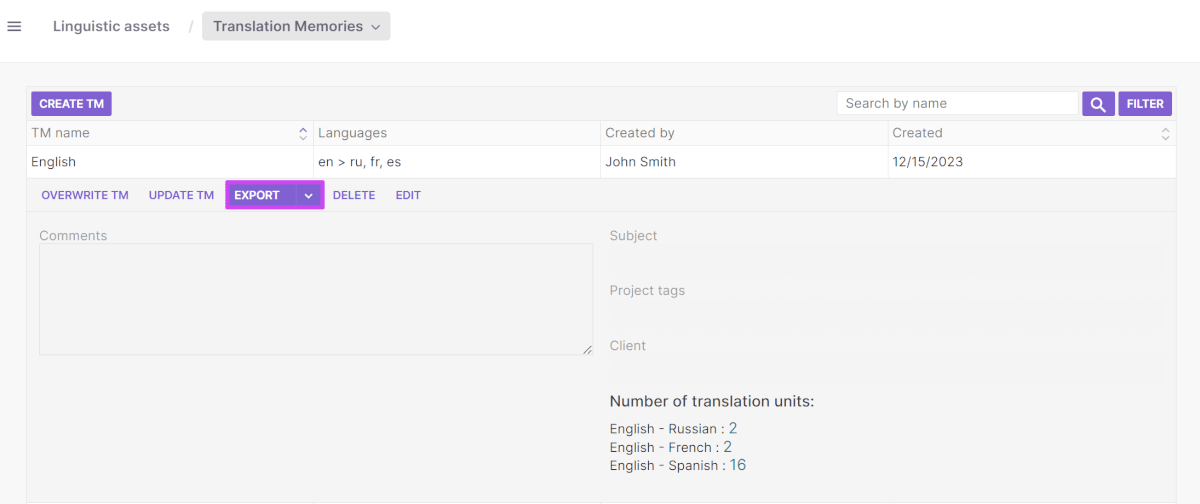
- Download your glossaries and translation memories. So you don't lose all the great work you've already done. It's entirely up to you, but we want to make sure that you make this decision with full awareness so you don't accidentally delete your work.
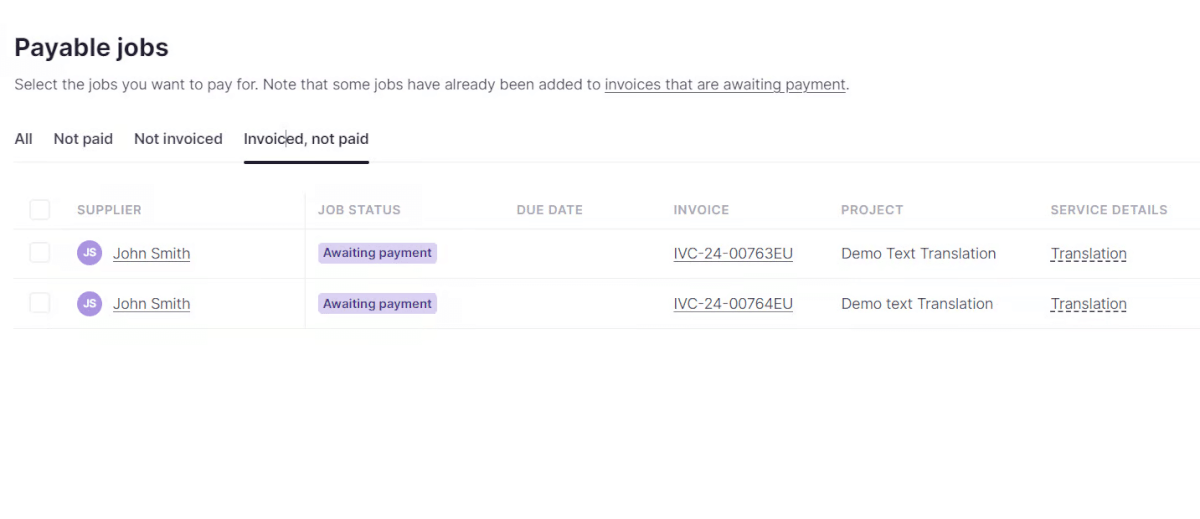
- Make sure that you have paid all of your suppliers. We can proceed with your account deletion once there are no outstanding payments due to your suppliers.
- If you have multiple Smartcat accounts, specify the correct email address for the account you want deleted.
FAQs
Why does Smartcat verify payments before deletion?
Smartcat must ensure all suppliers have been paid before deleting your account to guarantee fair compensation. This verification typically takes only minutes. This does not affect free trial accounts, which do not require payment instruments.
Want to learn more?
See how Smartcat can transform your localization workflow.
Still need help?
Our support team responds within one business day.